Resetting your Honda Civic dashboard can be a straightforward process if you have the right guidance. The dashboard is a critical component of your vehicle, providing vital information such as speed, fuel level, and warning indicators.
Over time, issues like faulty sensors or software glitches can cause the dashboard to malfunction. In this guide, we will walk you through the steps to reset your Honda Civic dashboard, helping you resolve common issues and get back on the road.
Whether you’re experiencing display issues or error messages, our guide will provide you with the necessary information to troubleshoot and fix the problem.
Key Takeaways
- Understand the importance of resetting your Honda Civic dashboard.
- Learn the step-by-step process to reset the dashboard.
- Identify common issues that require a dashboard reset.
- Troubleshoot display and error message problems.
- Get tips on maintaining your dashboard’s health.
Understanding Your Honda Civic Dashboard
Your Honda Civic’s dashboard is more than just a collection of gauges and lights; it’s a vital information hub that keeps you informed about your vehicle’s status. Understanding the components and indicators on your dashboard is crucial for maintaining your vehicle’s health and ensuring your safety on the road.
Dashboard Components and Warning Indicators
The Honda Civic dashboard is equipped with various warning indicators and gauges that monitor different aspects of your vehicle. These include the speedometer, tachometer, fuel gauge, and temperature gauge, along with warning lights for oil pressure, battery charge, and engine temperature. Warning indicators are designed to alert you to potential issues before they become serious problems.
A typical Honda Civic dashboard includes several key components:
- Speedometer and odometer
- Tachometer
- Fuel gauge
- Temperature gauge
- Warning lights for various systems
| Indicator | Description |
|---|---|
| Check Engine Light | Indicates a problem with the engine or emissions system |
| Oil Pressure Light | Warns of low oil pressure, potentially indicating a lubrication issue |
| Battery Light | Signals a charging system problem |
Common Reasons for Dashboard Resets
There are several reasons why you might need to reset your Honda Civic’s dashboard. Common scenarios include after performing maintenance tasks, such as oil changes, or when troubleshooting issues indicated by warning lights. Resetting the dashboard can help clear error codes and ensure that your vehicle’s monitoring systems are accurately tracking its condition.
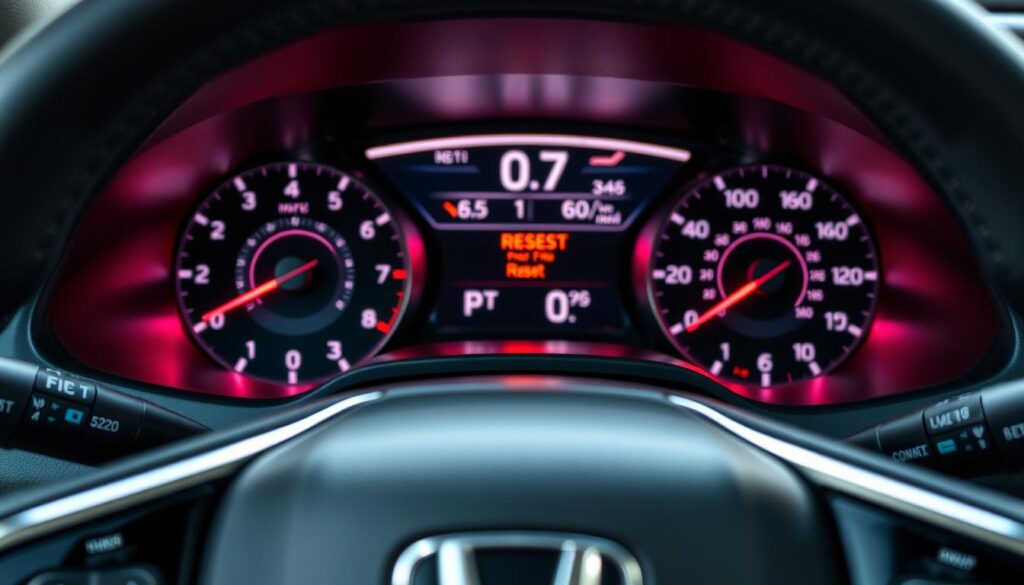
Resetting your Honda Civic dashboard can be necessary after maintenance or repairs. It’s a straightforward process that helps ensure your vehicle’s systems are functioning correctly.
How to Reset Honda Civic Dashboard: Basic Methods
Understanding how to reset your Honda Civic’s dashboard is crucial for maintaining your vehicle’s overall health. Resetting the dashboard can help resolve various issues, from minor glitches to more serious problems indicated by warning lights. In this section, we’ll explore the basic methods to reset your Honda Civic dashboard.
Tools and Preparation Needed
Before attempting to reset your Honda Civic dashboard, ensure you have the necessary tools and information. Typically, you’ll need:
- The owner’s manual
- A screwdriver (for some models)
- A basic understanding of your vehicle’s dashboard components
Having these tools and a bit of knowledge will make the reset process smoother and more efficient.
Method 1: Using the Odometer Reset Button
One common method for resetting the Honda Civic dashboard involves using the odometer reset button. To do this:
- Turn the ignition switch to the “ON” position.
- Press and hold the odometer reset button.
- While holding the button, turn the ignition switch to the “OFF” position, then back to “ON.”
- Release the button and check if the dashboard resets.
This method is particularly useful for resetting the maintenance minder and other dashboard indicators.
Method 2: Battery Disconnect Reset Procedure
Another effective method is to disconnect the battery. This process can reset various dashboard systems, including warning lights and error codes. To do this:
- Turn off the engine and remove the key from the ignition.
- Disconnect the negative battery cable.
- Wait for at least 10 minutes to allow the vehicle’s systems to fully reset.
- Reconnect the negative battery cable and start the engine.
For more details on the battery disconnect procedure, you can refer to our guide on resetting Honda after battery replacement.
Model-Specific Considerations (2016-2023 vs. Older Models)
It’s essential to note that different model years may have varying procedures for resetting the dashboard. For Honda Civic models from 2016 to 2023, the methods described above are generally applicable. However, older models might require slightly different approaches. Always consult your owner’s manual or a professional mechanic if you’re unsure.
| Model Year | Recommended Reset Method | Additional Notes |
|---|---|---|
| 2016-2023 | Odometer Reset Button or Battery Disconnect | Check owner’s manual for specific instructions |
| Pre-2016 | Battery Disconnect or Consult Manual | Older models may have different reset procedures |
Advanced Reset Procedures for Specific Dashboard Indicators
Delving deeper into your Honda Civic’s dashboard, you’ll find several indicators that may need advanced reset procedures. These indicators are crucial for maintaining your vehicle’s performance and safety. In this section, we’ll explore the advanced reset procedures for specific dashboard indicators, helping you tackle more complex issues that may arise.
Resetting the Maintenance Minder System
The Maintenance Minder System in your Honda Civic is designed to inform you when your vehicle is due for maintenance. However, after completing the necessary maintenance, you’ll need to reset this system. To do so, follow these steps:
- Turn the ignition switch to the “ON” position.
- Press the “SELECT/RESET” button until the engine oil life appears on the display.
- Press and hold the “SELECT/RESET” button for more than 10 seconds until the engine oil life reset mode appears.
- Press the “SELECT/RESET” button to reset the engine oil life.
For more information on resetting the oil life in other Honda models, you can visit this guide on resetting Honda Pilot oil.
Clearing Check Engine Light and Error Codes
The check engine light can be triggered by a variety of issues, from loose gas caps to more serious engine problems. To clear the check engine light, you’ll first need to diagnose and fix the underlying issue. Once the problem is resolved, you can clear the error code using an OBD-II scanner.
| Step | Description |
|---|---|
| 1 | Connect the OBD-II scanner to your vehicle’s OBD-II port. |
| 2 | Turn the ignition switch to the “ON” position. |
| 3 | Use the scanner to read and clear the error codes. |
Resetting the Tire Pressure Monitoring System (TPMS)
If you’ve adjusted the tire pressure or replaced a tire, you may need to reset the TPMS. To do this, follow these steps:
- Ensure the tire pressure is at the recommended level.
- Turn the ignition switch to the “ON” position.
- Press and hold the TPMS button until the TPMS indicator blinks twice.
Resetting Trip Computer and Fuel Economy Data
Resetting the trip computer and fuel economy data can be useful for tracking your vehicle’s performance over specific periods. To reset this data, follow these steps:
- Turn the ignition switch to the “ON” position.
- Press the “INFO” button until the trip computer display appears.
- Press and hold the “SELECT/RESET” button to reset the trip data.
By following these advanced reset procedures, you can maintain your Honda Civic’s performance and ensure that the various dashboard indicators are providing accurate information.
Troubleshooting Dashboard Reset Issues
Resetting your Honda Civic dashboard is just the first step; sometimes, additional troubleshooting is necessary to resolve persistent problems. After attempting a reset, you may still encounter issues such as warning lights remaining on or electronic display glitches.
When Warning Lights Persist After Reset
If warning lights persist after a reset, it could indicate an underlying issue that wasn’t resolved by the reset. Common causes include ongoing problems with the engine, transmission, or other critical systems. To troubleshoot, check the dashboard for any specific error codes or messages that might provide clues about the issue.
Steps to diagnose:
- Check for any recent repairs or maintenance that might be related to the issue.
- Consult your owner’s manual for guidance on interpreting dashboard warning lights.
- Consider using a code reader to retrieve any stored error codes from your vehicle’s onboard computer.
Dealing with Electronic Display Glitches
Electronic display glitches can be frustrating, but they’re often resolvable with simple troubleshooting steps. If your Honda Civic’s dashboard display is malfunctioning, try restarting the engine or checking the electrical system for any issues.
Potential fixes:
- Check for loose or corroded connections in the dashboard wiring.
- Update your dashboard software if an update is available.
- Consult a professional if the issue persists after basic troubleshooting.
When DIY Methods Fail: Professional Diagnostic Options
Sometimes, DIY troubleshooting methods may not be enough to resolve dashboard issues. In such cases, seeking professional diagnostic help is the best course of action. Professional mechanics have access to advanced diagnostic tools and can provide a more detailed analysis of the problem.
Benefits of professional diagnostics:
- Accurate identification of the root cause of the issue.
- Access to manufacturer-specific diagnostic tools and software.
- Expert advice on the necessary repairs or adjustments.
Conclusion
Understanding how to reset your Honda Civic dashboard is crucial for maintaining your vehicle’s overall performance and addressing any issues that may arise. By following the steps outlined in this guide, you can effectively reset your dashboard and ensure that your vehicle continues to run smoothly.
The process of resetting the Honda Civic dashboard involves several methods, including using the odometer reset button, disconnecting the battery, and utilizing advanced reset procedures for specific dashboard indicators. By familiarizing yourself with these methods, you can troubleshoot and resolve common issues that may trigger warning lights on your dashboard.
With the knowledge gained from this Honda Civic dashboard guide, you can confidently manage your dashboard resets and keep your vehicle in optimal condition. Whether you’re dealing with a simple reset or a more complex issue, the steps outlined in this guide will help you navigate the process with ease.
By applying the information provided in this guide, you can reset your Honda Civic dashboard and ensure that your vehicle continues to provide you with a safe and enjoyable driving experience.
FAQ
How do I reset my Honda Civic dashboard?
You can reset your Honda Civic dashboard using the odometer reset button or by disconnecting the battery. The method you choose may depend on the model year of your vehicle and the specific issue you’re trying to resolve.
What is the purpose of resetting the Honda Civic dashboard?
Resetting the Honda Civic dashboard is often necessary after maintenance or when error codes appear. It helps to clear warning lights and indicators, ensuring that your dashboard is functioning correctly and providing accurate information.
Can I reset the Maintenance Minder System on my Honda Civic?
Yes, you can reset the Maintenance Minder System on your Honda Civic. The process typically involves using the controls on your dashboard to access the maintenance menu and then selecting the reset option.
How do I clear the Check Engine Light on my Honda Civic?
To clear the Check Engine Light on your Honda Civic, you’ll need to diagnose and repair the underlying issue causing the light to illuminate. Once the problem is resolved, you can reset the light using a code scanner or by disconnecting the battery.
What should I do if my dashboard warning lights persist after resetting?
If your dashboard warning lights persist after resetting, it’s likely that there’s an underlying issue that needs to be addressed. You may need to consult a professional mechanic to diagnose and repair the problem.
Can I reset the Tire Pressure Monitoring System (TPMS) on my Honda Civic?
Yes, you can reset the TPMS on your Honda Civic. The process typically involves inflating your tires to the recommended pressure, then using the controls on your dashboard to access the TPMS menu and select the reset option.
How do I reset the trip computer on my Honda Civic?
To reset the trip computer on your Honda Civic, you’ll typically need to press and hold a button on your dashboard, such as the trip reset button, until the display resets.
Are the dashboard reset procedures different for older Honda Civic models?
Yes, the dashboard reset procedures can vary depending on the model year of your Honda Civic. Older models may require different techniques or tools to reset the dashboard, so it’s essential to consult your owner’s manual or a repair manual specific to your vehicle.