The Auto Start Stop feature in Jeep vehicles is designed to enhance fuel efficiency by automatically shutting off the engine when the vehicle comes to a stop. While this feature can be beneficial, some drivers may find it inconvenient and prefer to keep the engine running.
Understanding how to reset the Auto Start Stop system is essential for drivers who want to override this feature temporarily. Resetting the system can be straightforward, and this article will guide you through the simple steps to do so.
Key Takeaways
- Resetting the Auto Start Stop feature is simple and can be done in a few steps.
- The Auto Start Stop system is designed to improve fuel efficiency.
- Drivers can override the feature by resetting it.
- Resetting the system does not affect the vehicle’s overall performance.
- The process to reset the Auto Start Stop feature is similar across various Jeep models.
Understanding Jeep’s Auto Start Stop Technology
Understanding the Auto Start Stop technology in your Jeep is crucial for optimizing its performance and troubleshooting potential issues. This feature is designed to enhance fuel efficiency and reduce emissions, making it an important aspect of modern vehicle engineering.
What Is Auto Start Stop and How It Works
The Auto Start Stop system automatically shuts off the engine when the vehicle comes to a stop, such as at traffic lights or in heavy traffic. When the driver releases the brake pedal, the engine restarts, allowing the vehicle to move forward. This technology is particularly useful in city driving, where frequent stops are common. The system is designed to save fuel and reduce emissions by minimizing the time the engine spends idling.

Benefits and Drawbacks of the Feature
The benefits of Auto Start Stop include improved fuel economy and reduced emissions. However, some drivers may experience drawbacks, such as the potential for increased wear on the starter motor and battery. Additionally, some users may find the frequent stopping and starting of the engine to be annoying. It’s essential to weigh these benefits and drawbacks to understand the overall impact of the Auto Start Stop system on your Jeep’s performance.
Why You Might Need to Reset Your Auto Start Stop
Issues with the Auto Start Stop feature can often be resolved with a simple reset process. This feature, designed to improve fuel efficiency and reduce emissions, can sometimes malfunction due to various reasons.
Common Issues with the System
The Auto Start Stop system can be affected by several common issues, including faulty sensors, software glitches, and battery problems. For instance, a malfunctioning crankshaft or camshaft position sensor can cause the system to fail. Software glitches can also lead to improper functioning, as can issues with the battery, such as a weak or dead battery.
Some Jeep models may experience specific issues related to their Auto Start Stop system. For example, some owners of Jeep Wrangler and Grand Cherokee models have reported problems with the system not engaging or disengaging properly.
| Issue | Description | Common Jeep Models Affected |
|---|---|---|
| Faulty Sensors | Malfunctioning crankshaft or camshaft position sensors | Wrangler, Grand Cherokee |
| Software Glitches | System not functioning due to software issues | Cherokee, Compass |
| Battery Problems | Weak or dead battery causing system failure | Renegade, Gladiator |
Signs Your Auto Start Stop Needs Resetting
There are several signs that indicate your Auto Start Stop system needs to be reset. These include error messages on the dashboard, the system failing to engage or disengage properly, and unusual noises when the system is activated.
“If your Jeep’s Auto Start Stop system is not working correctly, it may display an error message on the dashboard, indicating the need for a reset.”
Additionally, if you notice that the system is not turning off the engine as expected, or if it’s causing the engine to stall frequently, it may be a sign that the system needs to be reset. Ensuring that the system is functioning correctly is crucial for maintaining fuel efficiency and overall vehicle performance.
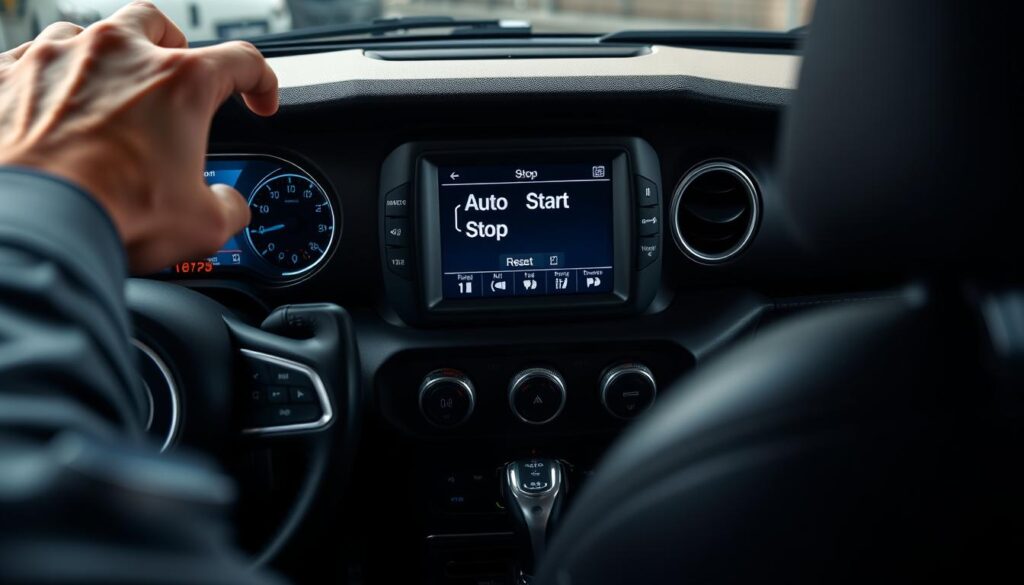
How to Reset Jeep Auto Start Stop: Basic Methods
There are multiple ways to reset the Auto Start Stop feature in your Jeep, as detailed in this section. Resetting this feature can often resolve issues related to its functionality.
Using the Dashboard Button Method
The dashboard button method is one of the simplest ways to reset the Auto Start Stop system. To do this, locate the Auto Start Stop button on your dashboard, typically found near the infotainment system or on the center console. Press the button to toggle the feature off and then on again. This simple action can sometimes reset the system and resolve any issues.
Battery Disconnect Reset Procedure
Another effective method to reset the Auto Start Stop system is by disconnecting the vehicle’s battery. Start by turning off the engine and removing the key from the ignition. Locate the battery and disconnect the negative cable, usually marked with a negative (-) sign or colored black. Leave the cable disconnected for about 30 minutes to allow any residual power to dissipate. Reconnect the cable and start the engine to test if the issue is resolved.
Key Cycle Reset Technique
The key cycle reset technique involves cycling the ignition key to reset the Auto Start Stop system. Turn the ignition key to the “on” position, but do not start the engine. Wait for about 10 seconds, then turn the key back to the “off” position. Repeat this process three times. After the third cycle, start the engine and check if the Auto Start Stop feature is functioning correctly.
| Reset Method | Description | Effectiveness |
|---|---|---|
| Dashboard Button | Toggle Auto Start Stop off and on | High |
| Battery Disconnect | Disconnect negative battery cable for 30 minutes | Very High |
| Key Cycle | Cycle ignition key three times | High |
Model-Specific Reset Instructions
The Auto Start Stop reset process is not one-size-fits-all; it varies by Jeep model, requiring model-specific instructions. Understanding these differences is crucial for Jeep owners to manage their vehicle’s Auto Start Stop feature effectively.
Cherokee and Grand Cherokee Reset Process
For Cherokee and Grand Cherokee models, resetting the Auto Start Stop system involves a simple procedure. First, ensure your vehicle is in park and the engine is turned off. Then, press the “Auto Start Stop” button on the dashboard until the indicator light turns off. Release the button and wait for a few seconds before pressing it again until the light comes back on. This process recalibrates the system.
Key Steps:
- Turn off the engine and engage the parking brake.
- Press and hold the “Auto Start Stop” button until the light turns off.
- Release and then press the button again until the light is on.
Wrangler and Gladiator Reset Steps
Wrangler and Gladiator models require a slightly different approach. To reset the Auto Start Stop feature, start by turning the ignition switch to the “ON” position without starting the engine. Then, press the “Auto Start Stop” button three times within five seconds. The system will reset, indicated by a change in the dashboard light.
Important: Ensure the vehicle is in neutral and apply the parking brake before attempting the reset.
Compass and Renegade Reset Procedure
For Compass and Renegade models, the reset process involves disconnecting the battery. Start by turning off the engine and removing the key from the ignition. Locate the battery and disconnect the negative terminal. Wait for at least 10 minutes before reconnecting the terminal. This process resets the Auto Start Stop system.
Here’s a summary of the reset procedures for different Jeep models:
| Jeep Model | Reset Procedure |
|---|---|
| Cherokee, Grand Cherokee | Press “Auto Start Stop” button until light turns off, then on again. |
| Wrangler, Gladiator | Turn ignition to “ON”, press “Auto Start Stop” button three times within 5 seconds. |
| Compass, Renegade | Disconnect negative battery terminal for at least 10 minutes. |
By following these model-specific instructions, Jeep owners can effectively reset their vehicle’s Auto Start Stop system, ensuring optimal performance and fuel efficiency.
Using Uconnect System for Auto Start Stop Reset
The Uconnect system offers a straightforward way to manage the Auto Start Stop feature in your Jeep. This advanced infotainment system not only provides navigation and entertainment but also allows you to adjust various vehicle settings, including the Auto Start Stop feature.
Accessing Auto Start Stop Settings in Uconnect
To reset the Auto Start Stop feature using the Uconnect system, start by accessing the settings menu. Navigate to the “Settings” or “Vehicle” menu, depending on your Uconnect version, and look for the “Auto Start Stop” or “Start/Stop” option. Selecting this will allow you to enable, disable, or reset the feature to its default settings.
Performing a System Update to Fix Issues
Sometimes, issues with the Auto Start Stop feature can be resolved by updating the Uconnect system software. To do this, go to the “System” or “Software Update” section within the Uconnect settings. If an update is available, follow the on-screen instructions to download and install it. This process can help resolve any software-related issues affecting the Auto Start Stop feature.
| Uconnect Version | Menu Path to Auto Start Stop Settings | System Update Option |
|---|---|---|
| Uconnect 4 | Settings > Vehicle > Auto Start Stop | System > Software Update |
| Uconnect 5 | Settings > Auto Start Stop | System > Software Update |
Options for Disabling Auto Start Stop
For Jeep owners who find the Auto Start Stop feature inconvenient, there are several options to disable it. The Auto Start Stop technology, while designed to improve fuel efficiency and reduce emissions, may not be preferable to all drivers.
Temporary Disabling Methods
One of the simplest ways to disable the Auto Start Stop feature is by using the dashboard button. This method allows you to temporarily turn off the feature, and it will automatically reactivate the next time you start your vehicle. The exact button may vary depending on your Jeep model, but it’s usually found on the center console or dashboard.
Permanent Solutions and Aftermarket Devices
For those who wish to permanently disable the Auto Start Stop feature, aftermarket devices are available. These devices can be installed to override the factory settings, providing a more permanent solution. Some popular aftermarket devices include tuners and programmers that can adjust the vehicle’s settings to disable Auto Start Stop.
| Method | Temporary/Permanent | Complexity |
|---|---|---|
| Dashboard Button | Temporary | Low |
| Aftermarket Devices | Permanent | High |
Conclusion
Resetting the Auto Start Stop feature in your Jeep is a straightforward process that can help resolve issues and improve your vehicle’s overall performance. By understanding how to reset this feature, you can ensure your Jeep operates smoothly and efficiently.
Throughout this guide, we’ve explored the ins and outs of Jeep’s Auto Start Stop technology, including its benefits and drawbacks. We’ve also provided step-by-step instructions on how to reset the feature on various Jeep models, including the Cherokee, Grand Cherokee, Wrangler, and Gladiator.
Whether you’re experiencing issues with the Auto Start Stop feature or simply want to disable it, this guide has provided you with the knowledge and tools necessary to take control of your Jeep’s technology. By following the methods outlined in this article, you can reset your Jeep’s Auto Start Stop feature and enjoy a more seamless driving experience.
For Jeep owners, understanding how to reset the Auto Start Stop feature is an essential skill that can help prevent unnecessary trips to the dealership. By mastering this feature, you can optimize your vehicle’s performance and enjoy a more efficient driving experience.
FAQ
What is the purpose of the Auto Start Stop feature in Jeep vehicles?
The Auto Start Stop feature is designed to improve fuel efficiency by automatically shutting off the engine when the vehicle comes to a stop.
How do I know if my Jeep’s Auto Start Stop system needs to be reset?
Signs that your Auto Start Stop needs resetting include error messages on the dashboard, failure of the system to engage or disengage properly, and unusual noises.
Can I reset the Auto Start Stop system using the Uconnect system?
Yes, you can access the Auto Start Stop settings within the Uconnect system and perform a system update to fix any issues.
Are there different methods to reset the Auto Start Stop system in my Jeep?
Yes, the methods include using the dashboard button, battery disconnect reset procedure, and key cycle reset technique.
Will resetting the Auto Start Stop system resolve issues with faulty sensors or software glitches?
Resetting the system can potentially resolve issues caused by faulty sensors or software glitches, but it’s essential to diagnose the root cause of the problem.
Can I permanently disable the Auto Start Stop feature in my Jeep?
Yes, there are options to permanently disable the Auto Start Stop feature, including using aftermarket devices or consulting with a dealership or mechanic.
Is the reset process for the Auto Start Stop system the same across all Jeep models?
No, the reset process may vary slightly depending on the model year and trim level of your Jeep.
What are the benefits of resetting the Auto Start Stop system?
Resetting the system can help resolve issues, improve the overall performance of the vehicle, and ensure the Auto Start Stop feature operates as intended.