Maintaining the correct tire pressure is crucial for the optimal performance and safety of your Honda Civic. The Tire Pressure Monitoring System (TPMS) is designed to alert you when the tire pressure is low. However, after adjusting the tire pressure, you may need to reset the system to turn off the warning light.
This guide will walk you through the process of resetting the tire pressure warning light on your Honda Civic, ensuring you’re back on the road safely and efficiently.
Key Takeaways
- Understanding the importance of proper tire pressure for your Honda Civic.
- Learning how to reset the TPMS after adjusting tire pressure.
- Step-by-step guide to turning off the low tire pressure warning light.
- Tips for maintaining optimal tire pressure.
- Troubleshooting common issues with the TPMS.
Understanding the Tire Pressure Monitoring System (TPMS) in Honda Civic
Understanding the Tire Pressure Monitoring System (TPMS) in your Honda Civic is essential for maintaining optimal tire pressure and ensuring vehicle safety. The TPMS is an advanced system designed to monitor tire pressure and alert the driver to any potentially dangerous conditions.
What is TPMS and How It Works
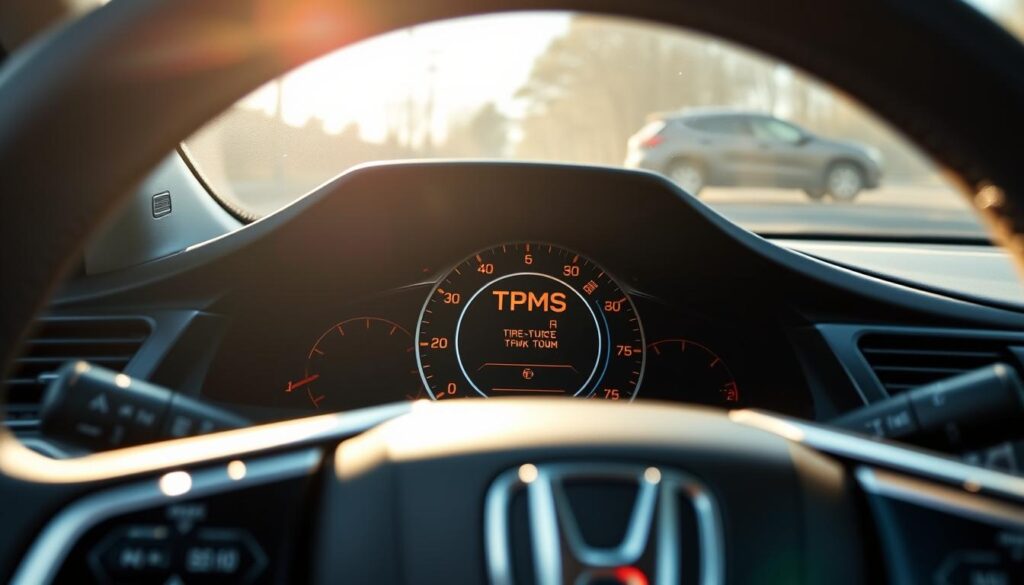
The TPMS is a critical safety feature that continuously monitors the air pressure in a vehicle’s tires. It works by using sensors to track the pressure in each tire and transmitting this data to the vehicle’s onboard computer. If the pressure falls below the recommended level, the system triggers a warning light on the dashboard to alert the driver.
Direct vs. Indirect TPMS in Honda Civic Models
Honda Civic models may be equipped with either direct or indirect TPMS. Direct TPMS uses sensors within the tires to measure pressure directly, providing accurate readings. Indirect TPMS, on the other hand, uses the vehicle’s ABS system to estimate tire pressure based on wheel speed variations. Understanding which type your Honda Civic has is crucial for proper maintenance.
How to Identify Your Honda Civic’s TPMS Type
To identify whether your Honda Civic is equipped with direct or indirect TPMS, you can consult your owner’s manual or look for a placard on the driver’s side doorjamb. This information is crucial for understanding how to maintain and troubleshoot your TPMS.
Why the Low Tire Pressure Warning Light Activates
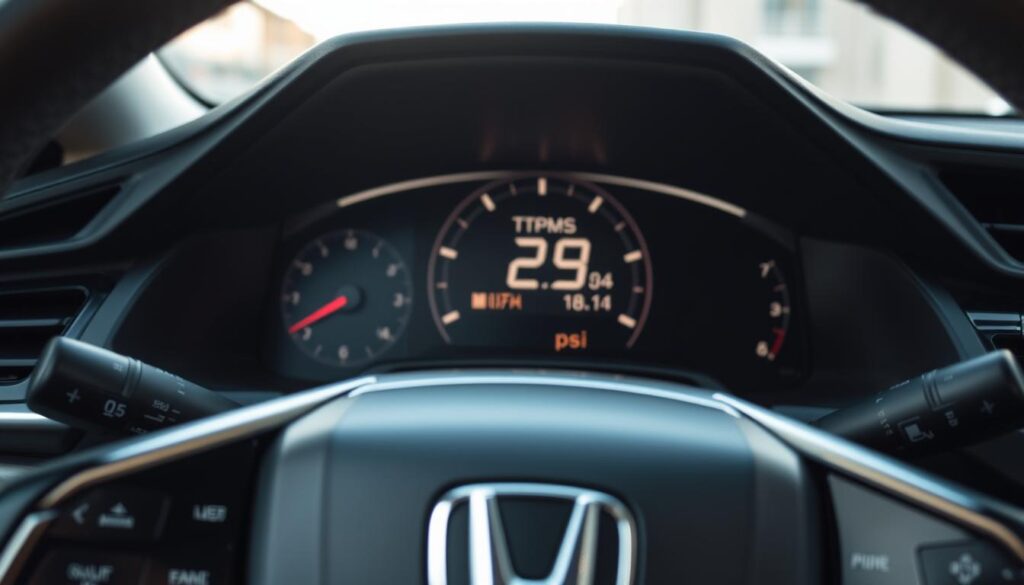
Understanding why the low tire pressure warning light activates is crucial for maintaining your Honda Civic’s safety and performance. The tire pressure monitoring system (TPMS) is designed to alert you when your tire pressure falls below the recommended level.
Common Causes of Low Tire Pressure
Several factors can lead to low tire pressure, including:
- Natural air leakage
- Tire damage from road hazards
- Improper tire inflation
- Slow leaks due to corroded or damaged wheel rims
Regular checks can help identify these issues before they become major problems.
Seasonal Temperature Changes and Tire Pressure
Temperature fluctuations can significantly affect tire pressure. As temperatures drop, tire pressure decreases, and vice versa. For every 10°F change in temperature, tire pressure can change by about 1-2 PSI.
Distinguishing Between Normal Pressure Loss and Serious Issues
While some pressure loss is normal, a significant or sudden drop in pressure can indicate a more serious issue, such as a puncture or tire damage. Regular monitoring and maintenance are key to distinguishing between normal and abnormal pressure loss.
Benefits of Maintaining Proper Tire Pressure
Proper tire pressure is key to unlocking your Honda Civic’s full potential. Maintaining the correct tire pressure has numerous benefits that impact both the performance and longevity of your vehicle.
Improved Fuel Efficiency and Performance
One of the primary advantages of proper tire pressure is improved fuel efficiency. Underinflated tires can lead to increased rolling resistance, which means your engine has to work harder, consuming more fuel. By maintaining the recommended tire pressure, you can optimize your Honda Civic’s fuel efficiency, saving you money on gas over time.
Extended Tire Life and Cost Savings
Correct tire pressure also contributes to extended tire life. Underinflated tires wear down more quickly and unevenly, leading to premature replacement. Properly inflated tires, on the other hand, wear more evenly, prolonging their lifespan and saving you money on replacement costs.
| Tire Pressure Status | Fuel Efficiency Impact | Tire Life Impact |
|---|---|---|
| Underinflated | Decreased | Reduced |
| Properly Inflated | Optimized | Extended |
Enhanced Safety and Handling
Maintaining proper tire pressure is also crucial for enhanced safety and handling. Properly inflated tires provide better traction, handling, and braking performance, reducing the risk of accidents. This is particularly important for maintaining control of your vehicle in adverse weather conditions.
Preparing to Reset Low Tire Pressure on Honda Civic
To successfully reset the low tire pressure warning on your Honda Civic, you’ll need to take a few preparatory steps. Ensuring you’re well-prepared will make the process smoother and more efficient.
Tools and Equipment Needed
Before you begin, make sure you have the following tools and equipment:
- A tire pressure gauge
- A portable air compressor or access to a gas station air pump
- The owner’s manual or a tire pressure information placard on the driver’s side doorjamb or inside the fuel filler door
Checking and Adjusting Tire Pressure to Recommended PSI
Check the tire pressure when the tires are cold. Use a tire pressure gauge to get an accurate reading. Compare this to the recommended PSI found in your owner’s manual or on the tire information placard. If the pressure is too low, add air in small increments and recheck until you reach the recommended pressure.
| Tire Condition | Recommended Action |
|---|---|
| Underinflated | Add air to reach recommended PSI |
| Overinflated | Release air to reach recommended PSI |
Safety Precautions Before Beginning
Always refer to your owner’s manual for specific instructions and safety guidelines. Ensure you’re in a safe location, away from traffic, when checking and adjusting tire pressure. Never overinflate tires, as this can lead to a blowout.
How to Reset Low Tire Pressure on Honda Civic
To ensure your Honda Civic operates safely and efficiently, it’s crucial to understand how to reset the tire pressure monitoring system (TPMS) when the low tire pressure warning light appears.
The process of resetting the TPMS varies across different Honda Civic models, primarily based on the model year. Understanding the specific reset procedure for your vehicle is essential to clear the warning light and maintain your vehicle’s performance.
Reset Procedure for Honda Civic Models 2006-2011
For Honda Civic models between 2006 and 2011, the TPMS reset procedure can be accomplished using two methods:
Using the TPMS Button Under the Dashboard
1. Locate the TPMS button under the dashboard on the driver’s side.
2. Turn the ignition switch to the “ON” position without starting the engine.
3. Press and hold the TPMS button until the TPMS indicator blinks twice, indicating the system is reset.
Drive Cycle Calibration Method
1. Ensure all tires are inflated to the recommended pressure.
2. Drive the vehicle at a speed of 30-60 mph for at least 10 minutes.
3. The TPMS will automatically calibrate during this drive cycle.
Reset Procedure for Honda Civic Models 2012-2016
For models between 2012 and 2016, you can reset the TPMS using the following methods:
Using the Instrument Panel Menu
1. Turn the ignition switch to the “ON” position.
2. Navigate to the “Settings” menu on the instrument panel display.
3. Select “Vehicle Settings” and then “TPMS Calibration.”
4. Choose “Calibrate” to start the TPMS reset process.
Using the Infotainment System Settings
1. Access the “Settings” menu on the infotainment system.
2. Navigate to “Vehicle” or “System Settings.”
3. Look for “TPMS” or “Tire Pressure” settings and select the reset or calibrate option.
Reset Procedure for Honda Civic Models 2017-Present
For the latest models, from 2017 onwards, the TPMS reset can be done using:
Using the Steering Wheel Controls and Driver Information Interface
1. Use the steering wheel controls to navigate to the “Settings” menu on the driver information interface.
2. Select “Vehicle Settings” and then find the “TPMS” or “Tire Information” section.
3. Initiate the TPMS calibration or reset process.
Using the Touchscreen Display and Vehicle Settings Menu
1. Access the “Settings” menu on the touchscreen display.
2. Go to “Vehicle Settings” and look for “TPMS Calibration” or a similar option.
After completing the reset procedure for your specific Honda Civic model, drive the vehicle to ensure the TPMS light remains off, indicating successful calibration.
Troubleshooting TPMS Reset Issues
Despite a successful reset, some Honda Civic owners may still encounter TPMS-related issues. Troubleshooting these problems can help identify and potentially fix the root cause.
Warning Light Remains On After Reset
If the TPMS warning light stays on after a reset, it could indicate underinflated tires or a malfunctioning TPMS sensor. Check tire pressures and adjust them according to the recommended PSI levels found on the tire information placard on the driver’s side doorjamb or in the owner’s manual.
TPMS Sensor Battery Replacement
TPMS sensors are powered by batteries with a limited lifespan. If a sensor’s battery is dying, it may cause erratic TPMS behavior. Replacing the battery or the entire sensor might be necessary. For detailed instructions, you can refer to resources like this guide on TPMS battery replacement.
Sensor Damage or Malfunction Symptoms
Damaged or malfunctioning TPMS sensors can cause the system to behave erratically. Symptoms include inconsistent or missing pressure readings. Inspecting the sensors for damage or corrosion is a crucial step in troubleshooting.
When to Consult a Honda Dealership or Tire Professional
If troubleshooting doesn’t resolve the issue, it may be time to consult a professional. A Honda dealership or a tire professional can diagnose and fix complex TPMS issues, ensuring your vehicle remains safe and efficient to drive.
| Issue | Possible Cause | Solution |
|---|---|---|
| TPMS Light On | Underinflated Tires | Check and Adjust Tire Pressure |
| Erratic TPMS Readings | Malfunctioning Sensor | Inspect and Replace Sensor if Necessary |
| Persistent TPMS Issues | Complex System Malfunction | Consult a Professional |
Conclusion
Proper tire pressure is crucial for the overall performance and safety of your Honda Civic. As discussed, resetting the low tire pressure warning light involves understanding the Tire Pressure Monitoring System (TPMS), checking and adjusting tire pressure, and following the correct reset procedure for your vehicle’s model year.
Regular tire pressure checks are essential for Honda Civic maintenance, as they improve fuel efficiency, extend tire life, and enhance safety. By maintaining the recommended tire pressure, you can ensure a smoother ride, better handling, and reduced risk of tire-related issues.
By following the steps outlined in this guide, you can effectively reset the low tire pressure warning light and continue to enjoy optimal performance from your Honda Civic. The importance of tire pressure cannot be overstated, and regular checks will help you stay on top of Honda Civic maintenance.
FAQ
What is the recommended tire pressure for my Honda Civic?
The recommended tire pressure for your Honda Civic can be found on the tire information placard on the driver’s side doorjamb or in your owner’s manual. It’s usually measured in pounds per square inch (PSI).
How often should I check my Honda Civic’s tire pressure?
It’s recommended to check your tire pressure at least once a month, and before long trips. You should also check it when the seasons change, as temperature fluctuations can affect tire pressure.
Can I reset the low tire pressure warning light myself?
Yes, you can reset the low tire pressure warning light on your Honda Civic yourself, following the steps outlined in your owner’s manual or the instructions provided for your specific model year.
Why is my TPMS warning light still on after I’ve inflated my tires to the recommended pressure?
If the TPMS warning light remains on after inflating your tires, it may be due to a faulty TPMS sensor, a problem with the TPMS system itself, or the need to reset the system. You may need to consult a Honda dealership or tire professional for assistance.
How do I know if my Honda Civic has a direct or indirect TPMS system?
You can determine the type of TPMS system your Honda Civic has by consulting your owner’s manual or checking the tire information placard. You can also contact a Honda dealership or a tire professional for guidance.
Can I drive my Honda Civic with the low tire pressure warning light on?
While you can still drive your Honda Civic with the low tire pressure warning light on, it’s not recommended. Underinflated tires can lead to reduced fuel efficiency, uneven tire wear, and increased risk of a tire blowout. You should check and adjust your tire pressure as soon as possible.
How do I replace the battery in my Honda Civic’s TPMS sensor?
Replacing the battery in your TPMS sensor typically requires specialized tools and expertise. It’s recommended to consult a Honda dealership or a tire professional who can perform the replacement correctly.
Can I reset the TPMS system on my Honda Civic without using the TPMS button?
Depending on your Honda Civic’s model year, you may be able to reset the TPMS system using the instrument panel menu, infotainment system settings, or other methods. Consult your owner’s manual or the instructions provided for your specific model year.