As a Tesla owner, being prepared for any situation on the road is crucial. One aspect of vehicle maintenance that can be daunting is tire replacement. Unlike traditional gasoline-powered vehicles, Tesla have unique features that require a specific approach to tire changing.
Understanding how to properly change a Tesla tire is essential for safety and convenience. This guide will walk you through the process in 5 easy steps, ensuring you’re equipped to handle a tire change with confidence.
Key Takeaways
- Understand the unique aspects of Tesla tire changing
- Learn the step-by-step process for changing a Tesla tire
- Discover essential safety precautions for tire replacement
- Gain confidence in handling a Tesla tire change
- Explore tips for maintaining your Tesla’s tires
Understanding Tesla Tire Basics
Understanding the basics of Tesla tires is crucial for ensuring the longevity and performance of your vehicle. Tesla tires are designed to optimize the range and efficiency of your electric vehicle, and they come with specific specifications that vary across different models.
Tesla Tire Specifications for Different Models
Tesla offers a range of tire sizes and types depending on the model. For instance, the Model S and Model X can be equipped with tires ranging from 19 to 22 inches in diameter, with specific recommendations provided in the owner’s manual. It’s essential to refer to your Tesla’s manual to determine the correct tire specifications for your vehicle.
When to Change Your Tesla Tire
Tire wear indicators are built into Tesla tires. When the tread wears down to 2/32″ or less, it’s time to replace the tire. Additionally, Tesla’s Tire Pressure Monitoring System (TPMS) alerts you to underinflated tires, which can also indicate the need for a tire change.
Tesla’s Unique Tire Considerations
Tesla tires are designed to handle the instant torque and regenerative braking of electric vehicles. Regular checks and maintenance are crucial to ensure optimal performance and safety. This includes monitoring tire pressure, looking for signs of uneven wear, and rotating tires as recommended.
Tools and Equipment You’ll Need
Before you start changing your Tesla tire, it’s essential to gather the right tools and equipment. Changing a tire can be a straightforward process if you’re well-prepared.
Essential Tools for Changing a Tesla Tire
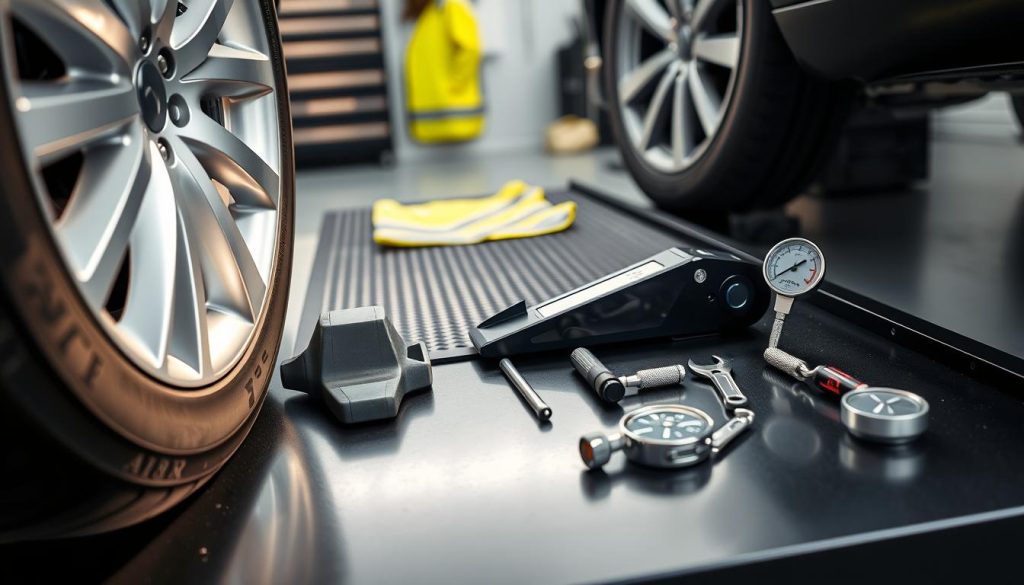
The basic tools required include a lug wrench, a car jack, and a spare tire. Tesla recommends using the equipment provided with your vehicle to ensure compatibility and safety.
Tesla-Specific Equipment Considerations
Tesla vehicles often come with specific tire repair kits and tools. It’s crucial to familiarize yourself with these tools and understand their usage.
Where to Find Tire Change Tools in Your Tesla
Tire changing tools are typically located in the trunk of your Tesla. Check your owner’s manual for the exact location and a list of the tools provided.
Safety Precautions Before Changing Your Tesla Tire
Before you start changing your Tesla tire, it’s crucial to take necessary Tesla safety precautions to ensure your safety and the safety of others around you.
Finding a Safe Location
Move your Tesla to a safe location for tire change, away from traffic. Turn off the engine and engage the parking brake. This initial step is critical in preventing any potential hazards.
Activating Tesla’s Jack Mode
Activate Jack Mode through the Tesla touchscreen to prevent the vehicle from moving or rolling while you’re changing the tire. This feature is designed to enhance safety during the tire-changing process.
Disabling Sentry Mode and Other Features
Disable Sentry Mode and other features that could interfere with your safety or the tire-changing process. This will help you focus on the task at hand without distractions.
By following these safety precautions, you can ensure a safe and successful tire change for your Tesla.
How to Change a Tesla Tire: Step-by-Step Guide
Changing a Tesla tire requires careful attention to detail and adherence to specific steps to ensure safety and efficiency. This comprehensive guide will walk you through the process, from preparing your vehicle to replacing the flat tire with a new one.
Step 1: Properly Position Your Tesla and Engage Park Mode
First, ensure your Tesla is on a level surface and engage Park Mode to prevent any accidental movements. This is a critical safety step to protect both you and your vehicle.
Step 2: Accessing the Correct Jack Points on Your Tesla
Locate the designated jack points on your Tesla, as using the correct points is crucial for safely lifting the vehicle. Refer to your owner’s manual for specific locations, as these can vary between models.
Step 3: Loosening the Lug Nuts Before Lifting
Before jacking up your Tesla, loosen the lug nuts on the flat tire using the appropriate tool. Turn them counterclockwise until they are loose, but do not remove them yet.
Step 4: Safely Jacking Up Your Tesla
Position the jack under the Tesla at the designated jack point and raise it until the flat tire is off the ground. Ensure the jack is stable and sturdy to support the vehicle’s weight.
Step 5: Removing the Flat Tire and Installing the New One
Now, completely remove the lug nuts and take off the flat tire. Replace it with the new tire, hand-tightening the lug nuts. Lower your Tesla to the ground and then tighten the lug nuts in a star pattern to the specified torque.
| Tesla Model | Recommended Tire Pressure (PSI) | Tire Size |
|---|---|---|
| Tesla Model S | 42 | 245/45R19 |
| Tesla Model 3 | 42 | 235/45R18 |
| Tesla Model X | 44 | 255/45R20 |
By following these steps, you can safely and effectively change your Tesla tire. Always refer to your owner’s manual for model-specific instructions and guidelines.
Common Challenges When Changing Tesla Tires
Despite Tesla’s advanced technology, tire changes can still present unique challenges. Tesla owners may encounter issues that are not typically associated with traditional gasoline-powered vehicles.
Dealing with Stubborn Lug Nuts
One common challenge is dealing with stubborn lug nuts that refuse to budge. This can be due to over-tightening or corrosion. Using the correct tools and techniques, such as applying penetrating oil or using a breaker bar, can help loosen them.
Managing Tesla’s Weight Distribution
Teslas are known for their heavy batteries, which can affect the vehicle’s weight distribution. This makes it crucial to use the correct jacking points to avoid damaging the vehicle or injuring oneself.
Troubleshooting Tire Pressure Monitoring System Alerts
The Tire Pressure Monitoring System (TPMS) can sometimes trigger alerts after a tire change. Ensuring that the tire pressure is correctly set and that the TPMS sensors are properly reset can resolve these issues.
| Challenge | Solution |
|---|---|
| Stubborn Lug Nuts | Use penetrating oil or a breaker bar |
| Weight Distribution Issues | Use correct jacking points |
| TPMS Alerts | Check tire pressure and reset TPMS sensors |
Post-Tire Change Procedures
Ensuring your Tesla is safe to drive after a tire change involves a few critical actions. After replacing the flat tire, it’s essential to follow these steps to guarantee your vehicle’s optimal performance and safety.
Properly Tightening Lug Nuts to Tesla Specifications
It’s crucial to tighten the lug nuts in a star pattern to the specified torque. For most Tesla models, this is between 129 ft-lb to 133 ft-lb. Always refer to your owner’s manual for the exact specification.
Checking and Adjusting Tire Pressure
Proper tire pressure is vital for your Tesla’s performance, safety, and tire longevity. Check the recommended pressure on the tire information placard on the driver’s side doorjamb or in your owner’s manual.
| Tesla Model | Recommended Tire Pressure (PSI) |
|---|---|
| Model S | 42 |
| Model 3 | 42-45 |
| Model X | 42-44 |
| Model Y | 42-45 |
Resetting the Tire Pressure Monitoring System
After adjusting the tire pressure, you need to reset the TPMS. This is typically done through the Tesla touchscreen by navigating to the “Controls” or “Service” menu, depending on your model.
Resetting the TPMS ensures accurate monitoring and alerts you to any future pressure changes.
Tesla Roadside Assistance Options
Tesla’s roadside assistance program is designed to provide help when you need it most, including tire changes. This service is a valuable resource for Tesla owners who may not feel comfortable changing their tires themselves or are in urgent need of assistance.
Services Offered by Tesla Roadside Assistance
Tesla’s roadside assistance covers a range of services, including tire changes, jump starts, and towing to the nearest Tesla service center. The program is designed to be comprehensive, ensuring that Tesla owners receive the help they need in a timely manner.
Using the Tesla App to Request Help
Requesting roadside assistance is straightforward with the Tesla app. Owners can navigate to the ‘Support’ section, select ‘Roadside Assistance,’ and follow the prompts to request help. The app allows for quick and easy access to Tesla’s support services.
When DIY Isn’t Recommended for Tesla Owners
While many Tesla owners are capable of changing their tires, there are situations where it’s not recommended. For instance, if you’re not familiar with the process or are in an unsafe location, it’s best to call for roadside assistance. Additionally, if your Tesla is equipped with advanced tire technology, such as the tire pressure monitoring system, it’s advisable to have a professional handle the tire change to ensure it’s done correctly.
Maintaining Your Tesla’s Tires for Optimal Performance
Changing a Tesla tire requires careful attention to detail and adherence to specific guidelines. By following the steps outlined in this guide, Tesla owners can ensure a safe and successful tire change experience. Regular Tesla maintenance, including tire rotation and pressure checks, is crucial for optimal performance and longevity.
A well-maintained Tesla tire not only enhances the vehicle’s overall performance but also contributes to a smoother ride and improved safety on the road. As part of your Tesla tire change summary, remember to check your tire pressure regularly and adjust it according to Tesla’s recommendations.
By prioritizing Tesla maintenance and following the guidelines outlined in this article, you can enjoy a hassle-free driving experience and extend the life of your Tesla’s tires.
FAQ
What are the specifications for Tesla tires, and how do they vary across different models?
Tesla tire specifications vary by model, with different sizes and types recommended for the Model S, Model 3, Model X, and Model Y. It’s essential to consult your owner’s manual or the Tesla website for the correct specifications for your vehicle.
How do I know when it’s time to change my Tesla tire?
You should change your Tesla tire when the tread depth reaches 3/32″ or less, or if you notice signs of uneven wear, damage, or if your Tire Pressure Monitoring System (TPMS) alerts you to low pressure or other issues.
What tools do I need to change a Tesla tire, and where can I find them?
You’ll need a lug wrench, a car jack, and a spare tire. These tools are typically located in the trunk of your Tesla, with the lug wrench and jack often stored in a designated compartment or under the floor panel.
How do I activate Tesla’s Jack Mode, and why is it important?
To activate Jack Mode, go to the Controls menu on your Tesla screen, select ‘Service,’ and then ‘Jack Mode.’ This feature helps prevent your Tesla from rolling or moving while it’s being lifted, ensuring a safer tire-changing experience.
What should I do if I encounter stubborn lug nuts while changing my Tesla tire?
If you encounter stubborn lug nuts, avoid using excessive force, which can damage the wheel or strip the threads. Instead, try applying penetrating oil or using a breaker bar to loosen them. If the issue persists, consider seeking assistance from Tesla roadside services or a professional mechanic.
How do I properly tighten the lug nuts on my Tesla after changing the tire?
After changing your Tesla tire, tighten the lug nuts in a star pattern to the specified torque, as outlined in your owner’s manual. This ensures even tightening and helps prevent wheel damage.
Can I use any type of tire on my Tesla, or are there specific requirements?
Tesla recommends using tires that meet specific size, speed rating, and load rating requirements, which vary by model. Using the wrong tires can affect your vehicle’s performance, safety, and warranty. Always consult your owner’s manual or Tesla’s website for guidance on selecting the correct tires.
How do I reset my Tesla’s Tire Pressure Monitoring System (TPMS) after changing a tire?
To reset your Tesla’s TPMS, go to the Controls menu, select ‘Service,’ and then ‘Tire Pressure Monitoring.’ Follow the on-screen instructions to recalibrate the system, ensuring it’s aware of the new tire’s pressure.
What services are offered by Tesla Roadside Assistance, and how can I request help?
Tesla Roadside Assistance offers services like tire changes, battery jumps, and towing. You can request help using the Tesla app, which allows you to initiate a service request and track the status of your assistance.