Owners of Ford Explorer vehicles often encounter issues with their alarm systems, experiencing false alarms that can be both frustrating and embarrassing.
These alarm issues can stem from a variety of causes, including sensor malfunctions, wiring problems, or even simple settings that need adjustment.
Understanding the root cause of these problems is crucial to resolving them effectively. This article aims to guide you through the process of troubleshooting and fixing your Ford Explorer alarm, ensuring that you can enjoy a peaceful and secure driving experience.
Key Takeaways
- Common causes of false alarms in Ford Explorer
- Step-by-step guide to troubleshooting alarm issues
- Tips for adjusting and fixing alarm system settings
- Understanding the importance of regular maintenance
- How to identify and fix sensor malfunctions
Understanding Your Ford Explorer’s Alarm System
Understanding the intricacies of your Ford Explorer’s alarm system is crucial for identifying and resolving issues. The alarm system is a vital component of your vehicle’s security features, designed to deter theft and alert you to potential breaches.
Components of the Ford Explorer Alarm System
The Ford Explorer’s alarm system comprises various components, including door latch sensors, hood and trunk sensors, and a control module that processes inputs from these sensors. These components work together to detect unauthorized access and trigger the alarm. The system may also include additional features such as motion detectors and glass breakage sensors, enhancing the overall security of your vehicle.
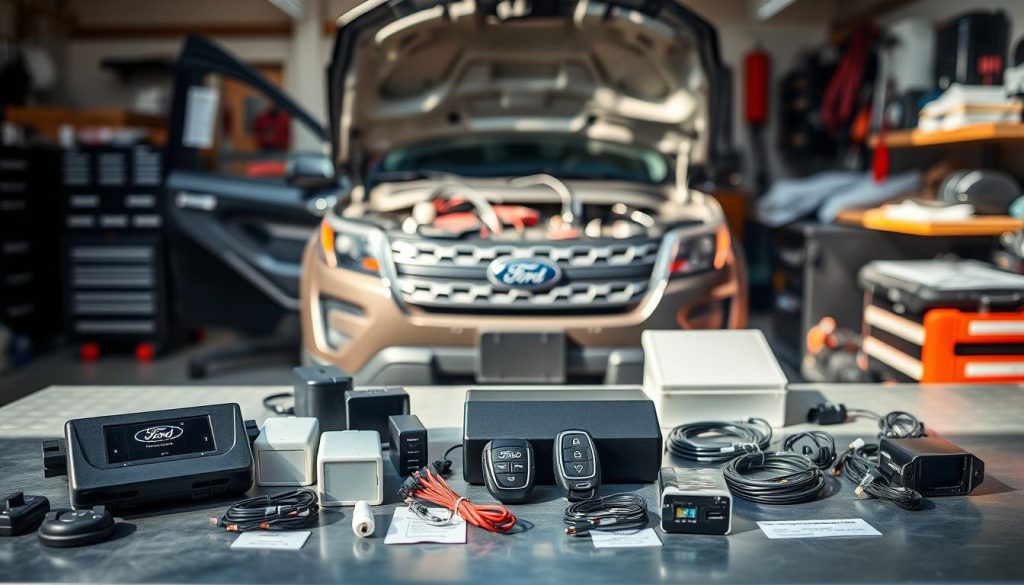
How the Factory and Aftermarket Alarm Systems Differ
Factory-installed alarm systems are integrated into the vehicle’s electrical system and are typically more reliable. In contrast, aftermarket alarm systems are installed separately and may offer additional features not available in the factory system. However, aftermarket systems can sometimes be more prone to false alarms due to integration issues. Understanding the differences between these systems is essential for effective troubleshooting and maintenance.
Why Does My Ford Explorer Alarm Keep Going Off?
False alarms on your Ford Explorer can be triggered by a variety of factors, including sensor malfunctions and electrical system issues. Understanding these causes is essential to diagnosing and fixing the problem.
Faulty Door Latch Sensors and Switches
One common cause of false alarms is faulty door latch sensors and switches. These components are designed to detect when a door is ajar or not properly closed. If they malfunction, they can send incorrect signals to the alarm system, triggering it unnecessarily. For instance, worn-out or dirty door latches can cause the sensor to misread the door’s status. Regular maintenance, such as cleaning and lubricating the door latches, can help prevent this issue. For more information on door latch issues, you can visit this resource on door ajar light staying on in Ford F150, which shares similar diagnostic principles.
Hood and Trunk Sensor Malfunctions
Similarly, sensors on the hood and trunk can also cause false alarms if they are not functioning correctly. These sensors are designed to detect if the hood or trunk is open or not securely closed. Malfunctions in these sensors can be due to wear and tear, misalignment, or electrical faults. Ensuring that these sensors are properly aligned and free from debris can help mitigate false alarms.
Battery and Electrical System Issues
Battery and electrical system issues are another common cause of alarm malfunctions. A weak or dying battery can cause voltage fluctuations that affect the alarm system. Additionally, faults in the alternator or wiring can lead to electrical surges or drops that trigger the alarm. Regular checks on the battery and electrical system can help identify and resolve these issues before they cause alarm problems.
Key Fob and Remote Entry Problems
Issues with the key fob or remote entry system can also trigger false alarms. If the key fob is malfunctioning or if there’s interference with the remote signal, it can cause the alarm to go off unexpectedly. Replacing the key fob battery or reprogramming the key fob can often resolve these issues.
| Cause | Symptoms | Solution |
|---|---|---|
| Faulty Door Latch Sensors | Alarm goes off even when doors are closed | Clean and lubricate door latches |
| Hood/Trunk Sensor Malfunctions | Alarm triggers when hood/trunk is closed | Check and align sensors, clean debris |
| Battery/Electrical Issues | Intermittent alarm triggering | Check battery health, inspect alternator and wiring |
| Key Fob Issues | Alarm goes off randomly or not arming/disarming | Replace key fob battery, reprogram key fob |
Diagnosing the Specific Cause of False Alarms
Diagnosing the root cause of false alarms in your Ford Explorer is crucial for a peaceful driving experience. False alarms can be triggered by a variety of factors, including faulty sensors, issues with the key fob, or problems with the vehicle’s electrical system.
Performing a Systematic Check of Sensors
A systematic check of sensors is a critical step in diagnosing false alarms. Start by inspecting the door, hood, and trunk sensors for any signs of damage or wear. Make sure that these sensors are clean and free from debris, as dirt or moisture can cause them to malfunction.
Here’s a simple checklist to follow:
- Inspect door sensors for damage or misalignment
- Check hood and trunk sensors for proper function
- Ensure all sensors are clean and free from debris
Using the Vehicle’s Built-in Diagnostic Features
Modern Ford Explorers come equipped with advanced diagnostic features that can help identify issues with the alarm system. To access these features, consult your owner’s manual for instructions on how to enter the diagnostic mode. Once in diagnostic mode, the vehicle’s system will display error codes that can be used to pinpoint the source of the problem.
Interpreting Alarm Patterns and Warning Signs
Paying attention to the patterns and warning signs associated with the false alarms can provide valuable insights into the root cause. For instance, if the alarm is triggered every time you open a specific door, it could indicate a problem with that door’s sensor.
| Alarm Pattern | Possible Cause |
|---|---|
| Alarm triggers when opening the driver’s side door | Faulty driver’s side door sensor |
| Alarm goes off when starting the engine | Issue with the key fob or immobilizer system |
| Alarm is triggered randomly | Potential problem with the alarm system’s wiring or electrical surge |
By understanding these patterns and using the diagnostic features, you can effectively diagnose and potentially reset the alarm system to resolve the issue.
Step-by-Step Solutions for Common Alarm Issues
The Ford Explorer’s alarm system, while designed for security, can sometimes be the source of frustration when it malfunctions. Fortunately, many common issues have straightforward solutions that can be implemented at home or with the help of a professional.
Resetting Your Ford Explorer’s Alarm System
One of the simplest solutions to alarm issues is resetting the system. To do this, start by turning off the ignition and removing the key from the ignition switch. Then, disconnect the battery’s negative cable and wait for about 30 minutes before reconnecting it. This reset can sometimes resolve issues caused by temporary glitches.
Important: Always ensure your safety when working with batteries and electrical systems.
Fixing Door and Window Sensor Problems
Faulty door and window sensors are common causes of false alarms. Inspect the sensors for dirt, debris, or damage. Cleaning the sensors with a soft cloth and checking for any loose connections can often resolve the issue. If a sensor is damaged, it may need to be replaced.
Addressing Battery and Alternator-Related Triggers
Battery and alternator issues can trigger the alarm due to voltage fluctuations. Check your battery’s voltage using a multimeter; it should be around 12.6 volts when the engine is off. If the voltage is low, consider replacing the battery. Also, have your alternator checked if you’re experiencing frequent battery drain or voltage drops.
Resolving Key Fob and Remote Entry Malfunctions
Key fob issues can cause alarm malfunctions. Try replacing the key fob’s battery first, as a weak battery can cause erratic behavior. If the problem persists, you may need to reprogram the key fob or consult a professional for assistance.
By following these step-by-step solutions, you can address many common issues that cause your Ford Explorer’s alarm to trigger falsely.
Advanced Troubleshooting and Repair Techniques
To effectively address recurring alarm issues in your Ford Explorer, employing advanced troubleshooting and repair techniques is essential. These methods can help you identify and fix complex problems that simpler diagnostic approaches might miss.
Locating and Replacing Faulty Fuses
One of the first steps in advanced troubleshooting is to check the fuses related to the alarm system. A blown fuse can often be the culprit behind malfunctioning alarms. Consult your owner’s manual or the fuse box diagram to locate the relevant fuses.
Inspecting and Repairing Wiring Connections
Faulty wiring is another common cause of alarm system malfunctions. Inspect the wiring connections for signs of wear, corrosion, or damage. Repairing or replacing these connections can often resolve the issue.
Reprogramming the Security System
In some cases, reprogramming the security system may be necessary to resolve alarm issues. This process can vary depending on the model year of your Ford Explorer and the type of alarm system installed.
Tools Needed for DIY Alarm Repairs
Having the right tools is crucial for successful DIY repairs. The following table lists some of the essential tools you may need:
| Tool | Description |
|---|---|
| Multimeter | For measuring voltage and continuity |
| Wiring Diagram | For understanding the alarm system’s wiring |
| Fuse Puller | For safely removing fuses |
| Diagnostic Scanner | For reading trouble codes and monitoring system performance |
By employing these advanced troubleshooting and repair techniques, you can effectively diagnose and fix complex issues with your Ford Explorer’s alarm system.
Preventative Maintenance to Avoid Future Alarm Issues
Preventing alarm issues in your Ford Explorer requires a proactive approach. By regularly checking and maintaining key components, you can significantly reduce the likelihood of false alarms.
Regular Battery and Electrical System Checks
One of the primary causes of alarm malfunctions is electrical system issues. Regularly checking your battery’s condition and ensuring the electrical system is functioning correctly can help prevent false alarms. It’s recommended to have your battery tested every six months and to inspect the electrical connections for any signs of wear or corrosion.
Proper Door and Sensor Maintenance
Door sensors are a critical component of your Ford Explorer’s alarm system. Ensuring that these sensors are clean and functioning properly is vital. Regularly inspect the door latches and sensors for any debris or damage, and clean them as needed. Additionally, check the alignment of the doors to ensure they are closing properly, which can help prevent unnecessary alarm triggers.
Software Updates for Modern Ford Explorer Models
For modern Ford Explorer models equipped with advanced security systems, keeping the software up to date is essential. Ford periodically releases updates to improve the performance and security of their vehicles. Check with your local dealership or Ford’s official website for any available updates for your vehicle’s security system.
- Regularly inspect and clean door sensors
- Check for software updates for your vehicle’s security system
- Maintain your vehicle’s battery and electrical system
Conclusion
Effectively troubleshooting and fixing a Ford Explorer alarm that keeps triggering requires a comprehensive understanding of the alarm system and its components. By identifying the root cause of the issue, whether it’s a faulty door latch sensor, a malfunctioning hood or trunk sensor, or a battery and electrical system problem, you can take the necessary steps to resolve the issue.
Regular maintenance is crucial to preventing future alarm problems. This includes checking the battery and electrical system, ensuring proper door and sensor maintenance, and updating software for modern Ford Explorer models. By following the steps outlined in this guide, you can successfully diagnose and repair alarm issues, ensuring your vehicle’s security system functions as intended.
Through alarm troubleshooting and addressing Ford Explorer alarm problems, you can enjoy a more secure and hassle-free driving experience. Understanding your vehicle’s alarm system and taking proactive measures will help you avoid unnecessary stress and potential security breaches.
FAQ
What are the most common causes of a Ford Explorer alarm malfunction?
The most common causes include faulty door latch sensors, hood and trunk sensor malfunctions, battery and electrical system issues, and key fob problems.
How do I reset my Ford Explorer’s alarm system?
To reset the alarm system, you can try disconnecting the battery, checking the owner’s manual for specific instructions, or using the key fob to reset the system.
Can a weak battery trigger the Ford Explorer alarm?
Yes, a weak or dying battery can cause the alarm to malfunction or trigger false alarms due to voltage fluctuations in the electrical system.
How do I diagnose a faulty door latch sensor on my Ford Explorer?
Diagnosing a faulty door latch sensor involves checking the sensor’s electrical connection, inspecting for physical damage, and using a multimeter to test its resistance.
What is the difference between a factory-installed alarm system and an aftermarket system on a Ford Explorer?
Factory-installed systems are integrated into the vehicle’s electronics, while aftermarket systems are installed separately and may offer additional features or customization options.
Can software updates affect the functioning of my Ford Explorer’s alarm system?
Yes, software updates can sometimes resolve issues with the alarm system or improve its functionality, especially in modern Ford Explorer models with advanced computer systems.
How often should I perform maintenance checks on my Ford Explorer’s battery and electrical system?
Regular checks should be performed every 6 to 12 months to ensure the battery and electrical system are functioning properly and to prevent alarm malfunctions.
What tools do I need for DIY repairs on my Ford Explorer’s alarm system?
Basic tools include a multimeter, wire strippers, and a repair manual specific to your Ford Explorer model, while more advanced repairs may require specialized equipment.