The Jeep Wrangler radio is a vital component of your vehicle’s entertainment system. However, like any electronic device, it can sometimes malfunction or freeze, requiring a reset. Knowing how to reset your Jeep Wrangler’s radio system is essential for uninterrupted music and navigation.
A reset can resolve issues such as a frozen screen, lost connections, or malfunctioning features. It’s a straightforward process that can be completed in a few steps. In this article, we’ll walk you through the simple steps to reset your Jeep radio, ensuring you can get back to enjoying your favorite tunes and navigation on the go.
Key Takeaways
- Resetting your Jeep Wrangler radio can resolve common issues like a frozen screen or lost connections.
- The process is straightforward and can be completed in a few easy steps.
- Knowing how to reset your Jeep radio is essential for uninterrupted entertainment and navigation.
- A reset can help restore your radio’s functionality and improve overall performance.
- Follow our simple guide to reset your Jeep Wrangler radio with ease.
Understanding Your Jeep Wrangler Radio System
To reset your Jeep Wrangler radio, it’s crucial to first comprehend the type of radio system your vehicle is equipped with. Different models and years of Jeep Wranglers come with various radio systems, making it essential to identify your specific system.
Different Radio Models in Jeep Wranglers
Jeep Wranglers have been equipped with a variety of radio models over the years, including the Uconnect system and standard radio systems. The Uconnect system is a more advanced infotainment system that includes features like navigation, Bluetooth connectivity, and smartphone integration.
Uconnect vs. Standard Radio Systems
The main difference between Uconnect and standard radio systems lies in their features and complexity. Uconnect systems offer more advanced features, while standard radios are more basic. Understanding which system you have is crucial for troubleshooting.
Identifying Your Radio Model Number
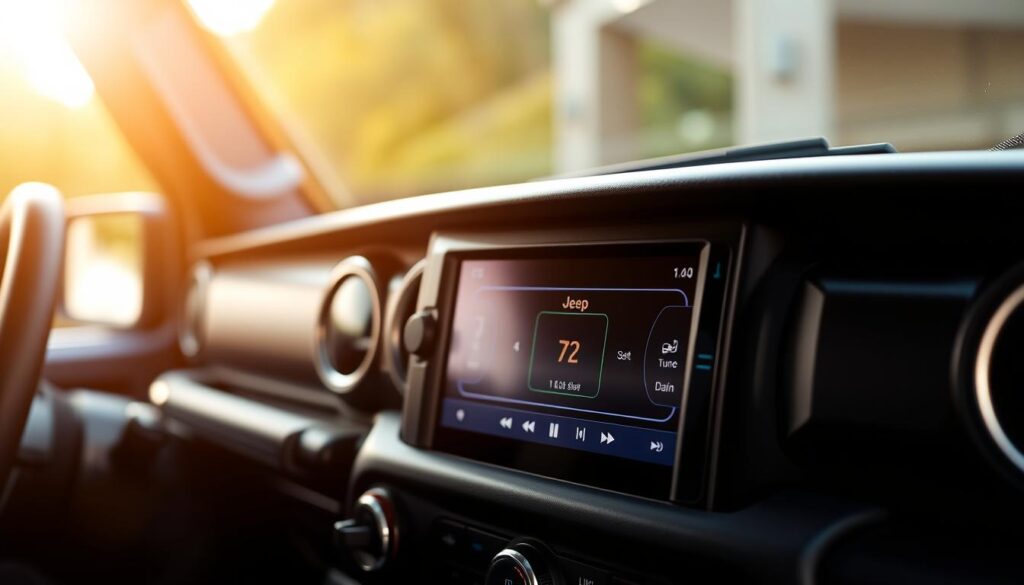
To identify your radio model, you can check the radio’s display screen or the vehicle’s documentation. The model number is usually found on the radio’s settings menu or on a label on the radio unit itself.
| Radio Model | Features | Reset Method |
|---|---|---|
| Uconnect | Navigation, Bluetooth, Smartphone Integration | Soft Reset or Factory Reset |
| Standard Radio | Basic Audio Functions | Simple Reset |
When to Reset Your Jeep Wrangler Radio
Understanding when to reset your Jeep Wrangler radio is crucial for resolving common problems. If you’re experiencing issues with your radio, a reset might be just what you need.
Signs of Radio Malfunction
Your Jeep Wrangler radio may need a reset if it’s freezing, failing to turn on, or displaying error messages. Other signs include distorted sound or failure to respond to controls.
Common Error Codes and Their Meanings
Error codes on your Jeep Wrangler radio can indicate specific issues. For example, codes related to the Uconnect system might signal a need for a software update or reset. Understanding these codes is key to diagnosing the problem.
Benefits of Performing a Reset
Resetting your Jeep Wrangler radio can resolve a variety of issues, restoring functionality and improving performance. It’s a simple step that can save you from more complex repairs. For more detailed reset procedures, you can refer to guides on resetting other car radios, such as the Honda Pilot radio.
Preparation Before Resetting Your Radio
Preparing your Jeep Wrangler for a radio reset involves gathering a few essential tools and understanding the necessary precautions. This step ensures a smooth and safe reset process.
Tools You Might Need
Depending on your Jeep Wrangler model, you might need a few basic tools such as a Phillips screwdriver to access the radio unit or a trim removal tool. Check your vehicle’s manual or online resources for specific requirements.
Safety Precautions
Ensure your vehicle is parked on a level surface and apply the parking brake. Turning off the engine and all accessories before starting the reset process is also recommended.
Backing Up Your Settings
Before you reset, take a moment to note down your radio presets, Bluetooth pairings, and any customized settings. This will make it easier to restore your preferences afterward.
| Preparation Step | Description |
|---|---|
| Gather Tools | Phillips screwdriver, trim removal tool |
| Safety Precautions | Park on a level surface, apply parking brake |
| Backup Settings | Note radio presets, Bluetooth pairings |
How to Reset Jeep Wrangler Radio: The 5-Step Process
Resetting your Jeep Wrangler radio can be a straightforward process if you follow the right steps. This guide will walk you through the process, ensuring that you can get your radio up and running in no time.
Step 1: Turn Off Your Vehicle Completely
The first step is to ensure your vehicle is turned off. This is a crucial safety precaution to avoid any accidental starts or electrical surges during the reset process.
Step 2: Locate the Reset Button or Procedure for Your Model
Different Jeep Wrangler models have different reset procedures. You may need to consult your owner’s manual or look for a reset button on your radio unit.
Step 3: Perform the Reset Sequence
Once you’ve located the reset button or procedure, perform the reset sequence as instructed. This might involve pressing a combination of buttons or holding down a specific button.
| Model | Reset Procedure |
|---|---|
| JK Models (2007-2018) | Press and hold the radio power button for 10 seconds |
| JL Models (2018-Present) | Navigate to settings and select “Reset Radio” |
Step 4: Restart Your Vehicle and Check Radio Function
After performing the reset, restart your vehicle and check if the radio is functioning properly. If issues persist, you may need to consult a professional.
Step 5: Reconfigure Your Personal Settings and Presets
Once your radio is reset, you’ll need to reconfigure your personal settings and presets. This includes setting your favorite stations, adjusting the equalizer, and reconnecting your Bluetooth devices.
By following these steps, you can successfully reset your Jeep Wrangler radio and enjoy uninterrupted listening.
Soft Reset vs. Factory Reset Methods
Understanding the difference between a soft reset and a factory reset is crucial for effectively troubleshooting your Jeep Wrangler’s radio system. These two reset methods serve distinct purposes and are used in different scenarios.
When to Use a Soft Reset
A soft reset is typically used to resolve minor issues such as frozen screens or unresponsive controls. It’s a quick and easy solution that doesn’t erase your saved settings.
When a Factory Reset Is Necessary
A factory reset is a more drastic measure, used to address serious issues like persistent software glitches or when you’re preparing to sell your vehicle. This method erases all your personalized settings, so it should be used with caution.
Differences in Reset Procedures
The procedures for soft and factory resets differ. A soft reset often involves a simple button combination, while a factory reset may require navigating through the radio’s menu system.
Button Combination Methods
For a soft reset, you might need to press a specific combination of buttons on your radio or dashboard. This varies by model, so consult your owner’s manual.
Menu-Based Reset Options
A factory reset is usually performed through the radio’s settings menu. Navigate to the “Settings” or “System” menu and look for the “Reset” or “Factory Reset” option.
In conclusion, understanding whether to perform a soft reset or a factory reset can significantly impact your ability to troubleshoot and resolve issues with your Jeep Wrangler’s radio system.
Model-Specific Reset Instructions
To effectively reset your Jeep Wrangler’s radio, it’s crucial to identify the correct procedure for your specific model. Different models, such as JK, JL, and older versions, have unique reset processes.
JK Models (2007-2018)
For JK models, the reset procedure varies depending on the radio system installed.
RES Radio System
The RES Radio System in JK models can be reset by pressing and holding the Time and Scan buttons simultaneously for about 10 seconds.
Uconnect 130/430/730N Systems
For Uconnect systems in JK models, a reset can be performed by navigating to the Settings menu, selecting System, and then choosing Reset.
JL Models (2018-Present)
JL models feature more advanced Uconnect systems, with reset procedures as follows:
Uconnect 4/4C/4C NAV Systems
To reset the Uconnect 4 system in JL models, go to Settings, then System, and select Restart or Reset depending on your needs.
Older Wrangler Models (TJ and YJ)
For older models like TJ and YJ, the reset process typically involves disconnecting the battery or using a specific button combination on the radio.
Understanding these model-specific reset instructions can help you troubleshoot and resolve issues with your Jeep Wrangler’s radio system efficiently.
Troubleshooting Common Issues After Reset
If your Jeep Wrangler radio isn’t functioning properly after a reset, there are several troubleshooting steps you can take. Issues such as a non-responsive radio, lost presets, Bluetooth connectivity problems, and navigation system issues are common and can be resolved with the right approach.
Radio Not Responding After Reset
If your radio is not responding, try checking the fuse related to the radio system. Ensure that the vehicle’s battery is fully charged and that there are no issues with the electrical system.
Lost Presets and Settings
After a factory reset, your saved presets and settings will be lost. You can reprogram your presets and adjust the settings according to your preferences.
Bluetooth Connectivity Problems
To resolve Bluetooth connectivity issues, try restarting your vehicle’s infotainment system and re-pairing your device. Ensure that your device’s Bluetooth is enabled and visible.
Navigation System Issues
If you’re experiencing navigation system issues, check for software updates and ensure that your maps are current. Resetting the navigation system may also resolve the problem.
| Issue | Troubleshooting Step |
|---|---|
| Radio Not Responding | Check fuse, ensure battery is charged |
| Lost Presets | Reprogram presets, adjust settings |
| Bluetooth Issues | Restart infotainment system, re-pair device |
| Navigation Issues | Check for software updates, reset navigation system |
Conclusion
Resetting your Jeep Wrangler radio can resolve various issues, from malfunctioning to connectivity problems. This guide has walked you through the process, providing a clear understanding of how to reset your radio system.
The steps outlined in this article are designed to be straightforward, allowing you to easily reset your Jeep Wrangler radio. Whether you’re dealing with a JK, JL, or older model, the process is relatively similar, with some model-specific variations.
In summary, resetting your Jeep Wrangler radio involves turning off your vehicle, locating the reset button or procedure, performing the reset sequence, and restarting your vehicle to check the radio function. By following these steps, you can restore your radio to its optimal functioning state.
For a Jeep Wrangler radio reset summary, the key takeaway is that resetting can often resolve issues without the need for professional assistance. If problems persist, consider consulting a professional for further assistance.
FAQ
What is the difference between a soft reset and a factory reset for my Jeep Wrangler radio?
A soft reset is a simple restart of the radio system, whereas a factory reset restores the radio to its original settings, erasing all personalized settings and presets.
How do I identify my Jeep Wrangler radio model number?
You can find the radio model number on the radio’s display screen, in the owner’s manual, or on a label on the radio unit itself.
What are the common signs that my Jeep Wrangler radio needs to be reset?
Common signs include freezing, failure to turn on, or error messages on the display screen.
Will resetting my Jeep Wrangler radio erase my saved Bluetooth connections?
Yes, a factory reset will erase all saved Bluetooth connections, so you will need to re-pair your devices after the reset.
Can I reset my Jeep Wrangler radio without losing my personalized settings?
A soft reset will not erase your personalized settings, but a factory reset will. It’s recommended to back up your settings before performing a factory reset.
How do I perform a reset on my Jeep Wrangler radio if it is not responding?
Try pressing and holding the power button or a combination of buttons (check your owner’s manual for specific instructions) to force a restart or reset.
Are the reset procedures the same for all Jeep Wrangler models?
No, the reset procedures vary depending on the model year and radio system. Consult your owner’s manual or the manufacturer’s website for model-specific instructions.
What should I do if my Jeep Wrangler radio is still not working after a reset?
If the issue persists, try troubleshooting common problems or consult a professional for further assistance.
Can I reset my Jeep Wrangler radio using the Uconnect system?
Yes, some Uconnect systems allow you to perform a reset through the menu options. Check your owner’s manual for specific instructions.
Will a reset resolve issues with my Jeep Wrangler’s navigation system?
A reset may resolve some navigation system issues, but if the problem persists, you may need to update the navigation software or consult a professional for further assistance.