Resetting the Jeep Grand Cherokee’s computer can be a straightforward process if you follow the right steps. The Engine Control Unit (ECU) plays a crucial role in your vehicle’s performance, and resetting it can help resolve various issues. If you’re experiencing problems with your Jeep Grand Cherokee, resetting the computer can be a useful troubleshooting step.
Before we dive into the steps, it’s essential to understand that resetting the ECU can have implications on your vehicle’s settings. For instance, if you’re having trouble starting your Jeep Grand Cherokee with the key, you may want to refer to this guide for additional troubleshooting tips.
Key Takeaways
- Resetting the Jeep Grand Cherokee’s computer can resolve various issues.
- The process involves a series of straightforward steps.
- Resetting the ECU can affect your vehicle’s settings.
- It’s essential to understand the implications before proceeding.
- Additional troubleshooting tips may be necessary for related issues.
Understanding Your Jeep Grand Cherokee’s Computer System
Understanding the computer system in your Jeep Grand Cherokee is essential for diagnosing and resolving potential issues. The computer system, also known as the Engine Control Module (ECM) or Powertrain Control Module (PCM), plays a vital role in the vehicle’s operation.
What is the Powertrain Control Module (PCM)?
The Powertrain Control Module (PCM) is a sophisticated computer that controls the engine and transmission functions in your Jeep Grand Cherokee. It is essentially the brain of the vehicle, making adjustments in real-time to optimize performance, efficiency, and emissions.
Functions of the Jeep Grand Cherokee’s Computer
The Jeep Grand Cherokee’s computer system performs a variety of critical functions, including monitoring engine performance, controlling fuel injection, and managing transmission shifting. It also oversees the vehicle’s emissions control systems, ensuring compliance with environmental regulations. Additionally, the PCM can adjust engine parameters to improve fuel efficiency and reduce emissions.
Signs That Your Computer Needs Resetting
There are several signs that may indicate your Jeep Grand Cherokee’s computer needs resetting. These include a lit Check Engine Light, poor engine performance, or issues with transmission shifting. In some cases, a reset may be necessary after repairs or maintenance to ensure the computer is functioning correctly.
| Signs | Description |
|---|---|
| Check Engine Light | Illuminated dashboard warning light indicating a potential issue. |
| Poor Engine Performance | Reduced engine efficiency, power, or responsiveness. |
| Transmission Issues | Difficulty shifting gears or unusual transmission behavior. |
When to Reset Your Jeep Grand Cherokee Computer
The computer system in your Jeep Grand Cherokee plays a vital role in its operation, and resetting it can resolve various issues. Understanding when to do so is crucial for effective troubleshooting and maintenance.
After Mechanical Repairs or Maintenance
Resetting your Jeep Grand Cherokee’s computer after mechanical repairs or maintenance is often necessary. This is because the computer may have stored error codes related to the repairs or maintenance performed. For instance, after replacing a faulty oxygen sensor, resetting the computer ensures that it recalibrates with the new sensor, providing accurate readings and optimal engine performance. It’s a simple step that can prevent future issues and ensure your vehicle runs smoothly.
Troubleshooting Electrical Issues
Electrical issues can be challenging to diagnose, and resetting the computer can be a valuable troubleshooting step. If you’re experiencing erratic behavior from your vehicle’s electrical systems, such as malfunctioning dashboard lights or accessories, a reset can sometimes resolve these problems. It’s worth noting that electrical issues can be caused by a variety of factors, including faulty wiring or malfunctioning components. Consulting a professional may be necessary if the issue persists after a reset.
Addressing Check Engine Light Problems
The check engine light is an indicator that your vehicle’s computer has detected a problem. While it can be unsettling, resetting the computer can sometimes turn off the light if the issue was minor and has been resolved. However, if the underlying problem isn’t fixed, the light will likely come back on. For persistent check engine light issues, it’s advisable to use a code reader to diagnose the problem. You can find more information on troubleshooting techniques on our site, such as resetting the oil light in your Jeep, which shares similar principles.
| Scenario | Reason to Reset | Expected Outcome |
|---|---|---|
| After Mechanical Repairs | To clear error codes and recalibrate the computer | Smooth engine performance and accurate readings |
| Troubleshooting Electrical Issues | To resolve erratic electrical behavior | Normalized electrical system function |
| Check Engine Light Problems | To turn off the check engine light after resolving minor issues | Clear dashboard indicators and reduced anxiety |
Preparing to Reset Your Jeep Grand Cherokee Computer
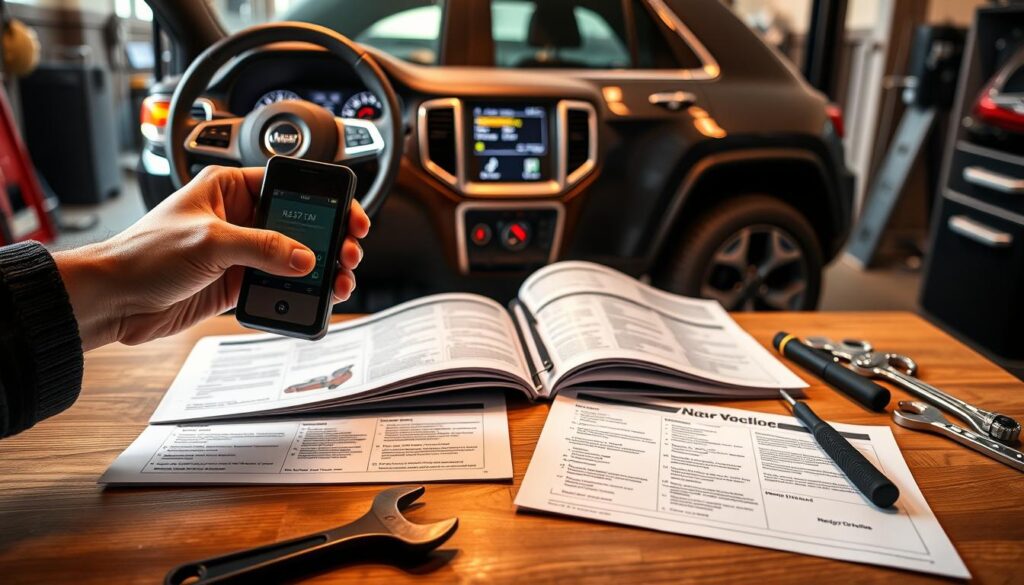
Before you start the process of resetting your Jeep Grand Cherokee’s computer, it’s essential to prepare properly. This preparation will help ensure that the reset process is smooth and effective.
Tools and Materials Needed
To reset your Jeep Grand Cherokee’s computer, you will need a few basic tools and materials. These may include:
- A socket wrench or ratchet to disconnect the battery
- A owner’s manual or repair manual for specific instructions
- A code reader or scan tool (if your vehicle is equipped with one)
Having these tools ready will make the process easier and less stressful.
Safety Precautions to Take
Safety should always be your top priority when working with your vehicle’s electrical system. Some key safety precautions to take include:
- Ensure the vehicle is parked on a level surface and apply the parking brake.
- Turn off all electrical accessories, including the ignition.
- Wear protective gear, such as gloves and safety glasses.
By taking these precautions, you can minimize the risk of injury or damage to your vehicle.
Backing Up Settings (If Applicable)
If your Jeep Grand Cherokee is equipped with advanced infotainment or navigation systems, you may need to back up your settings before resetting the computer. Check your owner’s manual for instructions on how to do this. Some common settings to back up include:
- Favorite radio stations
- Saved navigation routes
- Bluetooth device pairings
How To Reset Jeep Grand Cherokee Computer: 5-Step Process
To get your Jeep Grand Cherokee running smoothly again, resetting its computer is a viable option. The process involves a series of steps that, when followed correctly, can help resolve various issues without the need for professional mechanical assistance.
Step 1: Disconnect the Battery
Disconnecting the battery is the first step in resetting your Jeep Grand Cherokee’s computer. This step is crucial as it cuts off power to the vehicle’s electrical system.
Locating the Battery
The battery in your Jeep Grand Cherokee is typically located in the engine compartment. It’s essential to consult your owner’s manual or look for a label on the battery to confirm its location.
Proper Disconnection Technique
To disconnect the battery, start by loosening the nut on the negative (black) cable clamp using a wrench. Once loose, remove the clamp from the negative terminal. Then, repeat the process for the positive (red) cable. Ensure the cables are secured away from the battery terminals to prevent accidental reconnection.
Step 2: Drain Residual Power
Draining residual power from your Jeep Grand Cherokee’s electrical system is a critical step that ensures the computer is fully reset.
Why This Step is Crucial
Residual power can keep the computer active even after the battery is disconnected. Draining this power ensures a complete reset.
Methods to Drain Power
To drain residual power, you can turn on the headlights or the interior lights for a few minutes. Alternatively, you can use a multimeter to check for any voltage remaining in the system. This step helps in ensuring that the reset is effective.
Step 3: Wait the Required Time
After disconnecting the battery and draining residual power, it’s essential to wait for a specified period before reconnecting the battery.
Minimum Waiting Period
The minimum waiting period is typically around 15 minutes. This duration allows the computer to fully reset.
What Happens During This Time
During this waiting period, the vehicle’s computer is resetting its adaptive memory and clearing any trouble codes. This process helps in restoring the vehicle’s performance to its default settings.
Step 4: Reconnect the Battery
Reconnecting the battery is the next step after the waiting period is over.
Proper Reconnection Sequence
To reconnect the battery, start by attaching the positive (red) cable to the positive terminal, followed by the negative (black) cable to the negative terminal. Ensure the clamps are securely tightened to prevent loose connections.
Initial System Checks
After reconnecting the battery, turn on the ignition and check the dashboard for any warning lights. This step helps in identifying if the reset was successful.
Step 5: Verify the Reset Was Successful
The final step is to verify that the reset was successful.
Starting the Vehicle
Start the vehicle and let it run for a few minutes. Listen for any unusual sounds or check for any error messages on the dashboard.
Checking for Error Codes
Use an OBD-II scanner to check for any error codes. If the reset was successful, there should be no error codes related to the issues you were experiencing.
Testing Vehicle Functions
Test various functions of your Jeep Grand Cherokee, such as the transmission, brakes, and suspension, to ensure they are working correctly. A successful reset should result in improved performance.
Conclusion
Resetting your Jeep Grand Cherokee’s computer is a straightforward process that can help resolve various issues related to vehicle maintenance and troubleshooting. By understanding when and how to reset the computer, you can ensure your vehicle runs smoothly and efficiently.
The process involves a series of steps, including disconnecting the battery, draining residual power, and waiting for a specified time before reconnecting the battery. This simple procedure can help clear trouble codes, reset the Powertrain Control Module (PCM), and improve overall vehicle performance.
Regular vehicle maintenance, including resetting the computer when necessary, is crucial for extending the lifespan of your Jeep Grand Cherokee. By following the steps outlined in this article, you can perform a Jeep Grand Cherokee computer reset and troubleshoot issues effectively, ensuring your vehicle remains in good working condition.
FAQ
What is the purpose of resetting the Jeep Grand Cherokee’s computer?
Resetting the Jeep Grand Cherokee’s computer is necessary to clear trouble codes, reset the Powertrain Control Module (PCM), and restore the vehicle’s performance after repairs or maintenance.
Will resetting the computer erase my vehicle’s settings?
Resetting the computer may cause some settings to be lost, such as radio presets or seat adjustments, so it’s a good idea to note these down before resetting.
Can I reset the computer without disconnecting the battery?
While it’s possible to reset the computer using a scan tool, disconnecting the battery is a common method for resetting the Jeep Grand Cherokee’s computer.
How long does it take to reset the Jeep Grand Cherokee’s computer?
The reset process typically takes around 30 minutes to an hour, depending on the method used and the time required to drain residual power.
Will resetting the computer turn off the check engine light?
Resetting the computer may turn off the check engine light if the underlying issue has been resolved; however, if the problem persists, the light will likely come back on.
Is it safe to reset the computer while the vehicle is running?
No, it’s not recommended to reset the computer while the vehicle is running, as this can cause electrical surges or other issues.
Can I reset the computer if I’ve installed aftermarket accessories?
Yes, you can still reset the computer, but be aware that aftermarket accessories may affect the reset process or the vehicle’s performance.
How often should I reset the Jeep Grand Cherokee’s computer?
There’s no specific schedule for resetting the computer; it’s typically done as needed, such as after repairs or maintenance.