Experiencing issues with your BMW’s parking sensors can be frustrating, especially when you’re trying to navigate tight spaces. Fortunately, resetting the parking sensors on your BMW can often resolve the problem.
Using your BMW iDrive system, you can troubleshoot and reset the parking sensors in just a few simple steps. In this article, we’ll guide you through a 5-step process to reset your BMW’s parking sensors and get you back to parking with confidence.
Key Takeaways
- Learn how to reset your BMW’s parking sensors using the iDrive system.
- Troubleshoot common issues with your BMW’s parking sensors.
- Follow a simple 5-step process to reset your parking sensors.
- Get back to parking with confidence using your BMW’s advanced parking features.
- Improve your overall driving experience with a properly functioning parking sensor system.
Understanding BMW Parking Sensors
Understanding how BMW parking sensors work is essential for any BMW owner looking to maximize their vehicle’s features. BMW parking sensors are a sophisticated system designed to enhance safety and convenience while maneuvering in tight spaces.
How BMW Parking Sensors Work
BMW parking sensors utilize a combination of ultrasonic sensors and, in some models, cameras to detect obstacles around the vehicle. These sensors emit ultrasonic waves that bounce off nearby objects, allowing the system to calculate distances and alert the driver accordingly. The BMW parking sensor system is highly effective in detecting objects, even in complex parking scenarios.

Types of Parking Sensor Systems in Modern BMWs
Modern BMWs feature various advanced parking sensor systems, each offering unique benefits. The primary systems include:
- PDC (Park Distance Control) Systems: These systems use ultrasonic sensors to detect obstacles and provide audible warnings to the driver.
- Surround View and 3D View Systems: These advanced systems combine camera footage and sensor data to provide a comprehensive view of the vehicle’s surroundings, often displayed on the iDrive screen.
PDC (Park Distance Control) Systems
PDC systems are a fundamental component of BMW’s parking sensor technology. They provide real-time distance measurements to obstacles, helping drivers navigate tight parking spots with ease.
Surround View and 3D View Systems
Surround View and 3D View systems represent the pinnacle of BMW’s parking sensor technology. By integrating camera and sensor data, these systems offer a 360-degree view of the vehicle’s environment, significantly enhancing parking safety and convenience.
Signs Your BMW Parking Sensors Need Resetting
A malfunctioning parking sensor system in your BMW can be frustrating, but recognizing the signs that it’s time for a reset can be a significant first step. The parking sensor system is a critical safety feature, and when it malfunctions, it can lead to inconvenience and potential safety risks.
False Alerts and Inconsistent Warnings
One of the most common signs that your BMW parking sensors need resetting is the occurrence of false alerts or inconsistent warnings. If your system is frequently alerting you to obstacles that aren’t there or failing to detect objects it should, a reset might be necessary.
No Response After Car Wash or Maintenance
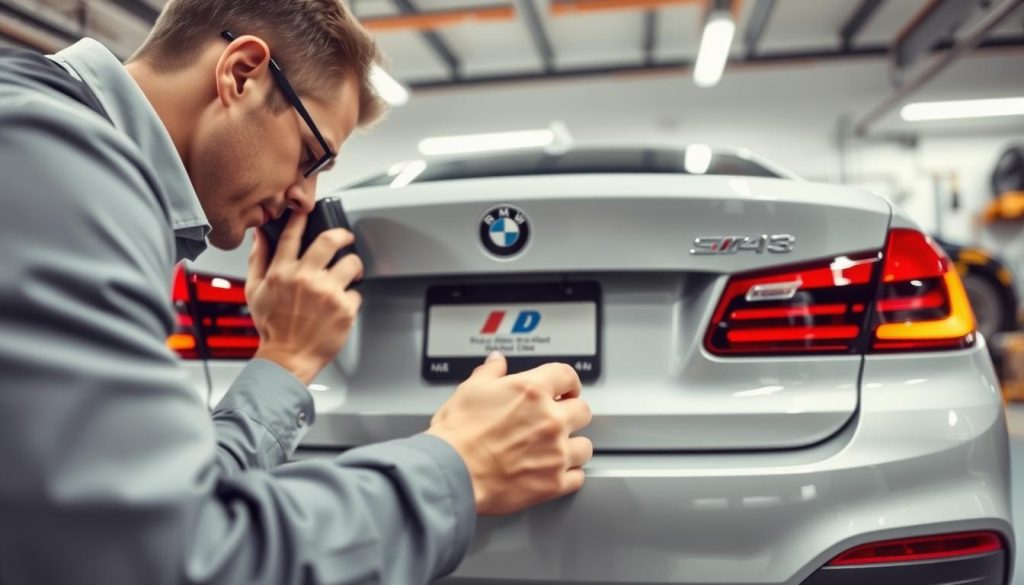
Sometimes, after a car wash or maintenance, your BMW’s parking sensors might stop responding. This is often due to dirt or debris being dislodged onto the sensors or electrical connections being disturbed. A reset can often resolve these issues.
After Battery Replacement or Electrical Work
If you’ve recently had your car’s battery replaced or undergone electrical work, this could have disrupted your parking sensor system’s calibration. Resetting the system can help it function correctly again.
Error Messages on iDrive Display
Modern BMWs often display error messages related to the parking sensor system on the iDrive display. If you see messages indicating a fault with the parking sensors, attempting a reset is a logical first step before seeking professional diagnosis.
| Signs | Description | Possible Solution |
|---|---|---|
| False Alerts | Frequent false warnings or failure to detect objects | Reset the parking sensor system |
| No Response After Maintenance | Sensors stop working after car wash or maintenance | Clean sensors and reset the system |
| Issues After Electrical Work | System malfunction after battery replacement or electrical work | Reset the parking sensor system |
| Error Messages on iDrive | Fault messages displayed on iDrive related to parking sensors | Attempt a system reset |
Tools and Preparation for Resetting BMW Parking Sensors
To successfully reset your BMW’s parking sensors, you’ll need to have the right equipment and follow safety guidelines. This preparation ensures that the reset process is done correctly and safely.
Required Tools and Equipment
Before starting the reset process, gather the necessary tools and equipment. These may include:
- A basic set of tools such as screwdrivers and wrenches
- A BMW-specific diagnostic tool for advanced resets
- The owner’s manual or a repair manual for your specific BMW model
Safety Precautions Before Starting
Safety should be your top priority. Ensure you:
- Park your BMW on a flat, stable surface
- Turn off the engine and engage the parking brake
- Wear protective gear such as gloves and safety glasses
Locating Sensor Components in Your BMW
Understanding where the parking sensor components are located is crucial. Typically, these sensors are found in:
- The front and rear bumpers
- Sometimes, additional sensors are located on the sides
By being prepared with the right tools and knowledge of your BMW’s parking sensor system, you’ll be able to reset the sensors effectively. This preparation is a critical step before proceeding to the actual reset process.
How to Reset Parking Sensors on BMW: 5-Step Process
To ensure your BMW’s parking sensors are functioning correctly, a reset may be necessary, which can be done in five easy steps. Resetting the parking sensors can resolve issues such as false alerts or complete system failure.
Step 1: Turn Off Your Vehicle Completely
Before starting the reset process, it’s crucial to turn off your vehicle completely. This includes ensuring all electronics are powered down.
Ensuring All Electronics Are Powered Down
Make sure to turn off the ignition and remove the key from the ignition or, for keyless start models, ensure the key fob is outside the vehicle and the engine is off. Wait for a few minutes to allow any residual power to dissipate.
Step 2: Access the Parking Sensor System
Accessing the parking sensor system typically involves using the iDrive system or dashboard controls.
Navigating iDrive or Dashboard Controls
For most BMW models, you can access the parking sensor settings through the iDrive menu. Navigate to the “Vehicle Settings” or “Settings” menu, then look for “Parking” or “Parking Sensors” options.
Step 3: Perform the Reset Sequence
The reset sequence may vary depending on your BMW model, but it often involves a specific button combination or sequence entered through the iDrive or dashboard controls.
Button Combinations and Timing
For some models, pressing and holding the parking sensor button for a few seconds can initiate the reset. For others, it may involve navigating through the iDrive menu to find the reset option.
Step 4: Verify the Reset Was Successful
After performing the reset sequence, it’s essential to verify that the reset was successful.
Checking for System Confirmation
Look for a confirmation message on the iDrive display or dashboard. The parking sensors should now be operational, indicated by the absence of error messages or false alerts.
Step 5: Test the Parking Sensors
The final step is to test the parking sensors to ensure they are working correctly.
Performing a Practical Test in a Safe Environment
Find a safe, open area and slowly approach an object (like a cone or wall) to test the sensors. The system should alert you as you get closer to the object.
| Step | Description | Notes |
|---|---|---|
| 1 | Turn Off Vehicle | Ensure all electronics are powered down |
| 2 | Access Parking Sensor System | Use iDrive or dashboard controls |
| 3 | Perform Reset Sequence | Button combinations or iDrive menu |
| 4 | Verify Reset | Check for system confirmation |
| 5 | Test Parking Sensors | Perform a practical test |
Troubleshooting Common Issues After Reset
Resetting your BMW parking sensors is just the first step; troubleshooting common problems is equally important. After completing the reset process, you may still encounter issues that require further attention.
Sensors Still Not Working Properly
If your BMW parking sensors are still not functioning correctly after a reset, it could be due to a hardware issue or a problem with the sensor’s calibration. Check for any blockages or dirt on the sensors, as this can interfere with their operation. For more complex issues, consider consulting a professional for assistance.
Error Messages on Dashboard
Error messages on your dashboard related to the parking sensors can be concerning. These messages may indicate a problem with the sensor system or a need for recalibration. Refer to your BMW’s manual to understand the specific error message and the recommended course of action. If the issue persists, a visit to a BMW service center may be necessary.
Calibration Problems
Calibration issues can arise if the sensors are not properly aligned or if there’s a software glitch. Ensure that your vehicle’s software is up to date, as updates often resolve known issues. For calibration problems, you may need to visit a professional mechanic who specializes in BMW repairs.
When to Seek Professional Help
If you’ve tried troubleshooting and the issues persist, it’s time to seek professional help. Complex problems may require specialized diagnostic tools and expertise. For instance, if you’re experiencing persistent error messages or sensor malfunctions, a certified BMW technician can provide the necessary assistance. For other car-related issues, you can explore solutions like resetting your BMW car radio system.
| Issue | Possible Cause | Solution |
|---|---|---|
| Sensors not working | Hardware issue or blockage | Clean sensors or consult a professional |
| Error messages on dashboard | Sensor system issue or calibration problem | Refer to BMW manual or visit service center |
| Calibration problems | Software glitch or misalignment | Update software or visit a mechanic |
Model-Specific Reset Procedures
Resetting parking sensors on your BMW requires a tailored approach depending on the model. Different models may have distinct procedures for accessing and resetting the parking sensor system.
BMW 3 Series and 5 Series (F30/F10)
For the BMW 3 Series and 5 Series, specifically models F30 and F10, the reset process involves accessing the iDrive menu, navigating to the “Vehicle Settings,” and then selecting “Parking Sensors.” From there, you can initiate the reset sequence.
BMW X3, X5, and X7 SUV Models
For BMW X3, X5, and X7 SUV models, the process is similar but may require additional steps. Ensure your vehicle is stationary and apply the parking brake before accessing the parking sensor settings through the iDrive system.
BMW 7 Series and Luxury Models
Luxury models like the BMW 7 Series may have more advanced parking sensor systems. The reset procedure might involve using specialized diagnostic tools to recalibrate the sensors.
Using BMW Diagnostic Tools for Older Models
For older BMW models, using diagnostic tools can be an effective way to reset parking sensors. These tools can interface with the vehicle’s onboard computer to perform the necessary reset.
Conclusion
Resetting your BMW’s parking sensors can be a straightforward process if you follow the right steps. By understanding how BMW parking sensors work and recognizing the signs that indicate they need resetting, you can ensure your vehicle’s safety features are functioning correctly.
The 5-step process outlined in this article provides a clear guide on how to reset your BMW parking sensors. From turning off your vehicle completely to testing the parking sensors after the reset, each step is crucial for a successful reset.
Troubleshooting common issues after resetting your BMW parking sensors is also essential. By being aware of potential problems such as sensors still not working properly or error messages on the dashboard, you can take corrective action to resolve these issues.
By following the guidelines and procedures outlined in this article, you can effectively reset your BMW parking sensors and ensure they are working correctly. For complex issues, consider consulting a professional mechanic or a BMW specialist for assistance with BMW parking sensor reset and parking sensor troubleshooting.
FAQ
What are the common signs that my BMW parking sensors need to be reset?
Common signs include false alerts, inconsistent warnings, no response after a car wash or maintenance, issues after battery replacement or electrical work, and error messages on the iDrive display.
Can I reset my BMW parking sensors myself, or do I need to visit a dealership?
You can reset your BMW parking sensors yourself by following the 5-step process outlined for your specific BMW model. However, if you encounter issues or are unsure, it’s recommended to seek professional help.
What tools and equipment are required to reset BMW parking sensors?
The required tools and equipment may vary depending on your BMW model. Generally, you may need a basic toolkit and potentially a BMW diagnostic tool for older models or more complex issues.
How do I know if the reset was successful?
After performing the reset sequence, verify that the parking sensors are functioning correctly by checking for system confirmation and performing a practical test in a safe environment.
Are the reset procedures different for various BMW models?
Yes, reset procedures can vary between different BMW models, such as the 3 Series, 5 Series, X3, X5, X7, and 7 Series. It’s essential to follow the model-specific reset procedure for your vehicle.
What should I do if my BMW parking sensors are still not working properly after a reset?
If your parking sensors are still not working correctly, check for calibration problems, error messages on the dashboard, and consider seeking professional help if issues persist.
Can a car wash or maintenance cause issues with my BMW parking sensors?
Yes, a car wash or maintenance can sometimes cause issues with your BMW parking sensors, such as false alerts or no response. In such cases, resetting the parking sensors may resolve the problem.
Is it necessary to turn off my vehicle completely before resetting the parking sensors?
Yes, it’s crucial to turn off your vehicle completely and ensure all electronics are powered down before starting the reset process to avoid any potential issues or complications.