Many Jeep owners have experienced frustrating issues with their vehicle’s touch screen, often related to the Uconnect system. These problems can range from unresponsive screens to incorrect display information.
Troubleshooting these issues is crucial for a seamless driving experience. This article provides a comprehensive guide on addressing common touch screen issues in Jeeps, helping you to identify and resolve problems efficiently.
Key Takeaways
- Common causes of Jeep touch screen issues
- Step-by-step troubleshooting guide
- Tips for maintaining the Uconnect system
- Potential fixes for unresponsive screens
- Importance of regular system updates
Understanding Common Jeep Touch Screen Problems
Touch screen issues in Jeeps are more common than you might think, and understanding the causes is the first step to resolving them. The infotainment system is a critical component of modern vehicles, providing navigation, entertainment, and vehicle settings control.
Symptoms of a Malfunctioning Touch Screen
A malfunctioning touch screen can manifest in various ways, including unresponsiveness, freezing, or erratic behavior. Common symptoms include:
- Screen not responding to touch
- Delayed or incorrect input registration
- Random screen changes or freezes
- Complete system failure
Most Affected Jeep Models and Systems
While touch screen issues can affect various Jeep models, some are more prone to these problems due to their infotainment systems. The Uconnect system is commonly used in many Jeep models and has been known to experience issues.
| Jeep Model | Common Issues |
|---|---|
| Jeep Grand Cherokee | Uconnect system freezing |
| Jeep Wrangler | Touch screen unresponsiveness |
| Jeep Renegade | Bluetooth connectivity issues |
Diagnosing Your Specific Issue
To diagnose your touch screen issue, start by identifying the symptoms and the conditions under which they occur.  Check if the issue is consistent or intermittent, and if it’s related to specific functions or apps. This information will be crucial in determining the cause and finding an appropriate solution.
Is Your Jeep Touch Screen Freaking Out? Here’s How to Fix It
If your Jeep’s touch screen is not responding, don’t panic – there are several troubleshooting methods you can try. The Uconnect system, which is the infotainment hub of your Jeep, can sometimes be finicky, but resolving issues often involves simple steps.
Preparing for Troubleshooting
Before diving into complex troubleshooting, it’s essential to prepare your Jeep’s Uconnect system. Ensure your vehicle is parked in a safe location and apply the parking brake. It’s also a good idea to consult your owner’s manual for specific instructions related to your Jeep model.
- Turn off the engine and restart it.
- Check for any software updates.
- Ensure the screen is clean and free of debris.
Performing a Soft Reset on Uconnect Systems
A soft reset is often the first step in resolving touch screen issues. This process is akin to restarting your smartphone and can resolve many minor glitches.
- Turn off the ignition and remove the key from the ignition switch.
- Wait for 30 seconds to allow any residual power to dissipate.
- Turn the ignition back on and check if the touch screen is responsive.
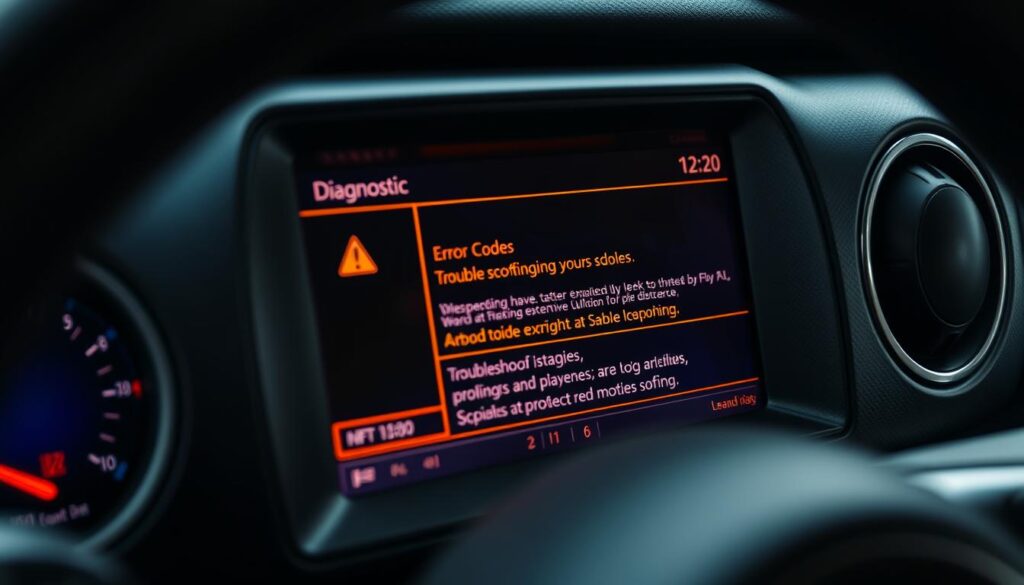
Hard Reset Procedure for Different Jeep Models
If a soft reset doesn’t work, you may need to perform a hard reset. The process varies slightly depending on your Jeep model.
- For most Jeep models, you can perform a hard reset by pressing and holding the Volume and Tune buttons simultaneously for about 10 seconds.
- Some models may require you to press the Power button and a combination of other buttons as specified in your owner’s manual.
Checking and Installing System Updates
Outdated software can cause touch screen issues. Checking for and installing system updates is crucial.
- Navigate to the Settings menu on your Uconnect system.
- Select System or Software Update.
- Follow the on-screen instructions to check for and install any available updates.
By following these steps, you can troubleshoot and potentially fix the touch screen issues with your Jeep’s Uconnect system. Regular maintenance and keeping your system updated can prevent many common problems.
Advanced Troubleshooting Methods
When basic troubleshooting doesn’t resolve Jeep touch screen problems, it’s time to delve into advanced methods. These techniques are designed to address more complex issues that may be affecting your vehicle’s infotainment system.
Fixing Frozen or Unresponsive Screens
A frozen or unresponsive screen can be frustrating. To resolve this, try performing a soft reset by pressing and holding the power button and the volume down button simultaneously for a few seconds. If this doesn’t work, you may need to perform a hard reset, which varies by Jeep model. Check your owner’s manual for specific instructions.
Resolving Black Screen Issues
A black screen can indicate a serious issue, but it’s not always a hardware failure. First, ensure that the screen isn’t just dimmed or turned off. If it’s completely unresponsive, try a hard reset. If the issue persists, it may be related to a software glitch or a problem with the display itself.
Addressing Bluetooth and Connectivity Problems
Bluetooth connectivity issues can significantly impact your Jeep’s infotainment system. To troubleshoot, start by restarting your vehicle’s system and then try reconnecting your device. If problems persist, check for software updates or reset your vehicle’s network settings.
Calibrating Touch Screen Sensitivity
If your Jeep’s touch screen is overly sensitive or not responsive enough, calibration may be necessary. Navigate to the settings menu, find the display or touch screen settings, and follow the on-screen instructions to recalibrate the screen. This can significantly improve the user experience.
By applying these advanced troubleshooting methods, Jeep owners can resolve complex touch screen issues and restore their vehicle’s infotainment system to optimal performance.
Preventing Future Touch Screen Problems
Preventing touch screen issues in your Jeep requires a proactive approach. By understanding how to maintain your infotainment system, you can avoid many common problems that lead to a frustrating driving experience.
Regular Maintenance Tips for Jeep Infotainment Systems
Regular maintenance is crucial for the longevity of your Jeep’s touch screen. Cleaning the screen regularly with a soft, dry cloth can prevent dirt and grime from causing issues. It’s also important to check for software updates frequently, as these updates often include bug fixes and performance improvements.
Additionally, avoiding extreme temperatures and keeping your vehicle’s interior clean can also contribute to the overall health of your infotainment system.
Software Update Best Practices
Keeping your Jeep’s software up to date is vital for optimal performance. Enable automatic updates if available, or regularly check for updates through the Uconnect settings. It’s also a good practice to read the release notes accompanying each update to understand the changes and improvements made.
“Regular software updates are essential for maintaining the security and functionality of your vehicle’s infotainment system.” –
Protecting Your Screen from Environmental Damage
Environmental factors can significantly impact your touch screen’s durability. Using a screen protector can help shield against scratches and cracks. Moreover, being mindful of your vehicle’s exposure to direct sunlight and extreme temperatures can prevent damage to the screen and other components.
By following these tips, you can protect your Jeep’s touch screen from environmental damage and ensure it continues to function properly.
Conclusion
Dealing with Jeep touch screen issues can be frustrating, but with the right troubleshooting steps, you can resolve these problems efficiently. Throughout this article, we’ve explored various methods to diagnose and fix common touch screen issues in Jeep vehicles.
By understanding the symptoms of a malfunctioning touch screen and performing simple troubleshooting steps like soft resets and software updates, you can often resolve the issue. For more complex problems, advanced troubleshooting methods such as calibrating touch screen sensitivity and addressing Bluetooth connectivity issues can be effective.
Regular maintenance, including software updates and protecting your screen from environmental damage, is crucial in preventing future touch screen problems. By following these guidelines, Jeep owners can enjoy a seamless infotainment experience and minimize the risk of touch screen malfunctions.
Effective troubleshooting is key to resolving Jeep touch screen issues. By applying the steps outlined in this article, you can identify and fix problems, ensuring your Jeep’s infotainment system operates smoothly.
FAQ
What are the most common issues with Jeep touch screens?
Common issues include unresponsive or frozen screens, black screens, and connectivity problems with Bluetooth and other devices.
How do I perform a soft reset on my Jeep’s Uconnect system?
To perform a soft reset, press and hold the volume and tuner buttons simultaneously for 10-15 seconds, then release and restart your system.
What is the procedure for a hard reset on different Jeep models?
The hard reset procedure varies by model; consult your owner’s manual or contact a Jeep dealership for specific instructions.
How do I check for and install system updates for my Jeep’s infotainment system?
Check for updates by going to the Uconnect settings menu, selecting “System,” and then “Software Update.” Follow the prompts to download and install any available updates.
How can I prevent future touch screen problems in my Jeep?
Regular maintenance, such as cleaning the screen and checking for software updates, can help prevent issues. Additionally, protecting your screen from environmental damage, such as extreme temperatures and moisture, is crucial.
What should I do if my Jeep’s touch screen is unresponsive or frozen?
Try performing a soft reset or hard reset, depending on your Jeep model. If the issue persists, consult a Jeep dealership or a professional mechanic for further assistance.
How do I calibrate the touch screen sensitivity in my Jeep?
Calibration procedures vary by model; consult your owner’s manual or contact a Jeep dealership for specific instructions on adjusting touch screen sensitivity.
Can I resolve Bluetooth connectivity issues with my Jeep’s touch screen?
Yes, try restarting your Uconnect system, deleting and re-pairing your device, or checking for software updates to resolve Bluetooth connectivity issues.