The Tesla Model Y is equipped with advanced safety features, including hazard lights that can be activated in emergency situations. Understanding how to operate these lights is crucial for safe driving.
Activating the hazard lights on your Tesla Model Y is a straightforward process that can be completed in a few simple steps. This guide will walk you through the process, ensuring you can use this important safety feature effectively.
Knowing how to use your vehicle’s hazard lights can make a significant difference in various driving conditions. This guide aims to provide clear instructions on how to turn on the hazard lights on your Tesla Model Y.
Key Takeaways
- Understanding the importance of hazard lights in the Tesla Model Y.
- Learning the simple process to activate hazard lights.
- Enhancing safety on the road with proper use of hazard lights.
- Following a step-by-step guide tailored for Tesla Model Y owners.
- Improving overall driving experience with confidence.
Understanding Tesla Model Y’s Hazard Light System
The Tesla Model Y’s hazard light system is a critical safety feature that drivers should understand to ensure their safety on the road. This system is designed to alert other drivers to potential hazards or emergency situations, thereby reducing the risk of accidents.
The Purpose and Importance of Hazard Lights in Electric Vehicles
Hazard lights in electric vehicles like the Tesla Model Y serve the same fundamental purpose as in traditional gasoline-powered vehicles: to signal to other drivers that the vehicle is experiencing an emergency or is otherwise a potential hazard. The importance of hazard lights cannot be overstated, as they help prevent accidents by alerting other drivers to the situation.
In electric vehicles, hazard lights also play a crucial role in ensuring safety during breakdowns or when the vehicle is stationary due to an issue. Their visibility can help prevent rear-end collisions or other accidents.
How Tesla’s Hazard Light System Differs from Traditional Vehicles
Tesla’s hazard light system differs from traditional vehicles in its integration with the vehicle’s advanced technology and software. For instance, Tesla’s system can automatically activate hazard lights during certain events, such as airbag deployment or when the vehicle is in a collision. This integration enhances safety and provides an additional layer of protection.
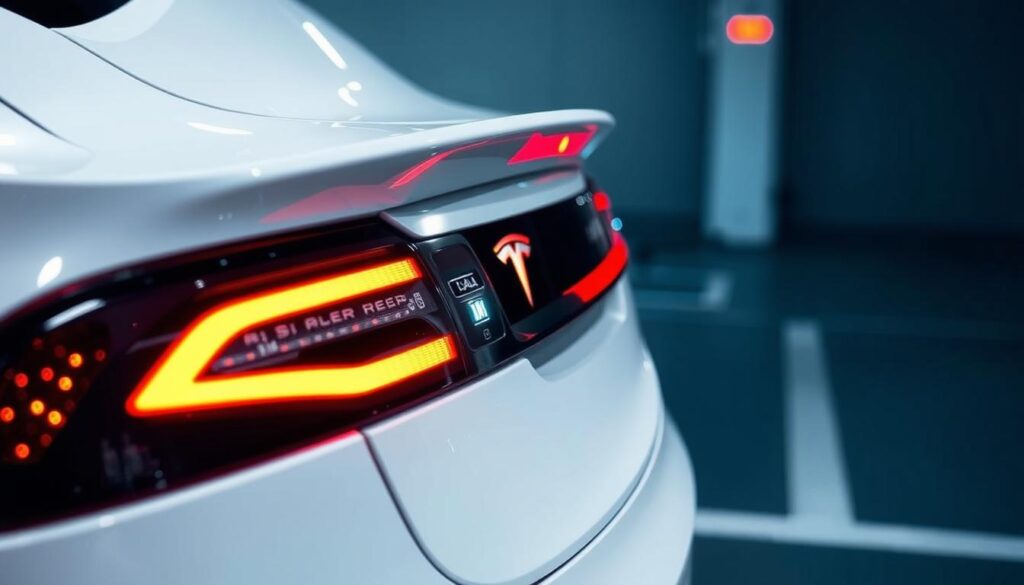
Location of Hazard Light Controls in the Tesla Model Y
The hazard light controls in the Tesla Model Y are conveniently located on the overhead console, making it easy for drivers to activate them when needed. Additionally, hazard lights can be controlled through the touchscreen interface, providing a modern and intuitive way to manage this safety feature.
| Control Method | Location/Description |
|---|---|
| Dedicated Button | Located on the overhead console |
| Touchscreen Controls | Accessible through the Tesla Model Y’s touchscreen interface |
How to Turn on Hazard Lights on Tesla Model Y
Activating the hazard lights on your Tesla Model Y is a straightforward process that can be accomplished in multiple ways. The vehicle’s design prioritizes safety and ease of use, providing several intuitive methods to turn on the hazard lights.
Using the Dedicated Hazard Light Button on the Overhead Console
The most direct way to turn on the hazard lights is by using the dedicated button located on the overhead console. This button is specifically designed for easy access, allowing you to activate the hazard lights quickly in emergency situations.
To use this method, simply press the hazard light button. The lights will immediately turn on, and you will see a visual indication on your dashboard. This method is particularly useful when you need to react quickly.
Activating Hazard Lights Through the Touchscreen Controls
Another convenient method to activate the hazard lights is through the Tesla Model Y’s touchscreen interface. This method allows you to control the hazard lights from the comfort of your driver’s seat.
To activate the hazard lights via the touchscreen, navigate to the “Controls” menu, then select “Lights,” and finally choose “Hazard Lights.” The touchscreen will display the status of the hazard lights, providing a clear visual confirmation.
Voice Command Method for Hands-Free Activation
For a hands-free experience, you can use Tesla’s voice command feature to turn on the hazard lights. This method is particularly useful when you’re driving and need to activate the hazard lights without taking your hands off the wheel.
To activate the hazard lights using voice command, simply say “Turn on hazard lights.” The vehicle’s system will recognize the command and activate the hazard lights accordingly. This feature enhances safety by minimizing distractions while driving.
Understanding the different methods to turn on the hazard lights in your Tesla Model Y can significantly enhance your driving experience. Here’s a summary of the methods discussed:
| Method | Description | Use Case |
|---|---|---|
| Dedicated Button | Press the hazard light button on the overhead console | Quick activation in emergencies |
| Touchscreen Controls | Navigate to Controls > Lights > Hazard Lights on the touchscreen | Convenient when stopped or in a safe state |
| Voice Command | Say “Turn on hazard lights” | Hands-free activation while driving |
When to Use Hazard Lights in Your Tesla Model Y
Understanding when to use hazard lights in your Tesla Model Y is crucial for safety and compliance with traffic regulations. Hazard lights are designed to alert other drivers to potential hazards or to signal that your vehicle is stationary or moving slowly.
Emergency Situations That Require Hazard Light Activation
In emergency situations, such as being stranded on the side of the road or experiencing a vehicle breakdown, activating your hazard lights is essential. This warns other drivers of the potential hazard and helps prevent further accidents.
- Vehicle breakdown or mechanical failure
- Being stranded or stopped on the side of the road
- Participating in a funeral procession or roadside emergency
Legal Requirements and Regulations for Hazard Light Usage
It’s also important to be aware of the legal requirements and regulations regarding hazard light usage in your area. Some jurisdictions have specific laws governing when and how hazard lights can be used.
Key legal considerations include:
- Understanding local laws regarding hazard light usage
- Avoiding misuse that could result in fines or penalties
Tesla-Specific Scenarios: Supercharging, Autopilot Disengagement, and More
Tesla vehicles, including the Model Y, have specific scenarios where hazard lights are particularly relevant. For instance, when your vehicle is in the process of Supercharging, it may automatically activate hazard lights if it’s in a hazardous location or if the vehicle’s settings are configured to do so.
Additionally, in situations where Autopilot is disengaged, especially in potentially hazardous situations, the use of hazard lights can be crucial for signaling to other drivers.
Always refer to your Tesla Model Y owner’s manual for specific guidance on hazard light usage and other safety features.
Troubleshooting Common Hazard Light Issues in Tesla Model Y
Hazard light malfunctions in the Tesla Model Y can be frustrating, but understanding the causes and solutions can help resolve these issues efficiently. The hazard light system is a critical safety feature, and when it fails, it can compromise the vehicle’s visibility and safety on the road.
What to Do When Hazard Lights Won’t Activate or Respond
If your Tesla Model Y’s hazard lights are not activating, there are several troubleshooting steps you can take. First, check the hazard light button on the overhead console to ensure it’s functioning correctly. Sometimes, a simple restart of the vehicle’s system can resolve the issue.
- Check for any software updates, as Tesla frequently releases updates that can fix known issues.
- Ensure that the vehicle’s settings haven’t been altered inadvertently through the touchscreen controls.
- If the issue persists, try using the voice command to activate the hazard lights, as this can sometimes bypass a faulty button.
Battery Considerations for Extended Hazard Light Use While Parked
Using hazard lights while parked can drain the vehicle’s battery, especially if it’s done for an extended period. It’s essential to be mindful of this to avoid being stranded with a dead battery.
| Scenario | Battery Drain Risk | Recommendation |
|---|---|---|
| Short-term use (less than 30 minutes) | Low | No action needed |
| Medium-term use (30 minutes to 2 hours) | Moderate | Monitor battery level |
| Long-term use (more than 2 hours) | High | Avoid extended use or keep the vehicle charging |
Software Updates and Their Impact on Hazard Light Functionality
Tesla’s over-the-air software updates can sometimes affect the functionality of various features, including the hazard lights. While updates are designed to improve performance, they can occasionally introduce new issues.
To minimize potential problems:
- Always keep your Tesla Model Y’s software up to date.
- Review release notes for any mentions of hazard light functionality.
- If you notice issues after an update, contact Tesla support for assistance.
By following these troubleshooting steps and being aware of the factors that can affect your Tesla Model Y’s hazard lights, you can ensure this critical safety feature remains operational when you need it most.
Advanced Tesla Model Y Safety Features Connected to Hazard Lights
Tesla’s innovative approach to vehicle safety is evident in the Model Y’s hazard light system and its integration with other safety features. The hazard light system is not a standalone feature but is deeply connected to various advanced safety functionalities.
Automatic Hazard Light Activation During Collisions or Airbag Deployment
In the event of a collision or airbag deployment, the Tesla Model Y’s hazard lights are automatically activated. This feature enhances safety by alerting other drivers to the situation, potentially reducing the risk of further accidents.
Integration with Tesla’s Autopilot, Sentry Mode, and Security Systems
The hazard light system is also integrated with Tesla’s Autopilot and Sentry Mode. For instance, during Autopilot disengagement or when Sentry Mode detects potential threats, the hazard lights can be activated to enhance security and alert others.
How Hazard Lights Function During Remote Access and Summon Features
When using Tesla’s remote access or Summon features, the hazard lights play a crucial role in indicating the vehicle’s actions to nearby pedestrians and other drivers, enhancing safety during these operations.
The integration of hazard lights with these advanced features underscores Tesla’s commitment to safety and security. By understanding how these systems work together, Model Y owners can better appreciate the vehicle’s overall safety profile.
Conclusion
The Tesla Model Y is equipped with advanced safety features, including a sophisticated hazard light system. Understanding how to use these lights is crucial for safe driving, especially in emergency situations.
By familiarizing yourself with the hazard light controls, whether through the dedicated button or touchscreen, you can ensure your safety and the safety of others on the road. The Tesla Model Y’s hazard lights are designed to work seamlessly with other safety features, such as Autopilot and Sentry Mode, to provide an additional layer of protection.
Proper use of hazard lights can help prevent accidents and reduce the risk of injury. As you continue to drive your Tesla Model Y, remember to use your hazard lights judiciously, and take advantage of the vehicle’s advanced safety features to enhance your driving experience.
FAQ
How do I turn on the hazard lights on my Tesla Model Y?
You can turn on the hazard lights on your Tesla Model Y by using the dedicated hazard light button on the overhead console, through the touchscreen controls, or by using voice commands.
What is the purpose of hazard lights in electric vehicles like the Tesla Model Y?
Hazard lights are used to alert other drivers to a potential hazard or emergency situation, such as a breakdown or accident, and are an important safety feature in electric vehicles like the Tesla Model Y.
Can I use hazard lights while my Tesla Model Y is parked and charging at a Supercharger?
Yes, you can use hazard lights while your Tesla Model Y is parked and charging at a Supercharger, but be aware that extended use may drain the battery.
How do software updates affect the functionality of hazard lights on my Tesla Model Y?
Software updates can impact the functionality of hazard lights on your Tesla Model Y, and Tesla may release updates to improve or change their behavior, so it’s essential to stay up-to-date with the latest software.
Are there any specific regulations or laws governing the use of hazard lights in my Tesla Model Y?
Yes, there are regulations and laws governing the use of hazard lights, and you should familiarize yourself with the specific requirements in your area to ensure compliance.
Can I activate hazard lights using Autopilot or voice commands while driving?
Yes, you can activate hazard lights using voice commands, and in certain situations, Autopilot may automatically activate hazard lights, such as during a collision or when Autopilot is disengaged.
What should I do if my Tesla Model Y’s hazard lights won’t activate or respond?
If your Tesla Model Y’s hazard lights won’t activate or respond, try checking the touchscreen controls, restarting the vehicle, or checking for any software updates, and if the issue persists, consult your owner’s manual or contact Tesla support.