Are you experiencing issues with your audio system’s volume control? Many Toyota owners face challenges with their vehicle’s sound system, leading to frustration and a diminished driving experience. Issues with the volume control can stem from various sources, including software glitches or hardware malfunctions.
Understanding the root cause of these problems is crucial for effective troubleshooting. This article aims to guide you through the process of diagnosing and fixing common issues related to volume control problems. For more complex issues, such as those involving the infotainment system, you may find it helpful to reset your Toyota’s infotainment screen.
Key Takeaways
- Common causes of audio system issues
- Steps to diagnose volume control problems
- Methods for repairing or replacing faulty components
- Tips for maintaining your vehicle’s audio system
- Resources for further troubleshooting and repair
Understanding Toyota Radio Systems
Understanding the intricacies of Toyota’s radio systems is crucial for diagnosing and fixing common issues. Toyota vehicles are equipped with a range of audio systems, from basic to advanced, each with its unique features and functionalities.
Types of Toyota Audio Systems
Toyota offers various audio systems, including Entune and Premium Audio systems. These systems differ in their features, such as touchscreen capabilities, Bluetooth connectivity, and speaker configurations. Knowing the type of audio system in your Toyota is essential for troubleshooting Toyota audio system issues.
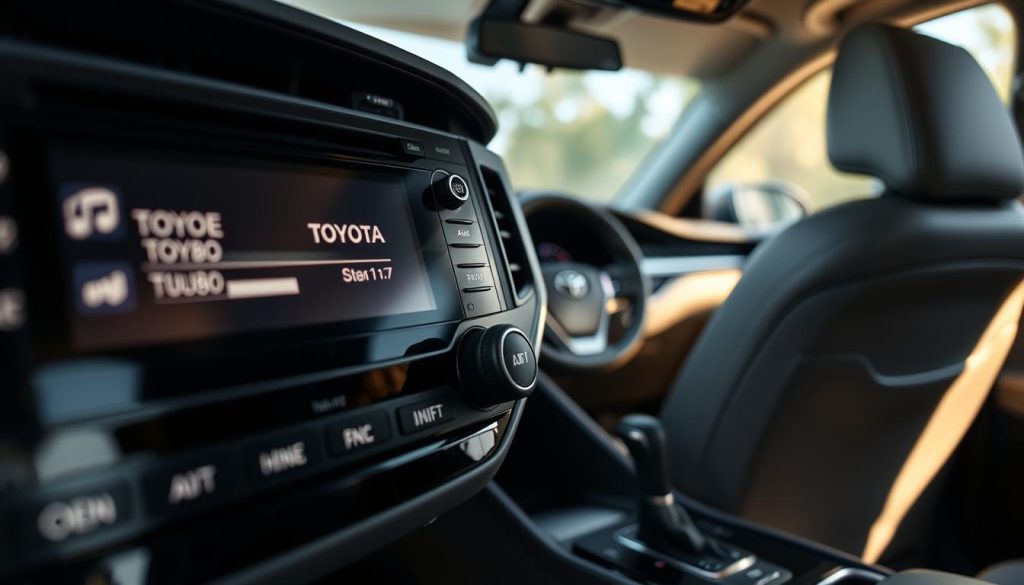
How Volume Control Mechanisms Work
The volume control mechanism in Toyota radios is typically managed through a combination of hardware and software. The volume control buttons or knobs send signals to the audio system’s main unit, which then adjusts the volume. Understanding audio system mechanics can help in identifying problems related to Toyota car stereo problems.
Common Toyota Radio Volume Control Problems
Issues with Toyota radio volume controls can significantly impact the driving experience. Many drivers have reported problems that range from minor annoyances to complete system failures. Understanding these common issues is the first step towards resolving them.
Volume Fluctuation Issues
One of the most common problems is volume fluctuation. This can manifest as sudden changes in volume without any input from the driver. Volume fluctuation issues can be caused by faulty wiring, software glitches, or problems with the volume control potentiometer.
Unresponsive Volume Buttons
Another frequent issue is unresponsive volume buttons. Drivers may find that pressing the volume up or down buttons has no effect on the radio’s volume. This could be due to wear and tear on the buttons themselves or a more complex issue with the radio’s circuitry.
Stuck or Erratic Volume Levels
Some Toyota owners experience stuck or erratic volume levels. This might mean that the volume gets stuck at a certain level or changes erratically. The causes can include dirt or debris in the volume control mechanism or a failing potentiometer.
| Issue | Possible Cause | Potential Solution |
|---|---|---|
| Volume Fluctuation | Faulty wiring, software glitches | Check wiring, update software |
| Unresponsive Buttons | Wear and tear, circuitry issues | Clean or replace buttons, inspect circuitry |
| Stuck or Erratic Volume | Dirt or debris, failing potentiometer | Clean volume control, replace potentiometer |
Toyota Radio Volume Control Problem: Causes & Fixes
Understanding the root causes of Toyota radio volume control issues is crucial for effective troubleshooting. Various factors can contribute to these problems, ranging from software issues to hardware malfunctions.
Software Glitches and System Errors
Software glitches are a common cause of Toyota radio volume control problems. These can occur due to bugs in the system or corrupted software updates. Resetting the radio system or updating the software can often resolve these issues. It’s also possible that the problem lies in the system’s configuration or settings, which may need to be adjusted or reset to default.
Hardware Malfunctions and Wear
Hardware malfunctions, such as worn-out volume control buttons or faulty wiring, can also cause volume control issues. Over time, the physical components of the radio system can wear out, leading to unresponsive or erratic volume controls. In such cases, replacing the faulty hardware is necessary to restore proper function.
Wiring and Connection Issues
Wiring and connection issues are another potential cause of Toyota radio volume control problems. Loose or corroded connections can disrupt the signal, leading to volume fluctuations or unresponsiveness. Checking and securing the connections or replacing damaged wiring can help resolve these issues.
By identifying the specific cause of the volume control problem, Toyota owners can apply the appropriate fix, whether it involves software updates, hardware replacement, or addressing wiring issues.
Diagnosing Your Toyota Radio Volume Issues
Troubleshooting your Toyota radio’s volume issues requires a systematic approach to identify the problem accurately. To start, it’s crucial to understand the basics of how your Toyota radio system works and the common issues associated with it.
Initial Troubleshooting Steps
The first step in diagnosing your Toyota radio volume issue is to perform some initial troubleshooting. Begin by checking the volume control settings to ensure it’s not set to a very low level or muted. Restart your Toyota’s infotainment system by turning off the engine, waiting for a few seconds, and then turning it back on. This simple step can often resolve software glitches that might be causing the volume issue.
Next, inspect the volume control buttons for any debris or dust that might be causing them to malfunction. Cleaning the buttons gently with a soft cloth can sometimes resolve the issue.
Identifying the Specific Problem
If the initial steps don’t resolve the issue, it’s time to dig deeper. Check if the problem is consistent across different audio sources (e.g., FM radio, Bluetooth, USB). If the issue persists across all sources, it’s likely related to the radio unit or its controls. Use the following table to help identify potential causes:
| Symptom | Possible Cause |
|---|---|
| Volume fluctuates randomly | Wiring issue or faulty volume control |
| Volume buttons unresponsive | Hardware malfunction or software glitch |
| Volume gets stuck on a level | Faulty volume control or encoder issue |
By following these steps, you can narrow down the potential causes of your Toyota radio’s volume issues and take the appropriate action to fix them.
DIY Fixes for Toyota Radio Volume Problems
Toyota radio volume problems can often be resolved with simple DIY fixes. Before considering a trip to the dealership or a professional mechanic, you can try several troubleshooting steps to get your audio system working properly again.
Soft Reset Procedures
A soft reset is often the simplest way to resolve issues with your Toyota radio. To perform a soft reset, turn off your vehicle’s engine and remove the key from the ignition. Wait for a few minutes before restarting the engine. This process can sometimes resolve software glitches that cause volume control problems.
Hard Reset Instructions
If a soft reset doesn’t work, you may need to perform a hard reset. The process for a hard reset varies depending on your Toyota model’s audio system. Generally, it involves pressing and holding specific buttons on your radio, such as the power button and volume controls, simultaneously for a few seconds. Consult your owner’s manual for specific instructions.
Cleaning Volume Controls and Connections
Dirt, dust, and grime can accumulate on your radio’s volume controls and connections, causing malfunctions. Use a soft cloth and electronics cleaner to gently clean the volume buttons and surrounding areas. Ensure all connections behind the radio are secure and free from corrosion.
Software Update Methods
Outdated software can lead to various issues, including volume control problems. Check Toyota’s official website for software updates specific to your vehicle’s audio system. Follow the provided instructions to download and install the update using a USB drive.
Replacing Volume Control Components
If the above steps don’t resolve the issue, you may need to replace the faulty volume control components. This could involve replacing the volume knob or the entire head unit. It’s recommended to consult a professional for such repairs unless you have experience with electronics.
By trying these DIY fixes, you can potentially resolve your Toyota radio’s volume control issues without incurring significant repair costs. Always refer to your owner’s manual or Toyota’s official resources for model-specific guidance.
When to Seek Professional Help
If your Toyota radio volume control issues persist after trying DIY fixes, it’s time to consider seeking professional help. While DIY solutions can be effective for minor issues, complex problems often require the expertise of a professional.
For many Toyota owners, the decision to seek professional help comes down to choosing between Toyota dealer services and third-party audio specialists. Both options have their advantages and disadvantages.
Toyota Dealer Service Options
Toyota dealerships offer specialized service for Toyota radio systems, including volume control issues. Their technicians are trained specifically on Toyota products and have access to the latest diagnostic tools and software updates. For instance, if you’re experiencing issues with your Toyota’s Bluetooth connectivity, a Toyota dealership can provide expert assistance.
Third-Party Audio Specialists
Third-party audio specialists, on the other hand, may offer more competitive pricing and specialized knowledge in car audio systems. They can be a viable alternative for Toyota owners looking for a more affordable solution or specific expertise not available at a dealership.
Ultimately, the choice between a Toyota dealership and a third-party specialist depends on your specific needs, budget, and preferences. It’s essential to research and compare the services and reviews of both options before making a decision.
Conclusion
Understanding the causes and fixes for Toyota radio volume control problems is crucial for a seamless driving experience. This article has outlined the common issues, diagnostic steps, and DIY fixes for Toyota audio system problems.
A summary of the key points reveals that software glitches, hardware malfunctions, and wiring issues are common causes of volume control problems. By identifying the specific issue and applying the appropriate fix, such as a soft reset or software update, many Toyota owners can resolve their audio system issues.
Fixing Toyota audio issues requires patience and a systematic approach. By following the steps outlined in this article, Toyota owners can regain control over their radio volume and enjoy a more pleasant driving experience. Whether you choose to DIY or seek professional help, resolving these issues is now within your grasp.
FAQ
What are the common causes of Toyota radio volume control problems?
Common causes include software glitches, hardware malfunctions, wiring issues, and wear on the volume control components.
How do I diagnose the issue with my Toyota radio volume control?
Start by performing initial troubleshooting steps such as checking the volume control settings and ensuring that the issue isn’t related to a specific audio source. Then, identify the specific problem, whether it’s fluctuation issues, unresponsive buttons, or erratic volume levels.
Can I fix Toyota radio volume control problems on my own?
Yes, many issues can be resolved through DIY fixes such as soft reset procedures, hard reset instructions, cleaning volume controls and connections, software updates, and replacing volume control components.
When should I seek professional help for my Toyota radio volume control issue?
If you’ve tried DIY fixes and the issue persists, or if you’re not comfortable performing the troubleshooting steps yourself, it’s recommended to seek help from a Toyota dealer or a third-party audio specialist.
What is the difference between a soft reset and a hard reset for Toyota radios?
A soft reset typically involves restarting the radio system, while a hard reset involves resetting the entire infotainment system to its factory settings. The specific steps may vary depending on the Toyota model and radio system.
How do I update the software on my Toyota radio?
Check your Toyota owner’s manual or visit the Toyota website for instructions on how to update the software on your specific radio model. Some models may require a USB drive or an internet connection.
Can a wiring issue cause problems with my Toyota radio volume control?
Yes, wiring issues can cause a range of problems, including volume control issues. Inspecting the wiring and connections for damage or corrosion can help identify the cause.
Are Toyota radio volume control problems covered under warranty?
Check your Toyota warranty documentation or consult with a Toyota dealer to determine if your radio volume control issue is covered under warranty.