Adaptive cruise control is an advanced driver assist that helps manage speed and following distance on highways. It blends camera and millimeter-wave radar to track the vehicle ahead and adjust pace smoothly.
The system reduces routine speed changes and eases long trips by keeping a steady gap. It builds on familiar cruise control behavior but adds automatic gap management for safer, less tiring driving.
Drivers must stay alert. Recognition limits vary by model, and controls differ across vehicles. Most models use a steering wheel MAIN switch and SET/-; some include Low Speed Follow that can stop and resume when traffic moves.
Key Takeaways
- Adaptive cruise control eases highway driving by managing speed and gaps.
- It uses camera and radar to measure distance and adjust speed smoothly.
- The system is not self-driving; the driver remains responsible for steering and safety.
- Features and displays vary by vehicle—consult the owner’s manual for exact controls.
- Low Speed Follow can stop and restart the vehicle in slow traffic for added convenience.
What Does ACC Mean in a Car?
Adaptive cruise control keeps your chosen pace while adjusting to traffic ahead. It is an evolution of standard cruise control that automatically changes speed to keep a set following distance to the vehicle in front.
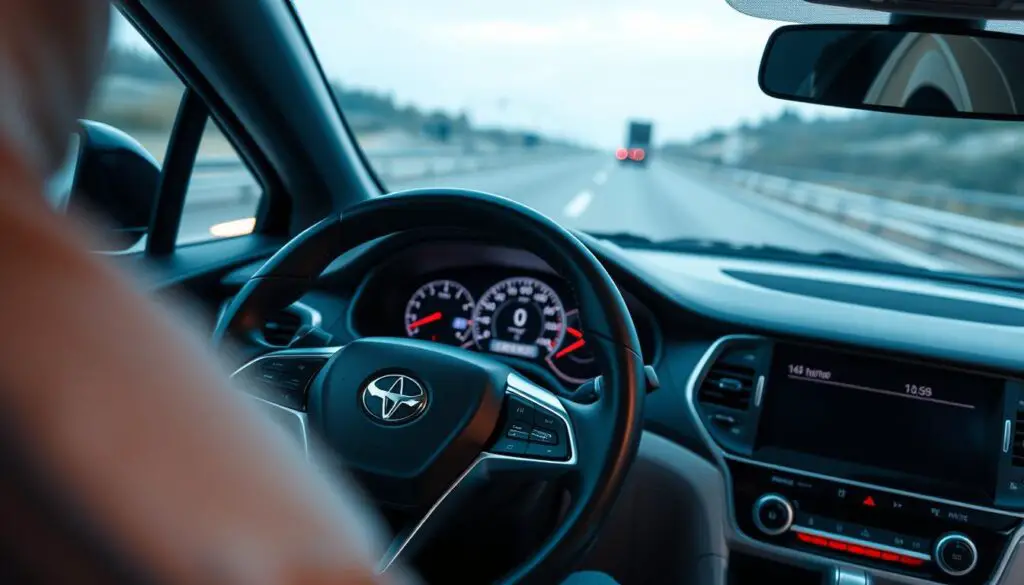
How it works: The acc system uses onboard sensors — typically a forward-facing camera and millimeter-wave radar — to read traffic and the speed difference to the vehicle ahead. It modulates throttle and, when needed, applies braking to hold a safe buffer without constant pedal input.
Key benefits
- Smoother speed control: steady pacing reduces abrupt accelerations and decelerations.
- Less driver fatigue: fewer pedal adjustments on long highway runs.
- Consistent following distance: the system maintains the selected gap as traffic conditions change.
This technology works best on open expressways and motorways with gentle curves and steady speeds. Drivers still choose the target speed and gap, and must monitor surroundings and intervene when conditions exceed system capability.
How to Use Adaptive Cruise Control: Step-by-Step
Press the steering MAIN button, dial in your speed, and the system will hold distance with minimal input.
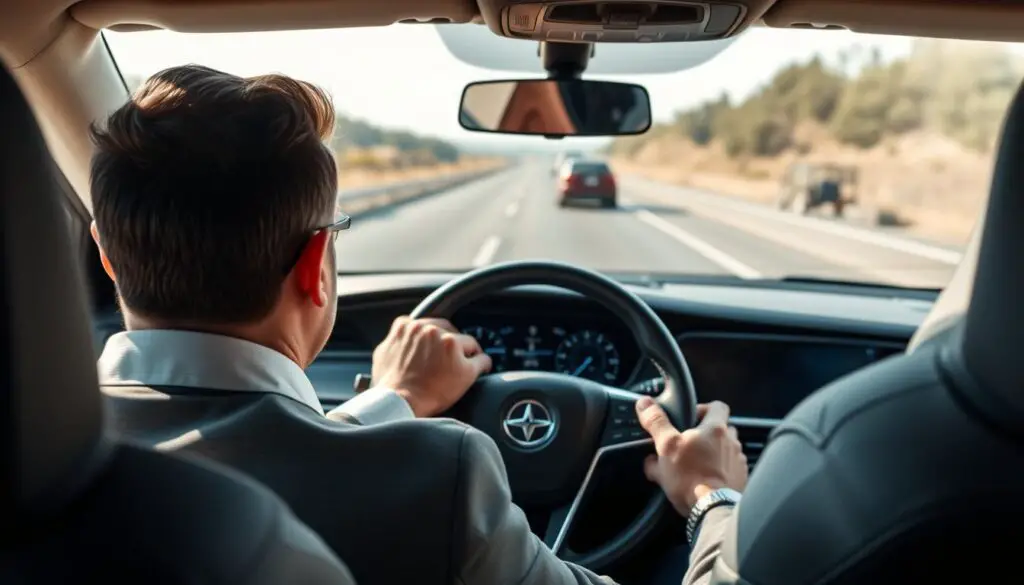
Arming and engaging: Press the MAIN switch on the steering wheel to arm the system, then press SET/- at the desired speed to engage adaptive cruise control. The acc system uses a forward camera and millimeter-wave radar to monitor traffic and maintain a chosen following gap.
Adjusting speed and temporary overrides: Use RES/+ to raise speed or SET/- to lower it. Tap the accelerator pedal for a quick pass; the cruise control will return to the preset speed once you release the pedal.
Automatic braking and resuming: When a vehicle ahead slows, the system will decelerate or apply gentle brakes to keep the gap. If the lane clears, the system will accelerate back to your set speed without extra input.
Low Speed Follow: With stop-and-go enabled, the car can stop behind traffic and resume when you press RES/+, SET/-, or lightly apply the accelerator. ACC suits expressways and motorways with steady flow; consult your owner’s manual for exact switch locations and display icons.
Quick reference
| Action | Button or Input | Result |
|---|---|---|
| Arm system | Steering MAIN | System ready to set speed |
| Set speed | SET/- | Locks chosen speed and following gap |
| Resume / increase | RES/+ or accelerator | Returns to or raises preset speed |
Dialing In Distance and Speed: Practical Settings That Work
Dialing distance and speed properly gives the cruise system room to react without jerks.
Choosing following distance: Use the steering controls to pick a longer following distance in heavy traffic or poor conditions. Many cars show gap as seconds or meters; increasing the value gives the system more time to respond.
Matching speed to conditions: Pair a moderate set speed with a safe gap. This balances comfort, safety, and steady pacing through traffic on expressways and similar roads.
How the system reacts
- Vehicle ahead moves away: the system accelerates back to the preset speed progressively to avoid abrupt changes.
- New vehicle cuts in: camera and millimeter-wave radar detect the cut-in and adjust control to re-establish the chosen following distance.
- When to shorten the gap: only when visibility and flow are clear; otherwise, keep it longer for safety.
Remember: even with tuned settings, the acc system cannot predict every sudden move. Stay ready to intervene and keep hands on the wheel.
ACC in the Real World: Curves, Hills, and Merging Traffic
Real-world driving exposes limits that can make adaptive cruise control behave unpredictably on bends, hills, and during merges.
Curving roads
On tight curves the forward-looking sensors scan straight ahead. The system may sweep into an adjacent lane and detect a large vehicle there.
This can cause the system to slow even when your lane is clear. If the vehicle in front disappears around the bend, the system may accelerate until it reacquires a target.
Hilly terrain
Cresting a hill can hide the car ahead from camera and radar. Dips can do the same.
When the vehicle in front leaves the detection zone, unexpected speed changes can occur. For steep, rolling roads, disengage adaptive cruise control and resume when the road evens out.
Merging and heavy traffic
During merges a vehicle can appear suddenly inside your lane. Late detection may prompt abrupt braking or even a shutdown of the system.
In slow, heavy traffic many systems struggle below roughly 25 mph and may disengage. Reserve the system for steadier flows and stay ready to take control.
Practical tips
- Anticipate sensor blind spots on curves and hills and be ready to brake or cancel control.
- Disengage on steep or rolling terrain where detection is inconsistent.
- Monitor merges closely; don’t rely on the system to handle quick cut-ins.
| Scenario | Typical system reaction | Driver action |
|---|---|---|
| Sharp curve | May detect adjacent traffic; may slow or re-target | Manually control speed; cancel if unpredictable |
| Hill crest or dip | Car ahead may disappear from sensors; possible acceleration | Reduce reliance; be prepared to brake |
| Merge/cut-in | Late detection; sudden braking or shutdown | Watch mirrors; ready to override |
| Slow heavy traffic (<25 mph) | Frequent disengagement; poor stop-and-go handling | Use manual control in congestion |
Safety First: Limits of ACC Systems and Driver Responsibility
Safe operation depends on understanding system limits and staying ready to take control.
Sensors and processing are powerful but finite. Heavy rain, fog, mud, or snow can block camera or radar returns and reduce detection reliability.
Slippery roads change stopping distance and reduce control authority. Even when the system is active, the driver must monitor surroundings and be ready to brake.
Recognition and environment limits
Detection can fail in tunnels, complex urban scenes, or when light and contrast are poor. System availability varies by model and market; some cars lack Low Speed Follow or other features.
Practical driver steps
- Inspect and clean sensors periodically and when safe to do so.
- Reduce reliance during severe weather conditions or when roads are slippery.
- Be ready to override with throttle or brake and disengage control when performance is compromised.
| Risk | How it affects system | Driver action |
|---|---|---|
| Heavy rain or fog | Reduced sensor range and false readings | Turn off system; drive manually at safe speed |
| Sensor blockage (mud/snow) | Lost targets; degraded control | Clean sensors; stop when safe to inspect |
| Slippery surface | Longer stopping distance; less traction | Increase following gap; prepare to brake manually |
| Tunnels/complex environments | Intermittent detection and misclassification | Limit use; keep hands on wheel and eyes on road |
ACC Technology Types and Features
Manufacturers use several sensor types to let cruise features spot and track the vehicle ahead.
Radar-based vs laser-based detection
Radar-based systems use radio waves to measure range and relative speed. They work well in poor light and through light precipitation.
Laser-based systems (LiDAR) scan with light pulses and give high resolution at close range. They can be sharper on edge detection but lose effectiveness in fog or heavy rain.
Camera and millimeter-wave radar working together
Many modern cars combine a forward camera with millimeter-wave radar to improve robustness.
The camera reads lane markings and object class, while radar confirms distance and closing speed. Together they reduce false targets and help the acc system make smoother adjustments.
Low Speed Follow: stop-and-go assistance
Low Speed Follow adds stop-and-go assistance for congestion on expressways.
The feature can bring the vehicle to a full stop and resume motion when the driver presses RES/+ or SET/-, or lightly taps the accelerator.
Note: cruise control systems differ by generation and trim. Feature lists vary across vehicles, so verify whether camera-radar fusion and Low Speed Follow are included on the model you’re considering.
- Benefit: reduced driver workload with steady pacing and spacing on suitable roadways.
- Limit: sensors and software determine real-world capability; higher trims often offer more advanced assistance.
ACC vs Traditional Cruise Control: What’s the Difference?
Older cruise systems maintain a fixed set speed, while adaptive cruise adjusts pacing to the traffic ahead.
Speed holding vs adaptive following distance: Traditional cruise control locks your chosen speed and leaves braking or cancelling to the driver. Adaptive cruise blends speed management with automatic adjustments to preserve a safe following distance to the vehicle ahead.
How they behave on the road
Adaptive systems react when surrounding vehicles slow or accelerate, smoothing traffic pacing. Legacy cruise requires the driver to intervene whenever conditions change.
- Best fit for classic cruise: steady, open roads where constant speed is safe.
- Best fit for adaptive cruise: highways with varying flow or mild congestion where following distance matters.
| Feature | Traditional cruise | Adaptive cruise |
|---|---|---|
| Speed control | Fixed set speed | Variable to match traffic |
| Following distance | Driver-managed | Automatically maintained |
| Advanced functions | Basic | May include speed-limit recognition and lane coordination |
History note: Cruise control has been common since mid-20th century cars; adaptive cruise began appearing in the 1990s and is now widely offered on modern cars. Regardless of features, drivers must supervise and be ready to take control.
When to Use ACC—and When to Turn It Off
Reserve this assistance for long highway runs with clear sightlines and light lane changes. Use it on expressways and motorways where speeds stay steady and curves are gentle. Under these conditions the system holds pace and gap with minimal input from the driver.
Ideal conditions
Steady highways with predictable traffic and few merges give the cruise system room to react. Good visibility and clean sensors improve performance.
Use on roads that have light crosswinds and consistent flow for the smoothest results.
When to disengage
Turn the system off on sharp bends or steep grades where the forward-looking field may miss or misclassify vehicles. That can cause unexpected acceleration or braking.
Also disable it in poor weather or when sensors are blocked by dirt or ice. If your model lacks Low Speed Follow, switch to manual control in dense stop-and-go traffic.
Always stay alert: keep hands on the wheel, watch the lane, and be ready to cancel cruise instantly when conditions change.
Conclusion
Modern cruise systems combine camera and millimeter-wave radar with software to ease highway driving and keep spacing steady. Adaptive cruise control enhances classic cruise control by managing both speed and following distance for smoother, safer pacing.
Use the system on expressways and motorways where sightlines and flow are stable. Low Speed Follow, where offered, adds stop-and-go convenience and can resume with RES/+ or a light accelerator tap.
To operate, arm the system with MAIN then SET/-, and adjust gap and speed to suit conditions. Remember limits on curves, hills, merges, and during poor weather; the driver must remain ready to override and take control.
Check your vehicle owner’s manual for exact controls and practice in light traffic before relying on cruise features on longer trips.
FAQ
What is adaptive cruise control and how does it differ from traditional cruise control?
Adaptive cruise control is a driver assistance system that maintains a set speed while automatically adjusting to keep a safe following distance from the vehicle ahead. Unlike traditional cruise control, which only holds speed, adaptive systems use sensors like radar and cameras to slow, accelerate, or even stop the car to match traffic flow.
How do I activate adaptive cruise control on my steering wheel?
Most cars use a MAIN button to turn the system on, then a SET or SET/- switch to store your chosen speed. Use RES/+ to resume a previous speed. Some models also let you resume by pressing the accelerator. Always confirm activation via the instrument cluster display before relying on the system.
How do I set cruising speed and resume after braking?
Press SET/- when at your desired speed to lock it in. If you need to slow or stop, braking cancels the set speed; press RES/+ to resume once conditions allow. In many vehicles, lightly pressing the accelerator also resumes and temporarily overrides the set speed.
When will the system automatically accelerate, decelerate, or stop?
The system accelerates when the lane ahead clears and decelerates if a slower vehicle appears in your lane. In stop-and-go traffic with Low Speed Follow, it can bring the car to a complete stop and restart automatically within the manufacturer’s limits.
What roads are best for using adaptive cruise control?
Expressways and motorways with steady traffic flow and minimal intersections are ideal. These roads let the system manage speed and distance effectively without frequent manual intervention.
How do I choose following distance for different traffic and weather conditions?
Many systems let you pick gaps measured in seconds or meters. Increase the time gap in rain, fog, or heavy traffic; choose a shorter gap only in light traffic and good weather. Conservative gaps improve safety when sensors face reduced visibility.
How does the system react when the vehicle ahead moves away or cuts in?
If the lead car accelerates or changes lanes, the system typically accelerates back to the set speed. When another vehicle cuts in, the system decelerates to restore the selected following distance. Rapid cut-ins may require driver input if the system cannot slow fast enough.
Why might the system miss vehicles in adjacent lanes on curves?
On curved roads, sensor geometry and limited camera or radar field of view can reduce detection of vehicles in adjacent lanes. The system may not see a fast-moving car cutting across lanes until it enters the primary detection zone, so remain alert on turns.
How do hills affect adaptive cruise control performance?
Cresting hills and dips can hide vehicles from radar or camera sight. Uphill gradients reduce acceleration response versus a free road, while downhill stretches may require braking. Systems do their best, but driver oversight is essential on hilly terrain.
How does the system handle merging traffic and quick cut-ins?
It senses the new vehicle and typically slows to re-establish a safe gap. Very fast or erratic merges can exceed the system’s response rate, so be prepared to brake or override the system when necessary.
What are low-speed limitations and disengagement thresholds in heavy traffic?
In dense traffic, Low Speed Follow may stop and restart automatically within certain time or distance limits. Some systems require a tap of the accelerator or a button to resume after long stops. If congestion falls below the system’s operational threshold, it will disengage and request driver control.
How do weather, sensor blockage, and slippery roads limit system performance?
Rain, snow, ice, or dirt can block sensors and cameras, reducing detection accuracy. Slippery surfaces limit braking and traction control response, so the system cannot guarantee safe stopping distances. Clean sensors and deactivate the system in severe weather.
What recognition and control limits should drivers know?
Systems have trouble with small objects, motorcycles, pedestrians, and sudden lane changes. They may misread reflective surfaces or roadside signs. Always keep hands on the wheel and be ready to steer, brake, or accelerate manually when automation reaches its limits.
How do radar-based and laser-based detection differ?
Radar uses radio waves and performs well in low visibility and at longer ranges. Lidar (laser) offers high-resolution detection but can be more affected by weather. Many manufacturers combine radar and cameras for complementary strengths.
How do cameras and millimeter-wave radar work together?
Cameras provide visual classification (lane markings, traffic signs, vehicles), while millimeter-wave radar measures distance and relative speed. Fusion of both inputs improves object tracking, reduces false detections, and enhances system reliability.
What is Low Speed Follow and how does it help in congestion?
Low Speed Follow extends adaptive control to near-zero speeds, allowing stop-and-go traffic assistance. It reduces driver fatigue by handling repeated braking and restarting within designed time limits, but drivers must intervene if traffic becomes unpredictable.
How does adaptive following distance differ from speed holding?
Speed holding maintains a constant velocity regardless of traffic. Adaptive following distance adjusts speed to keep a safe gap to the vehicle ahead, automatically pacing with traffic rather than strictly preserving set speed.
When are ideal conditions to use the system?
Use on steady highway stretches with clear lanes, light-to-moderate traffic, and good weather. These conditions let the system manage speed and gaps effectively while you monitor the road.
When should I disengage adaptive cruise control?
Turn the feature off on sharp curves, steep or winding mountain roads, heavy rain, snow, ice, fog, or when sensors are obstructed by dirt. Also disengage in complex urban environments with frequent merges and crossings.