A jump starter beeping can be alarming, especially when you’re in a hurry. Understanding the causes of jump starter beeping is crucial to resolving the issue efficiently.
Jump starters are essential tools for drivers, providing a convenient way to jump-start vehicles. However, when they start beeping, it indicates a problem that needs attention. Common issues include low battery, faulty connections, or internal malfunctions.
Identifying the root cause is key to finding the right solution. In this article, we’ll explore the common reasons behind a beeping jump starter and provide practical solutions to get you back on the road.
Key Takeaways
- Common causes of jump starter beeping include low battery and faulty connections.
- Understanding the beeping pattern can help diagnose the issue.
- Regular maintenance can prevent many jump starter problems.
- Solutions range from simple resets to replacing faulty components.
- Proper usage and storage can extend the lifespan of your jump starter.
Understanding Jump Starter Beeping Signals
Understanding the beeping patterns of your jump starter is essential for troubleshooting and maintenance. Jump starters are equipped with audio alert systems to notify users of various conditions, ranging from normal operation to potential faults.
What Different Beeping Patterns Mean
Different beeping patterns on your jump starter can indicate a range of statuses or issues. For instance, a continuous beep might signal a low battery or improper connection, while intermittent beeps could indicate an internal fault or overheating. It’s crucial to refer to your device’s manual to understand the specific beeping patterns associated with your model.
Common Beeping Patterns and Their Meanings:
| Beeping Pattern | Possible Meaning |
|---|---|
| Continuous Beep | Low Battery or Improper Connection |
| Intermittent Beep | Internal Fault or Overheating |
| Three Short Beeps | Reverse Polarity Connection |
Why Manufacturers Include Audio Alert Systems
Manufacturers include audio alert systems in jump starters to provide users with immediate feedback about the device’s status. These systems help in quickly identifying issues, thus enhancing safety and reducing the risk of damage to the device or the vehicle.
The use of beeping signals as an alert mechanism is particularly useful during the jump-starting process, where a visual inspection might not be feasible. By incorporating audio cues, manufacturers can ensure that users are promptly notified of any conditions that require their attention.
By understanding and responding appropriately to the beeping signals, users can ensure their jump starter remains in good working condition and is always ready when needed.
Why Is My Jump Starters Beeping: The Reason & Solution
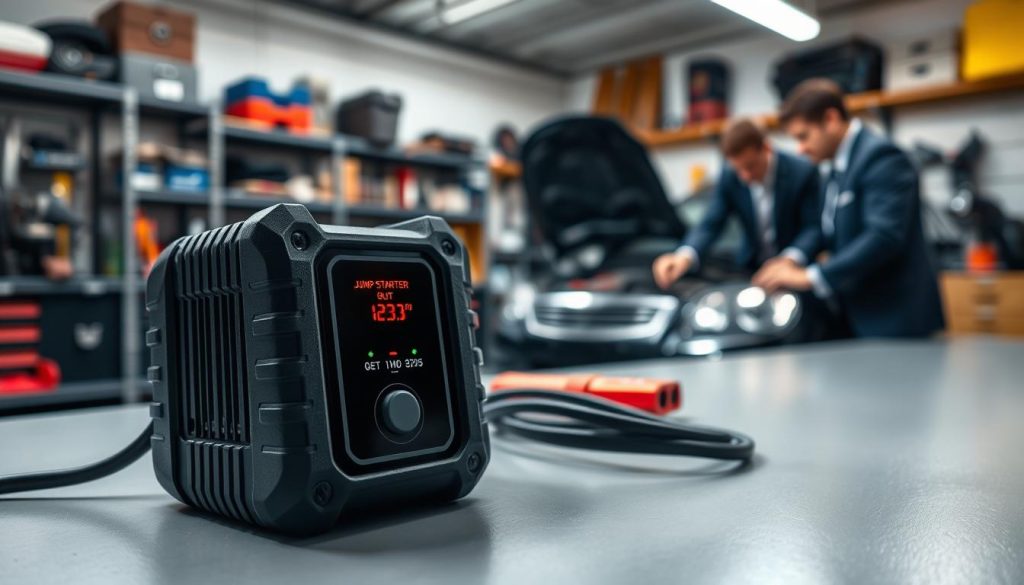
Modern jump starters are equipped with beeping signals to alert users of potential issues. These audio alerts are designed to notify you of problems that need immediate attention, ensuring your safety and the longevity of the device.
Common Beeping Triggers in Modern Jump Starters
Several factors can trigger the beeping sound in your jump starter. Some of the most common causes include:
- Low battery charge
- Reverse polarity connection
- Overheating
- Internal malfunctions or circuit issues
- Poor cable connections or clamp problems
Understanding these triggers is crucial to diagnosing and resolving the issue. Let’s take a closer look at some of these common beeping triggers and their implications.
| Beeping Trigger | Description | Action Required |
|---|---|---|
| Low Battery Charge | The jump starter beeps to indicate that the battery needs recharging. | Recharge the jump starter according to the manufacturer’s instructions. |
| Reverse Polarity Connection | The device beeps to alert you of a potentially dangerous incorrect connection. | Check and correct the cable connections to ensure proper polarity. |
| Overheating | The jump starter beeps to signal that it has overheated and needs to cool down. | Allow the device to cool down before resuming use. |
Quick Diagnostic Steps to Identify Your Issue
To identify the cause of the beeping, follow these diagnostic steps:
- Check the battery charge level and recharge if necessary.
- Verify that the cables are correctly connected.
- Ensure the device is not overheated.
- Inspect the cables and clamps for damage or wear.
By following these steps, you can quickly identify and potentially resolve the issue causing your jump starter to beep.
Low Battery Charge Warning
When your jump starter starts beeping, it often indicates a low battery charge warning that requires immediate attention. This beeping signal is a crucial alert system designed to notify you that your device needs recharging to function properly.
Recognizing Low Battery Beeping Patterns
Different jump starters have distinct beeping patterns to indicate a low battery. Typically, a steady or repetitive beep is a common signal. It’s essential to consult your device’s user manual to understand the specific beeping pattern associated with a low battery charge warning.
Steps to Properly Recharge Your Jump Starter
Recharging your jump starter correctly is vital to maintaining its health and ensuring it’s ready when needed. Here are the steps to follow:
Checking Current Charge Level Indicators
Most modern jump starters come equipped with LED indicators that show the current charge level. Check your device for these indicators to determine if it needs recharging.
Using the Correct Charging Cable and Adapter
Using the correct charging cable and adapter is crucial. Always use the manufacturer’s recommended charging accessories to avoid damaging your jump starter.
Optimal Charging Duration and Frequency
The optimal charging duration and frequency depend on the device’s specifications. Generally, it’s recommended to charge your jump starter until it’s fully charged, and then unplug it. Regular charging, even when not in use, can help maintain the battery’s health.
To summarize, recognizing the beeping pattern for a low battery charge warning and following the proper recharging steps are essential for maintaining your jump starter’s functionality. Regular maintenance and correct charging practices will ensure your device is always ready to jump-start your vehicle.
Reverse Polarity Connection Error
One of the critical errors that can occur during jump starting is a reverse polarity connection, signaled by a particular beep. This error happens when the jumper cables are connected incorrectly to the vehicle’s battery terminals.
Understanding Reverse Polarity Protection Beeps
Modern jump starters are equipped with reverse polarity protection, a safety feature that alerts users when the cables are connected wrong. The beeping pattern for this error is usually distinct and different from other warning signals. It’s crucial to recognize this beep to take corrective action.
How to Connect Jumper Cables Correctly
Connecting jumper cables correctly is vital to avoid a reverse polarity connection error. Here are the steps to follow:
Identifying Positive and Negative Terminals
First, identify the positive (+) and negative (-) terminals on both the dead battery and the jump starter. The positive terminal is usually marked with a “+” sign or a red color, while the negative terminal is marked with a “-” sign or is black.
Proper Connection Sequence for Safe Jump Starting
- Connect one end of the positive (red) jumper cable to the positive terminal of the dead battery.
- Attach the other end of the positive (red) jumper cable to the positive terminal of the jump starter.
- Connect one end of the negative (black) jumper cable to the negative terminal of the jump starter.
- Attach the other end of the negative (black) jumper cable to a metal surface on the vehicle’s frame or engine block, away from the dead battery.
Disconnecting After Successful Jump Start
After the vehicle is started, remove the jumper cables in the reverse order of how they were attached:
- Disconnect the negative (black) cable from the vehicle’s frame or engine block.
- Disconnect the negative (black) cable from the jump starter.
- Disconnect the positive (red) cable from the jump starter.
- Finally, disconnect the positive (red) cable from the dead battery.
By following these steps, you can ensure a safe and successful jump start without encountering a reverse polarity connection error.
Overheating Protection Activation
Overheating protection is a vital safety feature in modern jump starters, and understanding its activation can prevent damage.
Common Causes of Jump Starter Overheating
Jump starters can overheat due to several reasons, including prolonged use, high ambient temperatures, or internal component issues.
- Prolonged Use: Continuous operation without adequate cooling periods.
- High Ambient Temperatures: Operating the jump starter in extremely hot environments.
- Internal Component Issues: Faulty or malfunctioning components within the device.
Cooling Down Your Device Safely
To safely cool down a jump starter, it’s essential to follow a few critical steps to prevent further damage or risk.
Immediate Actions When Overheating Occurs
When overheating is detected, immediately stop using the jump starter and let it cool down.
Recommended Cooling Time Before Reuse
The recommended cooling time can vary, but generally, allowing the device to cool for at least 30 minutes is advisable.
Environmental Factors That Increase Overheating Risk
Several environmental factors can increase the risk of overheating, including direct sunlight, high humidity, and operating in confined spaces.
| Environmental Factor | Risk Level | Prevention Measure |
|---|---|---|
| Direct Sunlight | High | Operate in shaded areas |
| High Humidity | Medium | Ensure good ventilation |
| Confined Spaces | High | Use in well-ventilated areas |
By understanding the causes of overheating and taking steps to cool down the device safely, users can prevent damage and ensure their jump starter remains operational.
Internal Malfunction and Circuit Issues
A beeping jump starter can be a sign of a deeper issue, such as an internal component failure or a circuit problem. When your jump starter beeps, it’s crucial to diagnose the cause to prevent further damage or safety risks.
Signs of Internal Component Failure
Internal component failure can manifest in various ways, including unusual beeping patterns, failure to jump-start the vehicle, or visible damage to the internal circuitry. If you notice any of these signs, it’s essential to take immediate action.
Common indicators of internal component failure include:
- Persistent beeping even after addressing common issues like low battery or reverse polarity.
- Failure to power on or function correctly.
- Visible signs of physical damage or burn marks on the device.
Troubleshooting Steps for Circuit Problems
When dealing with circuit problems, a systematic approach to troubleshooting is vital. Start by performing a system reset, then proceed to test the voltage output, and finally, determine if the issue requires professional assistance or replacement.
Performing a System Reset
A system reset can often resolve issues related to circuit problems. To perform a reset, disconnect the jump starter from any power source, wait for a few minutes, and then reconnect it. This simple step can sometimes resolve the beeping issue.
Testing Voltage Output
To test the voltage output, use a multimeter to measure the voltage across the jump starter’s terminals. Compare the reading with the manufacturer’s specified output. A significantly lower reading could indicate a circuit issue.
If troubleshooting steps do not resolve the issue, it may be necessary to contact the manufacturer’s support for further assistance or to consider replacing the unit. Persistent beeping despite troubleshooting efforts often indicates a serious internal malfunction that may not be user-serviceable.
Before contacting support, ensure you have the model number and a detailed description of the issue ready. This information will help the support team to provide more effective assistance.
Poor Cable Connection and Clamp Problems
When dealing with jump starters, a common issue that users face is poor cable connection and clamp problems. These issues can lead to malfunctioning, beeping signals, or even complete failure of the jump starter to function. It’s essential to identify and rectify these problems to ensure the jump starter operates effectively.
Identifying Weak or Faulty Connections
A weak or faulty connection can be a significant hindrance to the proper functioning of a jump starter. To identify such issues, inspect the clamps and cables for any signs of wear, corrosion, or damage. Corrosion on the clamps is a common problem that can prevent a good connection. Check for any loose connections or cables that may be frayed or damaged.
Ensuring Secure Cable Attachments
To ensure secure cable attachments, follow a few critical steps. First, make sure the clamps are clean and free from corrosion. Proper maintenance of the clamps and cables can significantly improve the performance of the jump starter.
Cleaning Corroded or Dirty Clamps
Cleaning corroded or dirty clamps is a straightforward process. Use a wire brush to remove any corrosion or dirt from the clamps. For more severe corrosion, a mixture of baking soda and water can be used to clean the clamps. Ensure that the clamps are dry before reattaching them to the battery terminals.
Achieving Metal-to-Metal Contact
Achieving metal-to-metal contact between the clamps and the battery terminals is crucial for a good connection. Ensure that the clamps are tightly attached to the terminals and that there are no intervening materials (like corrosion or dirt) that could prevent a good contact. For more information on ensuring proper connections, you can refer to resources that discuss similar issues with other automotive parts.
Inspecting Cables for Damage
Inspecting the cables for damage is another critical step. Look for any signs of wear, such as fraying, cuts, or burn marks on the cables. Damaged cables should be replaced to prevent any further issues with the jump starter. Regular inspection can help identify potential problems before they become significant.
By following these steps, users can identify and rectify poor cable connection and clamp problems, ensuring their jump starter functions correctly and efficiently. Regular maintenance and inspection are key to preventing these issues and ensuring the longevity of the jump starter.
Preventive Maintenance to Avoid Beeping Issues
To keep your jump starter functioning properly, it’s crucial to implement a preventive maintenance routine. This not only ensures the longevity of your device but also minimizes the occurrence of beeping issues that can be frustrating and sometimes indicate a more serious problem.
Establishing a Regular Charging Schedule
One of the most critical aspects of jump starter maintenance is establishing a regular charging schedule. Allowing your jump starter to completely drain can reduce its lifespan. It’s recommended to charge your jump starter every three months, or more frequently if it’s used often.
To do this effectively, check your device’s manual for the recommended charging method and interval. Some modern jump starters come with indicators that show when they need to be recharged.
Storing Your Jump Starter in Optimal Conditions
The storage conditions of your jump starter can significantly impact its performance and longevity. It’s essential to store your jump starter in a cool, dry place, away from direct sunlight and moisture.
- Keep it away from extreme temperatures.
- Avoid storing it in humid environments.
- Use a protective case if provided or available.
Monthly Inspection and Testing Routine
Performing a monthly inspection and testing routine can help identify potential issues before they become major problems. Check the cables and clamps for signs of wear or damage, and ensure that all connections are secure.
Test your jump starter by attempting to jump-start a vehicle or using it to power a device. This will help you verify that it’s functioning correctly.
| Inspection Item | Frequency | Action |
|---|---|---|
| Cables and Clamps | Monthly | Inspect for wear or damage |
| Connections | Monthly | Ensure secure connections |
| Device Functionality | Monthly | Test jump-start or power delivery |
Conclusion
Understanding the causes and solutions for jump starter beeping is crucial for maintaining your device’s effectiveness and ensuring your safety on the road.
By recognizing the different beeping patterns and addressing common issues such as low battery charge, reverse polarity connection errors, and overheating protection activation, you can troubleshoot problems efficiently.
Regular maintenance, including establishing a charging schedule, storing your jump starter in optimal conditions, and performing monthly inspections, can help prevent beeping issues and prolong the lifespan of your device.
For a comprehensive troubleshooting summary, it’s essential to inspect your jump starter’s cables and clamps, check for internal malfunctions, and take corrective actions when necessary.
By following these guidelines and implementing jump starter beeping solutions, you can ensure your device remains in good working condition and is ready to help you jump-start your vehicle when needed.
FAQ
Why is my jump starter beeping when I try to jump start my vehicle?
The beeping could be due to a low battery charge, reverse polarity connection error, or overheating protection activation. Check your jump starter’s charge level, ensure correct cable connections, and allow it to cool down if it has been used extensively.
How do I know if my jump starter is fully charged?
Check the charge level indicators on your jump starter. Most devices have LED lights or a display screen that shows the current charge level. Refer to your user manual for specific instructions.
What should I do if my jump starter is beeping due to overheating?
Immediately stop using the jump starter and let it cool down. The recommended cooling time may vary depending on the device, so check your user manual. Ensure you’re using it in a well-ventilated area and avoid using it in extremely hot environments.
Can I use any charging cable and adapter to recharge my jump starter?
No, it’s essential to use the correct charging cable and adapter provided by the manufacturer or recommended in the user manual. Using the wrong charging accessories can damage your jump starter or lead to safety issues.
How often should I perform maintenance on my jump starter?
Establish a regular charging schedule, store your jump starter in optimal conditions, and perform a monthly inspection and testing routine. This will help prevent beeping issues and ensure your device is always ready to use.
What are the signs of internal component failure in a jump starter?
Signs may include unusual beeping patterns, failure to jump start a vehicle, or visible damage to the device. If you suspect internal component failure, contact the manufacturer’s support or consider replacing the unit.
How do I properly connect jumper cables to my vehicle?
Ensure you identify the positive and negative terminals correctly, follow the proper connection sequence, and disconnect the cables after a successful jump start. Refer to your jump starter’s user manual for detailed instructions.
Why is my jump starter beeping when I connect the jumper cables?
The beeping could be due to a reverse polarity connection error. Double-check that the cables are connected to the correct terminals and try again.