A reliable key fob is essential for convenient and secure access to your vehicle. However, a weak signal strength can lead to frustration and inconvenience.
When the key fob range is compromised, it can be difficult to lock or unlock your vehicle, or even start the engine. This issue can be caused by various factors, including interference from other devices or a weak battery.
To address this problem, it’s essential to understand the factors that affect signal strength and learn how to boost key fob performance.
Key Takeaways
- Understand the factors that affect key fob range and signal strength.
- Learn how to boost key fob performance.
- Discover tips for increasing signal strength.
- Improve your overall key fob experience.
- Enhance your vehicle’s security and convenience.
Understanding Key Fob Technology and Range Limitations
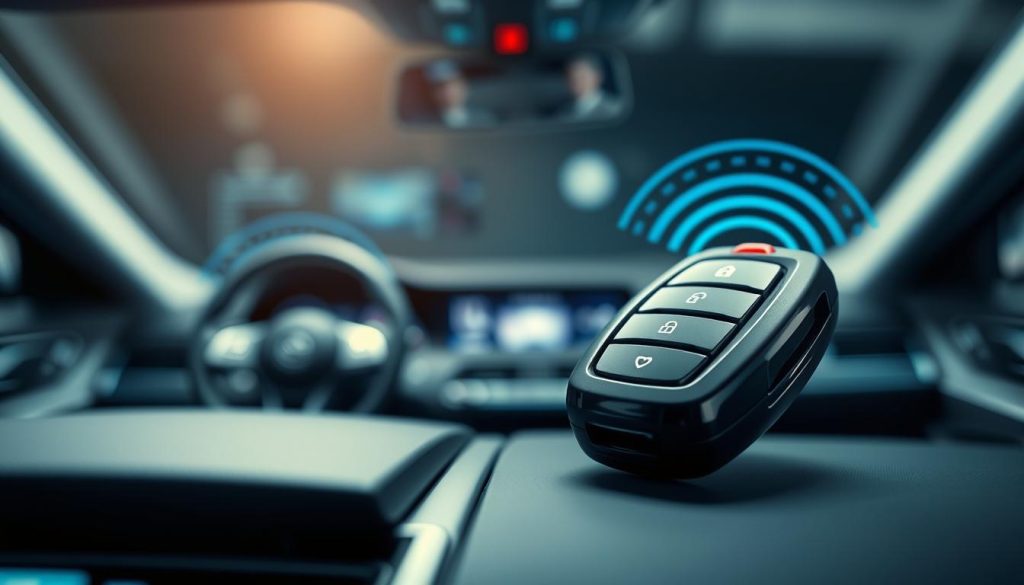
Key fob technology has revolutionized the way we interact with our vehicles, but understanding its limitations is crucial for optimal performance. Key fobs use radio frequency (RF) signals to communicate with the vehicle, allowing for keyless entry and other functions.
How Key Fobs Work
A key fob is essentially a remote control that sends RF signals to a receiver in the vehicle. When a button is pressed on the fob, it transmits a coded signal that the vehicle’s computer recognizes, allowing the corresponding action to be performed. This technology relies on a complex system of encoding and decoding to ensure secure communication between the fob and the vehicle.
Common Range Limitations
Most key fobs have an operational range between 30 to 100 feet, depending on the vehicle and environmental conditions. Physical barriers, such as buildings or other vehicles, can significantly reduce this range. Additionally, interference from other electronic devices can impact signal strength.
Factors Affecting Signal Strength
Several factors can affect the signal strength of a key fob, including:
- Battery condition: A weak battery can reduce signal strength.
- Environmental conditions: Weather, terrain, and surrounding structures can impact signal propagation.
- Interference: Other electronic devices can interfere with the key fob’s signal.
| Factor | Impact on Signal Strength |
|---|---|
| Battery Condition | A weak battery reduces signal strength. |
| Environmental Conditions | Weather and terrain can affect signal propagation. |
| Interference | Other devices can interfere with the key fob signal. |
Understanding these factors can help users optimize their key fob’s performance and troubleshoot issues related to range and signal strength.
How to Increase Key Fob Range: Tips for Boosting Signal Strength
If you’re tired of a weak key fob signal, there are several methods to boost its range. Increasing your key fob’s range can significantly enhance your overall driving experience by providing more convenience and reducing frustration.
The “Hold to Your Head” Technique
A peculiar yet effective method to boost your key fob’s signal is the “hold to your head” technique. This involves holding the key fob near your head or body to potentially increase its range. The human body can act as a conductor, possibly enhancing the signal strength. However, this method may not be universally effective and should be considered a temporary solution.
Proper Key Fob Handling
Proper handling of your key fob is crucial for maintaining its signal strength. Avoid pressing the buttons repeatedly when not necessary, as this can drain the battery and potentially weaken the signal. Additionally, keep your key fob away from other electronic devices that could cause interference.
Positioning for Maximum Range
The way you position your key fob can significantly impact its range. When attempting to unlock or start your vehicle, point the key fob directly at the car’s receiver, usually located near the rearview mirror or on the dashboard. Avoid obstructing the line of sight with your body or other objects.
Quick Fixes for Immediate Results
For immediate results, consider the following quick fixes:
- Replace the key fob battery with a new one to ensure optimal signal strength.
- Check for any physical damage or wear on the key fob that might be affecting its performance.
- Reprogram the key fob according to the manufacturer’s instructions to resolve any potential software issues.
By implementing these strategies, you can potentiallyincrease your key fob’s rangeand enjoy a more convenient driving experience.
Battery Replacement and Maintenance
To keep your key fob working seamlessly, regular battery maintenance is essential. A well-maintained battery ensures that your key fob operates effectively, providing you with convenience and security.
Signs of a Weak Battery
Identifying a weak battery is the first step towards maintaining your key fob. Common signs include a decrease in the key fob’s range or intermittent functionality. If you find yourself standing closer to your vehicle than usual to unlock it, or if the key fob doesn’t work at all sometimes, it’s likely the battery is weakening.
Step-by-Step Battery Replacement Guide
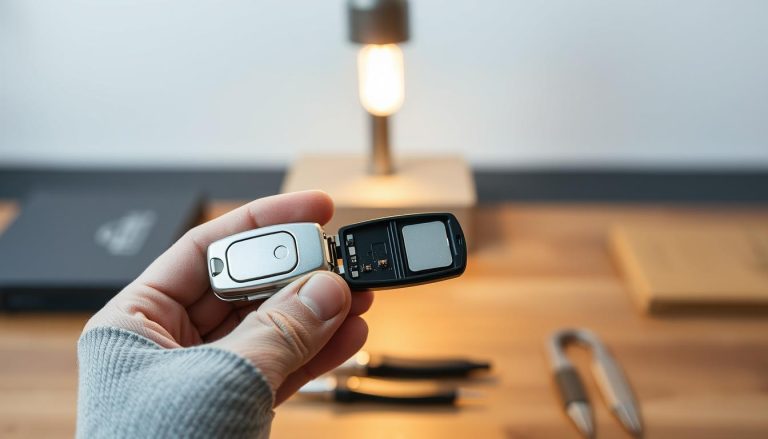
Replacing the battery in your key fob is a straightforward process. First, you’ll need to open the key fob, usually by sliding or unscrewing it. Then, carefully remove the old battery, taking note of its orientation. Insert the new battery, ensuring it’s properly seated and aligned. Finally, reassemble the key fob and test it.
Battery Types and Recommendations
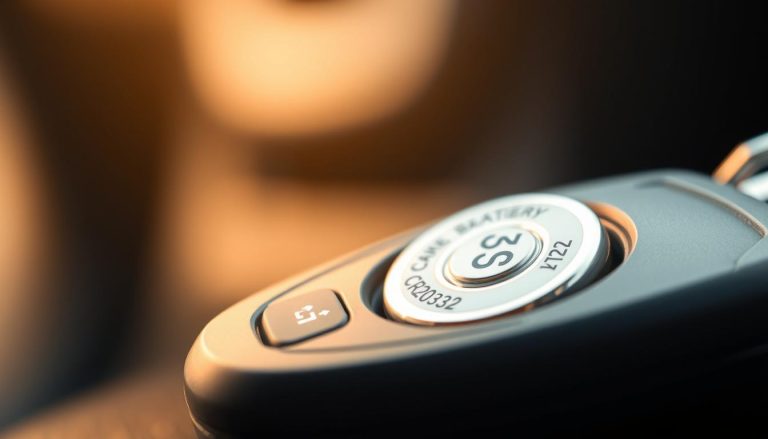
Using the correct battery type is crucial for optimal performance. Check your key fob’s manual or manufacturer’s website to find out the recommended battery type. Typically, key fobs use coin cells like CR2032 or CR2025.
Extending Battery Life
To extend your key fob’s battery life, avoid exposing it to extreme temperatures, and keep it away from other electronic devices that might interfere with its signal. Also, turning off the key fob when not in use (if your model supports this feature) can help conserve battery life.
By following these tips and maintaining your key fob’s battery, you can ensure it continues to work effectively, providing you with the convenience and security you expect.
Cleaning and Repairing Key Fob Contacts
Dirty or corroded key fob contacts can significantly reduce signal strength. Maintaining these contacts is essential for the overall performance of your key fob.
Identifying Contact Issues
The first step in addressing key fob contact problems is identifying the issues. Common signs include intermittent functionality, failure to lock/unlock, or a weak signal. Regularly inspecting your key fob contacts can help you catch problems early.
Safe Cleaning Methods
Cleaning key fob contacts requires care to avoid damage. Using a soft cloth or cotton swab dipped in alcohol can effectively remove dirt and corrosion. Gently rub the contacts to clean them, avoiding any harsh chemicals or abrasive materials.
DIY Contact Repairs
For more severe contact damage, DIY repairs may be necessary. This involves a few simple steps and tools.
Tools Needed
- Contact cleaning solution for removing grime
- Soft-bristled brush for gently sweeping away debris
- Replacement contacts (if necessary) for severely damaged contacts
Repair Process
Begin by gently brushing away debris, then apply a contact cleaning solution. For severely damaged contacts, replacement may be required. Ensure all connections are secure and free from corrosion.
| Tool | Purpose |
|---|---|
| Contact cleaning solution | Removes corrosion and grime |
| Soft-bristled brush | Gently removes debris |
| Replacement contacts | For severe damage |
Troubleshooting Common Key Fob Range Issues
If you’re experiencing issues with your key fob’s range, don’t worry – there are effective troubleshooting methods available. Key fob range problems can stem from various factors, including battery health, signal interference, and vehicle-specific settings.
Diagnosing Intermittent Problems
Intermittent key fob issues can be challenging to diagnose. Start by checking the battery level and ensuring that the key fob is functioning correctly. If the problem persists, try to identify patterns or specific conditions under which the issue occurs.
Testing Signal Strength
To test your key fob’s signal strength, stand near your vehicle and try locking and unlocking it from various distances. Note the maximum distance at which the key fob works reliably. Compare this to the manufacturer’s specified range to identify any discrepancies.
Vehicle-Specific Issues
Some vehicles have specific settings or configurations that can affect key fob range. Consult your vehicle’s manual or contact the manufacturer to understand any vehicle-specific factors that might be influencing your key fob’s performance.
Reprogramming Your Key Fob
If you’re experiencing persistent issues, reprogramming your key fob might be necessary. This process varies by vehicle make and model. For instance, owners of certain Infiniti models can refer to a guide on reprogramming their key fob for detailed instructions.
| Troubleshooting Step | Description | Expected Outcome |
|---|---|---|
| Check Battery Level | Ensure the key fob battery is not weak or dead. | Improved or restored key fob functionality. |
| Test Signal Strength | Assess the key fob’s range by locking/unlocking the vehicle from various distances. | Determination of the key fob’s effective range. |
| Consult Vehicle Manual | Review the vehicle’s manual for settings or configurations affecting key fob range. | Understanding of vehicle-specific factors influencing key fob performance. |
| Reprogram Key Fob | Follow the manufacturer’s instructions to reprogram the key fob. | Resolution of persistent key fob issues. |
Environmental Factors and Signal Interference
Understanding how environmental factors influence key fob signal interference is crucial for optimal performance. Various external elements can impact the signal strength and reliability of your key fob.
Common Sources of Interference
Several common sources can interfere with your key fob’s signal. These include other wireless devices, metal objects, and even certain types of buildings or structures. For instance, being near a large metal gate or having a key fob with a metal accessory can weaken the signal. It’s essential to be aware of these potential sources of interference to minimize their impact.
Weather and Temperature Effects
Weather conditions and temperature fluctuations can also affect key fob performance. Extreme temperatures, for example, can impact battery performance and signal strength. Similarly, weather conditions like heavy rain or snow can sometimes interfere with the signal. Being aware of these factors can help you troubleshoot issues more effectively.
Overcoming Environmental Obstacles
To overcome environmental obstacles, it’s helpful to understand the specific challenges they pose. For example, if you’re in an area with a lot of metal structures, try to position yourself in a way that minimizes interference. Adjusting your position or the orientation of your key fob can make a significant difference.
Parking Strategies for Better Connectivity
Your parking strategy can also play a role in maintaining a strong key fob signal. Parking in a location that provides a clear line of sight to your vehicle can help. Additionally, avoiding areas with high levels of wireless interference can improve connectivity. By choosing your parking spot wisely, you can enhance your key fob’s performance.
Conclusion
Improving your key fob’s range and signal strength can be achieved through a combination of proper handling, maintenance, and troubleshooting. By understanding how key fobs work and the factors that affect their range, you can take steps to boost your key fob’s performance.
Replacing the battery, cleaning contacts, and reprogramming the key fob are simple and effective ways to enhance signal strength. Additionally, being mindful of environmental factors such as interference and weather conditions can help you overcome common issues that affect key fob range.
By implementing these tips and techniques, you can enjoy a more reliable and convenient key fob experience. Whether you’re looking to boost your key fob range or simply maintain its performance, the strategies outlined in this article will help you achieve your goals and ensure a stronger signal strength.
FAQ
What is the average range of a key fob?
The average range of a key fob is typically around 30 feet, but it can vary depending on the type of vehicle and environmental factors.
How do I know if my key fob battery is weak?
Signs of a weak key fob battery include a decrease in range, intermittent functionality, or a failure to lock/unlock the vehicle.
Can I replace my key fob battery myself?
Yes, replacing a key fob battery is a relatively simple process that can be done at home with the right tools and a replacement battery.
What are some common sources of interference that can affect key fob signal strength?
Common sources of interference include other electronic devices, metal objects, and physical barriers such as buildings or hills.
How can I improve my key fob range in areas with high levels of interference?
To improve key fob range in areas with high levels of interference, try repositioning yourself, using the “hold to your head” technique, or replacing the battery.
Can weather conditions affect key fob signal strength?
Yes, extreme weather conditions such as heavy rain or snow can impact key fob signal strength, as can very cold or hot temperatures.
How can I test my key fob signal strength?
To test your key fob signal strength, try locking and unlocking your vehicle from different distances and angles to see how the signal performs.
Is it possible to reprogram my key fob to improve its range?
In some cases, yes, it is possible to reprogram your key fob to improve its range, but this will depend on the specific vehicle and key fob technology.
What are some parking strategies that can help improve key fob connectivity?
Parking in an open area, away from other vehicles and physical barriers, can help improve key fob connectivity.
Can a damaged key fob antenna affect signal strength?
Yes, a damaged key fob antenna can significantly impact signal strength, and may need to be repaired or replaced.