Experiencing issues with your Porsche car audio system can be frustrating, especially when you’re on the road. A PCM reset can often resolve these problems, restoring your radio to its optimal functioning state.
The Porsche radio reset process is a straightforward solution to common issues such as freezing, failure to turn on, or loss of settings. Understanding the steps involved in resetting your Porsche’s audio system is crucial for a seamless driving experience.
By following the outlined steps and fixes, you’ll be able to troubleshoot and potentially resolve issues with your Porsche’s radio system, ensuring you enjoy uninterrupted entertainment on your journeys.
Key Takeaways
- Understand the importance of resetting your Porsche car radio system.
- Learn the steps involved in performing a PCM reset.
- Identify common issues that can be resolved through a Porsche radio reset.
- Discover how to troubleshoot your Porsche car audio system.
- Ensure a seamless driving experience with a properly functioning radio system.
Understanding Your Porsche Car Radio System
Understanding the intricacies of your Porsche’s car radio system is crucial for optimal performance and troubleshooting. Porsche’s car radio systems have evolved over the years, incorporating advanced technologies to enhance the driving experience.
Different Porsche Radio Models and Their Features
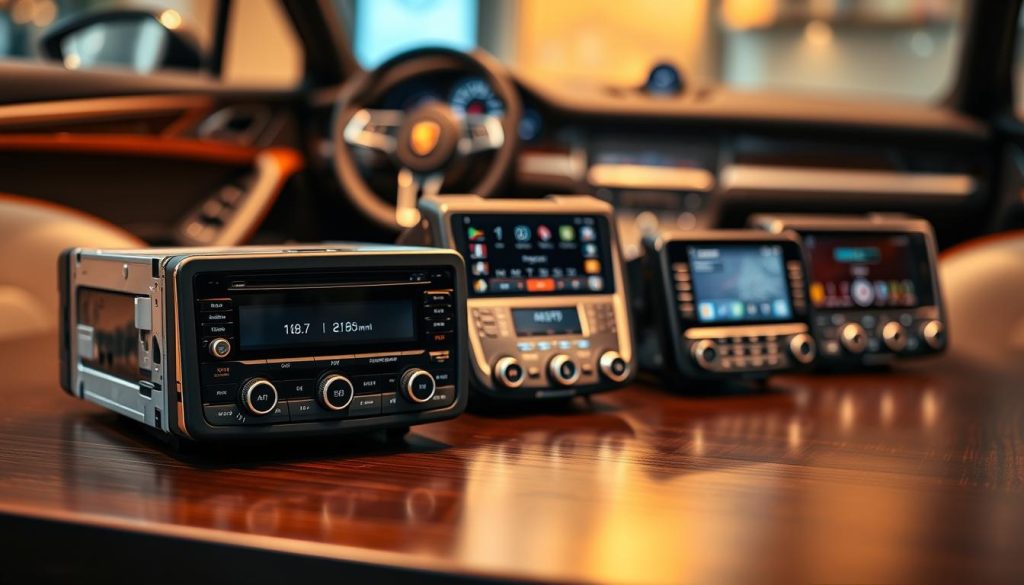
Porsche has developed several radio systems over the years, each with unique features and capabilities. The main systems include PCM 3.1, PCM 4.0, and PCM 5.0, as well as some older models.
PCM 3.1 Systems
The PCM 3.1 system is an earlier model that still offers a range of functionalities, including navigation and entertainment. It is known for its reliability and user-friendly interface.
PCM 4.0 and PCM 5.0 Systems
PCM 4.0 and PCM 5.0 are more advanced systems, featuring improved navigation, higher resolution displays, and enhanced connectivity options, including Bluetooth and Apple CarPlay. These systems provide a more integrated driving experience.
Older Porsche Radio Models
Older Porsche radio models may lack some of the modern features but still offer basic functionalities. Understanding the capabilities and limitations of these systems is essential for their maintenance.
Why You Might Need to Reset Your Radio System
Resetting your Porsche car radio system can resolve various issues, from connectivity problems to software glitches. It’s essential to understand when and why to perform a reset.
Common Symptoms Requiring a Reset
- System freezing or crashing
- Loss of connectivity (Bluetooth, Wi-Fi)
- Navigation system malfunctioning
- Audio output issues
Benefits of Periodic System Resets
Periodic resets can help maintain your radio system’s performance, ensuring that it continues to function optimally. For more information on resetting car radio systems, you can refer to guides on resetting other car radio models.
Preparing for Your Porsche Radio Reset
Adequate preparation is key to successfully resetting your Porsche car radio system. This process involves several steps that ensure you don’t lose important settings or cause unintended issues with your vehicle’s electronics.
Backing Up Your Settings and Presets
Before you reset your Porsche radio, it’s crucial to back up your current settings and presets. This includes your favorite radio stations, paired Bluetooth devices, and any customized settings. Take a moment to write down your favorite stations and note any specific configurations you’ve made to your radio or connected devices. This simple step can save you time and frustration after the reset.
Gathering Necessary Information and Tools
To reset your Porsche radio, you may need specific information or tools. Check your vehicle’s manual or manufacturer’s website for guidance on the reset process and to identify any necessary tools or codes, such as a radio PIN. Having this information ready will streamline the reset process.
Safety Precautions Before Starting
It’s also important to take safety precautions before starting the reset process. Ensure your vehicle is parked in a safe location and apply the parking brake. Be aware of your surroundings and avoid distractions while performing the reset to prevent any accidents or errors during the process.
By following these steps, you’ll be well-prepared to reset your Porsche radio safely and effectively, minimizing potential issues and ensuring a successful outcome.
How to Reset Your Porsche Car Radio System – Steps & Fixes
Understanding how to reset your Porsche car radio is essential for troubleshooting and maintaining your vehicle’s infotainment system. Whether you’re dealing with a frozen screen, connectivity issues, or other problems, a reset can often resolve the issue and improve performance.
Soft Reset Procedure
A soft reset is the first step in troubleshooting your Porsche car radio. It’s a non-invasive process that restarts the system without losing your settings.
Steps for PCM 3.1 Systems
For PCM 3.1 systems, press and hold the VOL and TUNE buttons simultaneously for about 10 seconds until the system restarts.
Steps for PCM 4.0 and PCM 5.0 Systems
For PCM 4.0 and PCM 5.0 systems, press and hold the Radio and Media buttons at the same time for about 10 seconds until the system reboots.
Soft Reset for Cayenne, Macan, and Panamera Models
For Cayenne, Macan, and Panamera models, you can perform a soft reset by pressing and holding the Home and Back buttons simultaneously for about 10 seconds.
Hard Reset Procedure
If a soft reset doesn’t resolve the issue, you may need to perform a hard reset. This process is more invasive and can vary depending on your Porsche model.
Using the Reset Button Method
Some Porsche models have a reset button located in the fuse box or under the dashboard. Check your owner’s manual for the location and press the button to reset the system.
Using the Battery Disconnect Method
Disconnecting the battery can perform a hard reset. Locate the battery, disconnect the negative terminal, wait for 10 minutes, and then reconnect it.
Using the Fuse Method
Removing the radio fuse can also reset the system. Check your fuse box for the radio fuse and remove it for a few minutes before replacing it.
| Reset Method | PCM 3.1 | PCM 4.0/5.0 | Cayenne/Macan/Panamera |
|---|---|---|---|
| Soft Reset | VOL + TUNE | Radio + Media | Home + Back |
| Hard Reset | Reset Button or Battery Disconnect | Reset Button or Battery Disconnect | Reset Button or Fuse Removal |
Factory Reset Procedure
A factory reset restores your Porsche car radio to its original settings, erasing all personalized settings and data.
Important Precautions Before Factory Reset
Before performing a factory reset, ensure you have backed up any important settings or data, as this process is irreversible.
Step-by-Step Factory Reset Instructions
- Go to the Settings menu on your infotainment system.
- Select System or System Settings.
- Choose Factory Reset or Reset to Default.
- Confirm the reset by selecting Yes or OK.
- Wait for the system to reset and restart.
Restoring Your System After Factory Reset
After a factory reset, you’ll need to reconfigure your settings, including pairing Bluetooth devices and setting up your favorite radio stations.
Troubleshooting After Reset
Even after a successful reset, some Porsche owners may experience lingering issues with their car radio system. Troubleshooting is essential to identify and fix these problems, ensuring your radio functions correctly.
When Basic Resets Don’t Work
If a basic reset doesn’t resolve the issue, it may indicate a more complex problem. In such cases, checking for software updates or consulting the user manual can be helpful. It’s crucial to understand that a reset is not always a universal solution; sometimes, deeper troubleshooting is required.
Dealing with Error Codes and Messages
Error codes or messages on your Porsche radio can be cryptic, but they often provide valuable clues about the issue. Referencing the user manual or manufacturer’s website can help decipher these codes. Accurate diagnosis is key to effective troubleshooting.
Reconnecting Bluetooth Devices
After a reset, reconnecting Bluetooth devices can sometimes be challenging. Ensure your device is in pairing mode and that the Porsche radio is set to discoverable. Restarting both your device and the radio can often resolve connectivity issues.
When to Seek Professional Help
If troubleshooting doesn’t resolve the issue, it may be time to seek professional help. Complex problems might require specialized tools or expertise. Porsche dealerships or certified mechanics can provide the necessary assistance.
By following these troubleshooting steps, Porsche owners can address common issues that arise after a radio reset, ensuring their system functions optimally.
Conclusion
Resetting your Porsche car radio system can seem daunting, but with the right steps, it’s a straightforward process. This guide has walked you through understanding your Porsche car radio system, preparing for a reset, and performing different types of resets, including soft, hard, and factory resets.
After resetting, troubleshooting common issues is crucial to ensure your radio system functions properly. We’ve covered dealing with error codes, reconnecting Bluetooth devices, and knowing when to seek professional help.
In summary, resetting your Porsche car radio system involves understanding your system’s features, backing up your settings, and following the appropriate reset procedure. By following these steps, you can resolve common issues and enjoy a seamless audio experience in your Porsche.
For a Porsche car radio reset conclusion, it’s essential to be confident in managing your car’s audio system. With this guide, you’re now equipped to handle resets and troubleshooting, ensuring your Porsche’s radio system operates at its best.
FAQ
What is the difference between a soft reset and a hard reset on a Porsche car radio system?
A soft reset typically restarts the system without erasing saved settings, while a hard reset restores the system to its default settings, often resolving more serious issues.
How do I perform a soft reset on my Porsche PCM 3.1 system?
To perform a soft reset on a PCM 3.1 system, press and hold the “1” and “6” buttons on your radio simultaneously for a few seconds until the system restarts.
Will a factory reset erase my saved radio presets and Bluetooth device pairings?
Yes, a factory reset will erase all saved settings, including radio presets and Bluetooth device pairings, so it’s essential to back up your settings before performing a factory reset.
What should I do if my Porsche car radio system is frozen and won’t respond to any commands?
Try performing a hard reset by pressing the reset button, usually located behind the radio or in the fuse box, or by disconnecting the battery to restart the system.
How often should I reset my Porsche car radio system?
Periodic system resets can help maintain optimal performance, but it’s generally not necessary to reset the system unless you’re experiencing issues or errors.
Can I reset my Porsche car radio system if I’m using a navigation system or other advanced features?
Yes, but be aware that a factory reset may erase navigation settings and other customized features, so be sure to back up your data before performing a reset.
What are the common symptoms that indicate a need to reset my Porsche car radio system?
Common symptoms include freezing, error messages, or failure to respond to commands, which can be resolved by performing a soft or hard reset.
How do I back up my Porsche car radio settings before performing a reset?
Take note of your saved radio presets, Bluetooth device pairings, and other customized settings, or check your owner’s manual for specific instructions on backing up your data.