For Porsche owners, integrating their vehicle’s advanced technology with home systems can enhance convenience and functionality. One such integration is programming the garage door opener using the Porsche HomeLink system. This feature allows drivers to operate their garage door without needing a separate remote, streamlining their entry and exit process.
The Porsche HomeLink system is designed to be compatible with most garage door openers, making it a versatile tool for homeowners. Understanding how to program this system is crucial for maximizing its benefits. Our step-by-step guide will walk you through the process, ensuring a seamless setup.
Key Takeaways
- Understand the Porsche HomeLink system and its compatibility with various garage door openers.
- Learn the step-by-step process for programming your Porsche garage door opener.
- Discover the benefits of integrating your Porsche with your home garage system.
- Troubleshooting tips for common issues during programming.
- Enhance your Porsche ownership experience with convenient garage door operation.
Understanding the Porsche HomeLink System
Understanding the Porsche HomeLink system is crucial for seamless integration with your garage door opener. The HomeLink system is a feature in Porsche vehicles that allows drivers to control their garage door openers remotely.
What is HomeLink in Porsche Vehicles?
HomeLink in Porsche vehicles is a technology that enables drivers to operate their garage door openers, gates, and other compatible devices using the vehicle’s built-in controls. This system eliminates the need for separate remotes, making it a convenient and clutter-free solution.
Compatible Garage Door Systems
The Porsche HomeLink system is compatible with a wide range of garage door openers. Most garage door systems manufactured after 1997 are compatible, including those from popular brands like Chamberlain, LiftMaster, and Genie.
Benefits of Programming Your Porsche Garage Door Opener
Programming your Porsche garage door opener offers several benefits, including increased convenience, enhanced security, and a more streamlined driving experience. By integrating your garage door opener with your Porsche’s HomeLink system, you can avoid the clutter of multiple remotes and enjoy seamless access to your garage.
| Benefits | Description |
|---|---|
| Convenience | Control your garage door opener from the comfort of your vehicle. |
| Security | Enhanced security through integrated and synchronized controls. |
| Streamlined Experience | Eliminate the need for multiple remotes, simplifying your driving experience. |
Preparing to Program Your Porsche Garage Door Opener
Before you start programming your Porsche garage door opener, it’s crucial to prepare your vehicle and gather the necessary materials. This preparation ensures a smooth and safe programming process.
Gathering Necessary Materials
To program your Porsche garage door opener, you will need:
- The original garage door opener remote control
- The owner’s manual for your Porsche vehicle
- The garage door opener’s manual (if available)
Having these materials ready will simplify the programming process.
Positioning Your Vehicle
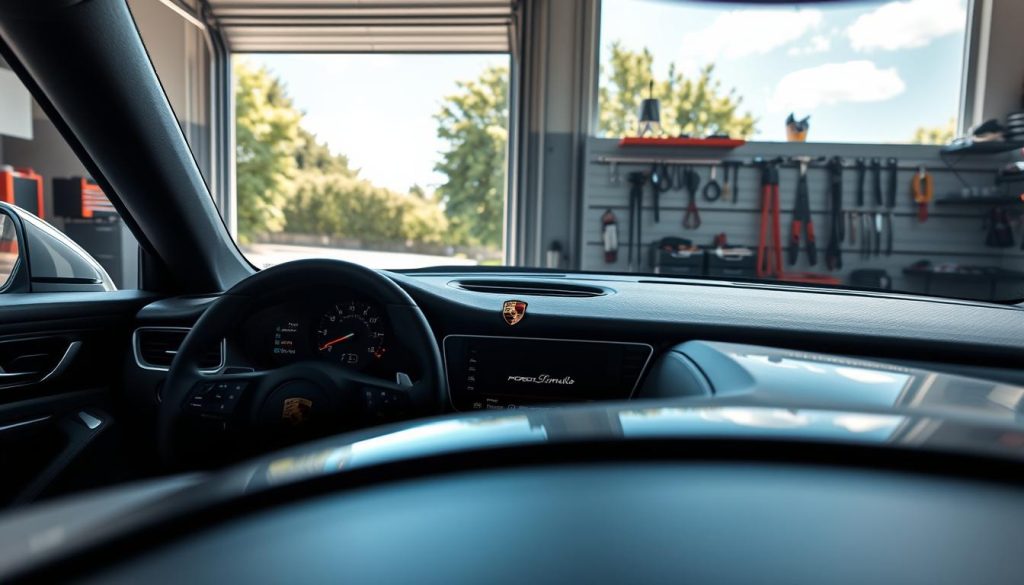
Position your Porsche within range of the garage door opener. Typically, this means being within 10 to 30 feet of the garage door. Ensure that you are close enough for the vehicle’s HomeLink system to communicate with the garage door opener.

Safety Precautions Before Programming
Before programming, take a few safety precautions:
| Safety Precaution | Description |
|---|---|
| Ensure the garage door is in good working condition | Check that the garage door opens and closes smoothly without any obstructions. |
| Clear the area around the garage door | Make sure there are no people, pets, or objects near the garage door that could be damaged or cause an accident. |
| Be aware of the garage door’s spring and cable system | Understand that these components are under tension and can cause injury if not handled properly. |
By following these steps, you can ensure a safe and successful programming process for your Porsche garage door opener.
How to Programming Porsche Garage Door Opener
Programming your Porsche’s garage door opener is a straightforward process that enhances your vehicle’s convenience features. The HomeLink system, integrated into your Porsche, allows you to control your garage door opener with ease. In this section, we will guide you through the steps to program your Porsche garage door opener, covering both standard and rolling code systems.
Locating the HomeLink Buttons in Your Porsche
The first step in programming your Porsche garage door opener is to locate the HomeLink buttons. These buttons are typically found on the overhead console or on the rearview mirror, depending on your Porsche model. To identify the HomeLink buttons, look for three buttons usually labeled as “1,” “2,” and “3.” These buttons are used to control your garage door opener, gate, or other devices.
Programming Steps for Standard Garage Door Openers
To program your Porsche for a standard garage door opener, follow these steps:
Clearing Previous Codes
Before programming a new garage door opener, it’s essential to clear any previously stored codes. To do this, press and hold the two outer HomeLink buttons until the indicator light begins to flash. This usually takes about 20 seconds. Release the buttons once the light starts flashing.
Training the HomeLink System
Next, you’ll need to train the HomeLink system to your garage door opener. To start, press and hold the desired HomeLink button (1, 2, or 3) and the button on your garage door remote simultaneously. Hold both buttons until the HomeLink indicator light changes from a slow flash to a rapid flash. This indicates that the HomeLink system is in training mode.
Syncing with Your Garage Door Motor
With the HomeLink system in training mode, hold the garage door remote close to the HomeLink buttons and press the remote’s button. The garage door motor should sync with the HomeLink system, and the indicator light will turn on steadily. You can now test the HomeLink button to ensure it operates your garage door.
For more detailed guides on programming garage door openers for other vehicles, you can visit our article on BMW garage door opener programming.
Programming Steps for Rolling Code Systems
Rolling code systems, also known as rolling code garage door openers, require a slightly different programming process.
Identifying a Rolling Code System
A rolling code system is identified by a change in the code each time the remote is used. If your garage door opener uses a rolling code, you’ll need to follow a specific programming sequence.
Programming Process for Rolling Code Openers
To program a rolling code garage door opener, first, clear any previous codes as described earlier. Then, press the “learn” or “smart” button on your garage door motor until the indicator light turns on. Within 30 seconds, return to your Porsche and press the programmed HomeLink button three times. The rolling code system should now be programmed.
| Garage Door Opener Type | Programming Steps |
|---|---|
| Standard | Clear previous codes, train HomeLink, sync with garage door motor |
| Rolling Code | Clear previous codes, press “learn” on garage door motor, press HomeLink button three times |
Programming for Different Porsche Models
Porsche’s range of vehicles, from the Cayenne to the Taycan, includes various HomeLink programming methods. While the overall process is similar across models, there are specific differences that owners should be aware of to successfully program their garage door openers.
Porsche Cayenne HomeLink Programming
The Porsche Cayenne, known for its luxurious features, includes an intuitive HomeLink system. To program the garage door opener in a Cayenne, start by locating the HomeLink buttons typically found on the rearview mirror. Press and hold the outer buttons until the LED light begins to flash, then follow the on-screen instructions in your vehicle’s infotainment system to complete the programming.
Porsche 911 HomeLink Programming
The Porsche 911, an iconic sports car, also features HomeLink for convenient garage door access. Programming the 911 involves a similar process to the Cayenne, with the added step of potentially updating your vehicle’s software to ensure compatibility with your garage door system.
Porsche Macan and Panamera Programming Differences
For owners of the Porsche Macan and Panamera, the HomeLink programming process is largely similar, with minor variations in the infotainment system’s user interface. It’s essential to consult your vehicle’s manual for specific instructions, as the steps can differ slightly between these models.
Taycan and Newer Model Programming Features
The Porsche Taycan, being one of the newer models, comes equipped with advanced technology, including an enhanced HomeLink system. Programming the Taycan involves using its high-resolution touchscreen to navigate through the HomeLink settings, offering a more streamlined experience compared to older models.
Regardless of your Porsche model, understanding the specific steps for HomeLink programming can significantly enhance your user experience. By following the manufacturer’s instructions and taking advantage of your vehicle’s advanced features, you can enjoy seamless integration with your garage door opener.
Advanced Programming and Maintenance
To get the most out of your Porsche’s HomeLink system, understanding advanced programming and maintenance is crucial. This knowledge can enhance the functionality and longevity of your garage door opener.
Programming Multiple Garage Doors
Your Porsche’s HomeLink system allows you to program multiple garage doors, making it convenient to control various doors from your vehicle. To program additional garage doors, follow the same steps as the initial programming process, ensuring each door is correctly synced with the corresponding HomeLink button.
Reprogramming Existing Settings
If you need to reprogram existing settings, perhaps due to a change in your garage door system or to reset a button, the process is straightforward. Simply press and hold the desired HomeLink button until the indicator light begins to flash, then follow the standard programming steps.
Maintaining Your Programmed Settings
Regular maintenance of your Porsche’s HomeLink system ensures continued functionality. Check your garage door opener’s batteries and the HomeLink system’s condition periodically. Keeping your vehicle’s software up to date is also crucial for maintaining compatibility and performance.
Troubleshooting Common Programming Issues
Despite the reliability of Porsche’s HomeLink system, some issues may arise. Common problems include a non-responsive HomeLink button or the garage door not recognizing the signal.
HomeLink Button Not Responding
If a HomeLink button is not responding, check that the button is properly programmed and that the garage door opener is functioning correctly. Ensure there are no obstructions or interference affecting the signal.
Garage Door Not Recognizing Signal
When the garage door does not recognize the HomeLink signal, try reprogramming the button or checking the garage door opener’s compatibility with the HomeLink system. Consult your Porsche’s manual or contact a professional if the issue persists.
When to Seek Professional Assistance
If troubleshooting does not resolve the issue, it may be necessary to seek professional assistance. Complex problems or incompatibility issues may require the expertise of a Porsche specialist or a garage door technician.
| Issue | Troubleshooting Step | Solution |
|---|---|---|
| HomeLink Button Not Responding | Check programming and garage door functionality | Reprogram button or check for obstructions |
| Garage Door Not Recognizing Signal | Reprogram button or check compatibility | Consult Porsche manual or contact professional |
Conclusion
Understanding the Porsche HomeLink system is crucial for seamless integration with your garage door opener. By following the step-by-step programming guide outlined in this article, you can easily control your garage door from the comfort of your vehicle.
The Porsche garage door opener programming process is straightforward, allowing you to enjoy the convenience of a unified home and vehicle system. Whether you own a Porsche Cayenne, 911, or another model, the HomeLink system provides a reliable and efficient way to manage your garage door.
For those interested in exploring more about garage door opener programming for other luxury vehicles, you can find a comprehensive guide on programming an Audi garage door opener at Audi Garage Door Opener Programming Guide. This resource can provide valuable insights into the broader world of luxury vehicle automation.
By mastering your Porsche garage door opener, you enhance your overall driving experience, combining the thrill of driving a Porsche with the convenience of modern home automation.
FAQ
What is the Porsche HomeLink system, and how does it work?
The Porsche HomeLink system is a technology integrated into Porsche vehicles that allows drivers to control their garage door openers, gates, and other compatible devices using the vehicle’s built-in controls. It works by transmitting a signal to the garage door opener, which then opens or closes the door.
What types of garage door systems are compatible with Porsche HomeLink?
Porsche HomeLink is compatible with most garage door openers manufactured after 1997 that use a rolling code or fixed code transmission. However, it’s essential to check the compatibility of your specific garage door opener before attempting to program it.
How do I program my Porsche garage door opener?
To program your Porsche garage door opener, start by locating the HomeLink buttons in your vehicle, then follow the step-by-step guide provided in your owner’s manual or the instructions provided with your garage door opener.
Can I program multiple garage doors to my Porsche HomeLink system?
Yes, most Porsche models allow you to program multiple garage doors to the HomeLink system. The exact process may vary depending on your vehicle’s model and year.
What should I do if my HomeLink button is not responding?
If your HomeLink button is not responding, try reprogramming the system, checking the battery in your remote control, or ensuring that the garage door opener is functioning correctly. If the issue persists, consult your owner’s manual or contact a Porsche dealership for assistance.
How do I maintain my programmed Porsche HomeLink settings?
To maintain your programmed settings, ensure that your vehicle’s battery is kept charged, and avoid exposing the HomeLink controls to extreme temperatures or moisture. Regularly check the system’s functionality to ensure it’s working correctly.
Can I program a rolling code garage door opener to my Porsche?
Yes, Porsche HomeLink systems are compatible with rolling code garage door openers. The programming process may vary slightly depending on the specific system and your vehicle’s model.
Are there any differences in programming HomeLink for different Porsche models?
Yes, different Porsche models may have varying programming procedures for the HomeLink system. Consult your owner’s manual or contact a Porsche dealership for specific guidance on programming your vehicle’s HomeLink system.